
To export your Hyperliquid trade history, open the Trade History tab under the chart and click “Export as CSV”. Then do the same in the Funding History tab, because funding is not in the trade file. The app lists your 2,000 most recent fills. For older fills, and for deposits and withdrawals, use the API (userFillsByTime, userNonFundingLedgerUpdates) or the historical-data options that the app’s “Export More” link points to.
Short version. 1) Trade History → Export as CSV: Time, Market, Direction, Price, Size, Trade Value, Fee, Closed PNL (fees already inside Closed PNL). 2) Funding History → Export as CSV: Time, Market, Size, Side, Payment, Rate. 3) Deposits/withdrawals: Portfolio page, or API userNonFundingLedgerUpdates. 4) More than 2,000 fills? Paginate userFillsByTime (2,000 per call) and dedupe by trade ID. 5) Net PnL = SUM(Closed PNL) + SUM(Payment). Export monthly. The docs only guarantee your 10,000 most recent fills through the API.
Smaller fees, smaller fee column
Every fill’s fee shows up in your export. New accounts that join with HOLYGRAIL pay 4% less on their first $25M of volume.
We earn a commission when you sign up through our links; it never raises your fees.
1. What you can export (and what each file contains)
| History | What it records | Columns / source | Export |
|---|---|---|---|
| Trade History | Every fill: opens, closes, partial fills, liquidations, spot trades | Time, Market, Direction, Price, Size, Trade Value, Fee, Closed PNL | Export as CSV |
| Funding History | Every hourly funding payment on each open perp | Time, Market, Size, Side, Payment, Rate | Export as CSV |
| Deposits and Withdrawals (Portfolio page) | USDC and asset deposits, withdrawals, transfers | Shown in the app; for a file use the API (userNonFundingLedgerUpdates) | No CSV button verified |
| Order History | Orders placed, cancelled, triggered (not fills) | For audit, not for PnL | API: historicalOrders (2,000 most recent) |
Column names and buttons checked in the app on September 25, 2026. The app’s tooltip says “Closed PNL includes fees and rebates”.
What the trade columns mean:
- Direction: Open Long, Close Long, Open Short, Close Short, Buy/Sell for spot. Liquidations appear as “Market Order Liquidation: Close Long” (or Short), so you can find them by filtering this column.
- Trade Value: price × size in USDC. Fees are charged on this value.
- Fee: the fee on that fill. When you trade through a third-party front-end, the API shows the total fee including that app’s builder fee.
- Closed PNL: for an opening fill, only the fee (negative). For a closing fill, the price PnL on the closed size plus the fee. HIP-3 markets such as trade.xyz’s stocks show a dex prefix (for example xyz:XYZ100) in the API.
2. Step by step: export from the app
- Connect the wallet you trade with at app.hyperliquid.xyz (top-right “Connect”). If you use sub-accounts, switch to each one, because each has its own history.
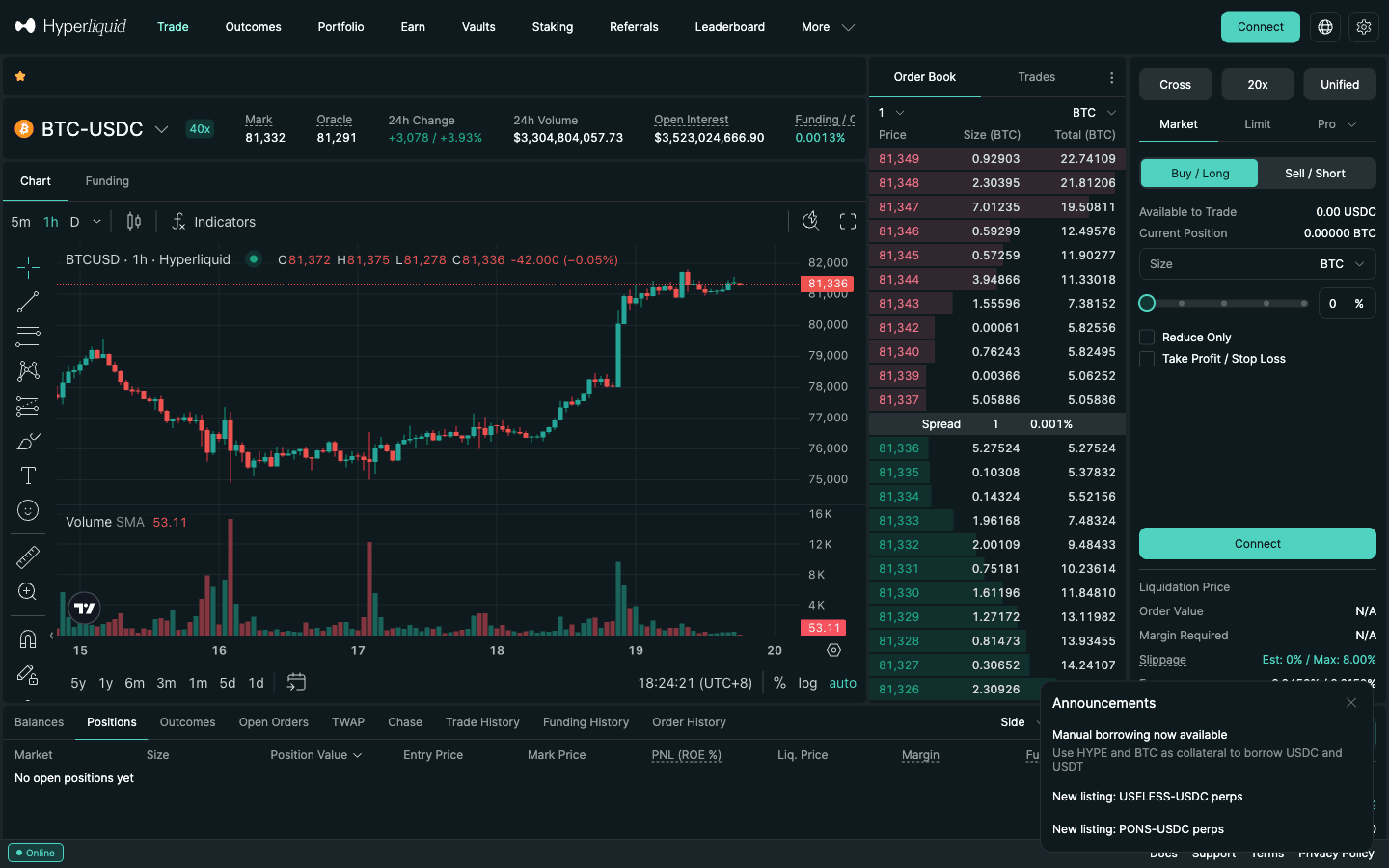
- Trade History: in the tabs under the chart (Balances, Positions, Outcomes, Open Orders, TWAP, Chase, Trade History, Funding History, Order History), open Trade History. Filters let you narrow by type, side, role, market and aggregation.
- Click Export as CSV at the bottom of the table. A file downloads with the eight columns above.
- Funding History: open the next tab and click Export as CSV again.
- Deposits and withdrawals: open Portfolio and check the Deposits and Withdrawals tab. Save it through the API as shown below, or keep screenshots.
- Rename the files with the date range, for example
hl-trades-2026-09.csv, and keep them with your records.
No wallet at hand? Any address’s history is public. Opening app.hyperliquid.xyz/tradeHistory/ or app.hyperliquid.xyz/fundingHistory/ followed by the address shows the same tables with the same Export as CSV button, without connecting. We checked both routes on September 25, 2026. This is handy for exporting a sub-account, or from a different computer.
3. The 2,000-fill limit and “Export to CSV was truncated”
On an active account the Trade History pager reads “1-25 of 2000”. The table, and so the CSV, holds only your 2,000 most recent fills. That matches the API’s userFills endpoint, which “returns at most 2000 most recent fills”. The app also has a warning, “Export to CSV was truncated”, for exports that hit a limit. A scalper or grid bot can pass 2,000 fills within days, and each partial fill of a single order counts as a fill.
Next to the export button is Export More. It links to Hyperliquid’s Historical data docs page, which points to a third-party exporter maintained by the Enigma team (trade-export.hypedexer.com) and to raw S3 data (section 6). The docs call the exporter an independently maintained integration. Using it means entering your address on a third-party site, and it never needs your keys.
The practical fix is cadence. Export Trade History and Funding History at the end of every month, or every week if you run a bot. Then no single export has to reach far back.
4. Full history through the API
All endpoints are POST requests to https://api.hyperliquid.xyz/info with a JSON body. They need no API key and no signature, just the address. From the official info-endpoint docs:
| type | Limit | Use |
|---|---|---|
| userFills | 2,000 most recent fills | Quick snapshot; same list the app’s Trade History shows |
| userFillsByTime | 2,000 fills per response; docs: only the 10,000 most recent fills are available | Full history: paginate with the last timestamp as the next startTime |
| userFunding | Time-range query; returned 500 records per call in our test | Funding payments (usdc, fundingRate, szi per coin) |
| userNonFundingLedgerUpdates | Time-range query (docs: time-range responses return up to 500 elements; paginate if a page looks capped) | Deposits, withdrawals, transfers, spot/perp transfers, vault and reward events |
| historicalOrders | 2,000 most recent orders | Order audit trail |
| portfolio | Account value and PnL series | Charts only; the docs say not for precise accounting |
A request body for fills from a start date looks like this:
{"type": "userFillsByTime", "user": "0xYourAddress", "startTime": 1756684800000, "aggregateByTime": false}Each fill comes back with coin, px, sz, side, time (milliseconds), startPosition, dir, closedPnl, fee, feeToken, hash, oid, tid and crossed (true = taker). Some fills also carry builderFee, a liquidation marker or a twapId. Spot fills use an index such as @107 (HYPE/USDC) instead of a name.
Pagination that works:
- Request with
startTime= the start of your period. - If you get 2,000 fills back, send the next request with
startTime= thetimeof the last fill. - Fills that share that millisecond come back again, so deduplicate by
tid. In our test about 2–4% of each page overlapped the previous one. - Stop when a page has fewer than 2,000 fills. Use the same loop for
userFunding(500 records per call in our test) anduserNonFundingLedgerUpdates. The docs say time-range responses return at most 500 elements, so keep paginating until a page comes back short.
How far back? The docs say only the 10,000 most recent fills are available through userFillsByTime. On September 25, 2026 we paginated a public, very active address 12 times and got 23,506 unique fills going back to March 13, 2025. The cap is not always applied, but don’t count on that. If you have fewer than 10,000 fills since your last export, you are safe. Python users can call the same endpoints through the official SDK. Rate limits and API wallets are covered in the Hyperliquid API guide. Need market-wide data rather than your own fills (candles, funding history, order-book archives)? See Hyperliquid historical data.
Common pitfall: query the account address (master or sub-account), not an API/agent wallet address. The docs note that an agent wallet’s address “leads to an empty result”.
5. Deposits, withdrawals and transfers
For taxes and reconciliation you need money in and out, not just trades. The API type userNonFundingLedgerUpdates returns “deposits, transfers, and withdrawals”. On a real account the event types we saw were deposit, withdraw, send, spotTransfer, accountClassTransfer (spot ↔ perps), internalTransfer, rewardsClaim and vault events. Keep the on-chain side too, such as your Arbitrum USDC deposit transaction, because it proves cost and timing outside Hyperliquid. Deposit routes: deposit guide.
6. Bulk historical data (S3) and third-party exporters
For advanced users the docs list public S3 buckets where the requester pays transfer costs. s3://hl-mainnet-node-data/node_fills_by_block holds fills streamed from a non-validating node (older data in node_fills, which matches the API format). misc_events_by_block holds non-trade events such as transfers, staking and funding. hyperliquid-archive has L2 book snapshots and asset contexts, updated about monthly “with no guarantee of timely updates”. These are whole-exchange datasets. You would filter them for your address with your own scripts, which only makes sense if you have lost an export and the API no longer reaches back far enough.
7. Explorers: checking a single transaction
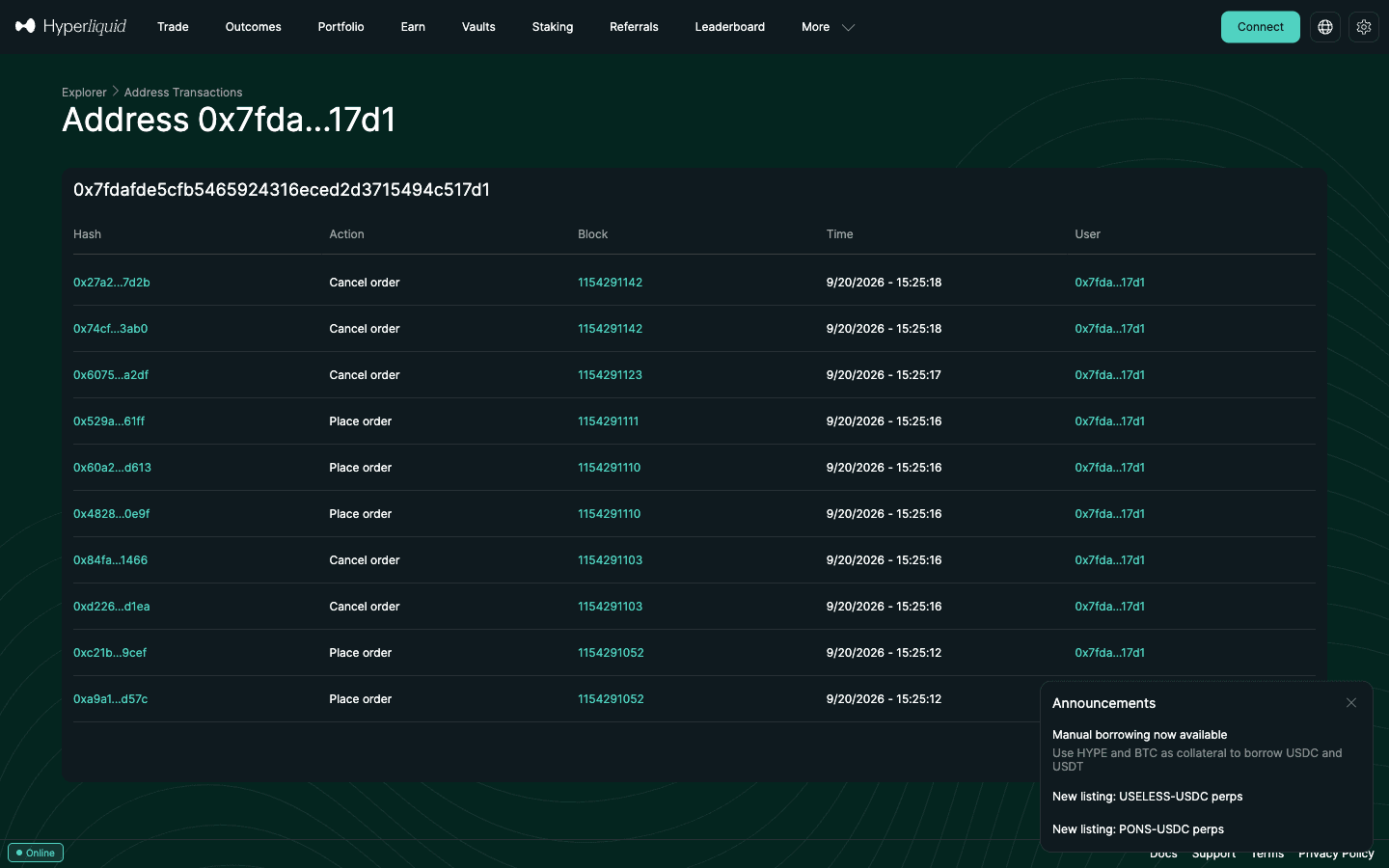
For one disputed fill or a missing deposit, an explorer is faster than a CSV. The official explorer (app.hyperliquid.xyz/explorer) shows an address’s signed actions (orders, cancels, transfers) with block numbers and times. Community explorers such as HypurrScan show open positions and fills per address. Guide: Hyperliquid explorer.
Trading on Hyperliquid?
Join with HOLYGRAIL: 4% off fees on your first $25M, applied to every fill in your history. How it works: HOLYGRAIL referral guide.
8. From CSV to PnL sheet
This example matches our PnL guide: a 0.1 BTC long opened at $84,573 and closed at $88,000 after 48 hours, taker both ways.
| Event | Where it appears | Values |
|---|---|---|
| Open long 0.1 BTC at $84,573 (taker) | Trade History | Fee 3.81 · Closed PNL −3.81 |
| Close 0.1 BTC at $88,000 (taker) | Trade History | Fee 3.96 · Closed PNL +338.74 |
| 48 hourly funding payments | Funding History | Sum of Payment −5.07 |
| Net result | SUM(Closed PNL) + SUM(Payment) | +$329.86 |
- Paste the trade export into one sheet and the funding export into another.
- Net trading PnL = SUM(Closed PNL). Do not subtract the Fee column again; it is already inside Closed PNL.
- Net funding = SUM(Payment) (negative = you paid).
- Net result = trading PnL + funding. In the example: 334.93 − 5.07 = +$329.86.
- Reconcile: starting account value + deposits − withdrawals + net result ≈ ending account value. Gaps usually mean open positions’ unrealized PnL, spot balances, vaults or a missing export.
- Convert to your currency with a consistent daily rate. Time is in the file, so a lookup by date works.
If you trade on several DEXs, the same structure applies. Trading journal guide · realized vs unrealized PnL.
9. Using the files for taxes
The exports are raw data. How perp PnL, fees and funding are taxed depends on your country, so hand these files to your software or adviser rather than reading this as tax advice.
- US: the IRS treats digital assets as property. Gains and losses are reported on Form 8949, and other digital-asset income on Schedule 1. Form 1099-DA reporting by brokers began with 2025 transactions, but the final rules exclude decentralized, non-custodial platforms, so you will not get a 1099 from Hyperliquid. Your exports are the record.
- Japan: crypto margin trading profits are miscellaneous income under comprehensive taxation (NTA FAQ). For overseas venues you may use your own records plus published rates. The Japanese version of this page walks through the filing flow.
- Tax software: Cryptact, a Japanese crypto tax service, publishes a Hyperliquid guide (updated April 9, 2026): upload the Trade History and Funding History CSVs, oldest first, and use its custom file format for anything the files do not cover. Its guide mentions user reports of a 10,000-row cap. For other tools, check whether they read Hyperliquid’s funding file as well as the trade file.
Country-by-country rules (IRS, HMRC, Japan NTA), funding and the HYPE airdrop: Hyperliquid taxes. Records for a company or fund account are covered in the desk and institutional setup guide.
10. Common mistakes
- Exporting only trades. Funding is a separate file, and on long holds it can be larger than your fees.
- Double-counting fees. Closed PNL already includes them.
- Waiting until tax season. After 2,000 fills the app list stops, and the API only guarantees 10,000. Export monthly.
- Forgetting sub-accounts and vaults. Each sub-account has its own address and history. Vault deposits and withdrawals show in the ledger updates.
- Querying the agent wallet. API/agent wallet addresses return empty results. Use the account address.
- Mixing time zones. The API gives UTC milliseconds, while the app shows local time. Pick one zone for your records.
- Using the Portfolio PnL chart as a record. It is sampled about every 15 minutes, and the docs say it is not for precise accounting.
11. FAQ
How do I export my Hyperliquid trade history to CSV?
Open app.hyperliquid.xyz, connect the wallet you trade with, open the Trade History tab under the chart and click “Export as CSV”. Do the same in the Funding History tab. The file has Time, Market, Direction, Price, Size, Trade Value, Fee and Closed PNL for trades, and Time, Market, Size, Side, Payment and Rate for funding. You can also open app.hyperliquid.xyz/tradeHistory/ followed by any address to see and export that address’s history without connecting.
Why is my Hyperliquid CSV export incomplete?
The app’s Trade History list covers your 2,000 most recent fills (the pager reads “1-25 of 2000” on busy accounts), and the app can warn “Export to CSV was truncated”. For older fills use the “Export More” link, which points to Hyperliquid’s Historical data page, or the API’s userFillsByTime endpoint with pagination.
How far back can I get Hyperliquid fills from the API?
The docs say userFillsByTime returns at most 2,000 fills per response and that only the 10,000 most recent fills are available. In our test on September 25, 2026, paginating a public high-volume address returned more than 23,000 unique fills going back to March 2025, so the limit is not always applied. Treat 10,000 as what is guaranteed and export at least monthly.
Does the Hyperliquid trade history include fees and funding?
Fees, yes: each fill’s Closed PNL already includes its fee and any rebate, and the Fee column shows it separately. Funding, no: it is a separate export (Funding History). Your net trading result is the sum of Closed PNL plus the sum of Payment.
How do I get deposits and withdrawals from Hyperliquid?
The Portfolio page has a Deposits and Withdrawals tab. For a file, query the API with type userNonFundingLedgerUpdates and your address. It returns deposits, withdrawals and transfers, including spot/perp and sub-account transfers. Paginate by time if a response looks capped.
Which tax tools support Hyperliquid?
Cryptact, a Japanese crypto tax service, publishes a guide (updated April 2026) for uploading Hyperliquid’s Trade History and Funding History CSV files. It advises uploading files oldest first and notes reports of a 10,000-row cap. For any other tool, check its own supported-exchange list and whether it reads funding.
Why does the API return nothing for my address?
You are probably querying an API (agent) wallet address. The docs warn that account data must be queried with the actual master or sub-account address; an agent wallet’s address returns an empty result. Query each sub-account separately.
Lower fees on every row of your history
Hyperliquid: 0.045% taker / 0.015% maker at the base tier. Code HOLYGRAIL takes 4% off on your first $25M of volume.
More: Hyperliquid review, Hyperliquid fees, sub-accounts. Comparing venues? See the best DEX guide or start with what a DEX is.
Disclosure: HOLYGRAIL is our Hyperliquid referral code; we earn a share of fees paid by referred accounts. Buttons, columns and limits were checked in the app, the official API docs and live API calls on September 25, 2026. The PnL example uses hypothetical exit prices. Not tax advice.