
Short answer. All official routes (web on desktop, web on a phone, the Android app) use the same account, markets and fees (0.045% taker / 0.015% maker, no gas). Joining through app.hyperliquid.xyz/join/HOLYGRAIL is the cheapest way to trade Hyperliquid on desktop, Android and iPhone; in the Android app you can also type the code under Referrals → Enter Code. Only install the Android app from Google Play (publisher Hyperliquid Corp).
Want a native iPhone app? Third-party apps cost more per trade, but the Hyperliquid code's 4% discount still applies inside apps you connect with the same wallet, such as Based and Liquid (on Hyperliquid's part of the fee), so join with HOLYGRAIL before you connect one. fomo creates its own account, so there only fomo's own code applies. Ours: Based HOLYGRAIL (Based's own program — same letters as our Hyperliquid code, but separate), Liquid JV2EN2CX and fomo DailyWiseKite — Liquid's and fomo's take 10% off the app's own fee. Compared in section 7.
1. Is there a Hyperliquid app? Platform by platform
Hyperliquid was a web-only exchange for nearly three years. That changed in April 2026, when Hyperliquid Labs quietly published an MVP Android app to Google Play (announced on the project's Discord on April 1; press coverage put it past 500 downloads within days of the announcement). The web app at app.hyperliquid.xyz remains the primary interface and the only official option on iOS. Here is the current state of every platform:
| Platform | Official app? | What you get | Where |
|---|---|---|---|
| Android | Yes — "Hyperliquid" by Hyperliquid Corp on Google Play | Full trading interface + native push notifications for fills | play.google.com (package xyz.hyperliquid.app) |
| iPhone / iPad | No official app (App Store US, Japan and Korea checked October 19, 2026) | Web app in Safari; add to Home Screen for an app-like icon | app.hyperliquid.xyz |
| Mobile browser (any) | Yes — the same web app | Everything desktop has, stacked vertically | app.hyperliquid.xyz |
| Desktop | Web app only (no download) | Full layout: chart, book, order form side by side | app.hyperliquid.xyz |
| Third-party apps | Not official; Based, Dexari, fomo and Phantom are in Hyperliquid's own directory, Liquid is not | Native iOS/Android front-ends on Hyperliquid liquidity, with an extra fee | Based, Liquid, fomo, Phantom, Dexari, Hyperdash (web); OneShot is winding down (section 7) |
The most important thing to understand is that all of these are front-ends to the same chain. Your wallet address is your account; whether you open it in Chrome on a laptop, the Android app or a third-party iOS app, you see the same balance, positions and open orders. Nothing is "in" the app.
2. Hyperliquid app for Android (Google Play)
The Google Play listing is titled simply "Hyperliquid", published by Hyperliquid Corp, package name xyz.hyperliquid.app. On October 19, 2026 it showed 10K+ downloads, a last update on September 9, 2026 ("minor bug fixes"), no price and no in-app purchases; the Japanese listing carried 4.8 stars from 59 reviews (the US and Korean pages show no rating). The description lists 24/7 perpetuals on crypto, equities, commodities and FX, spot trading, deposits and withdrawals of BTC, ETH, SOL, HYPE and more, TWAP and TP/SL orders, portfolio margin with HYPE, BTC and USDC as collateral, real-time tracking of positions, balances and funding, and onboarding by email or a DeFi wallet. It also states that features may vary by region and that neither the app nor Hyperliquid is licensed or registered by any regulator.
Is it any good? The rating is high but the sample is small, and that fits what the app is: the proven web interface in a native shell, with push notifications for fills. If you already trade on the website, nothing will surprise you; if you are new, it is the lowest-cost way to trade Hyperliquid from a phone.
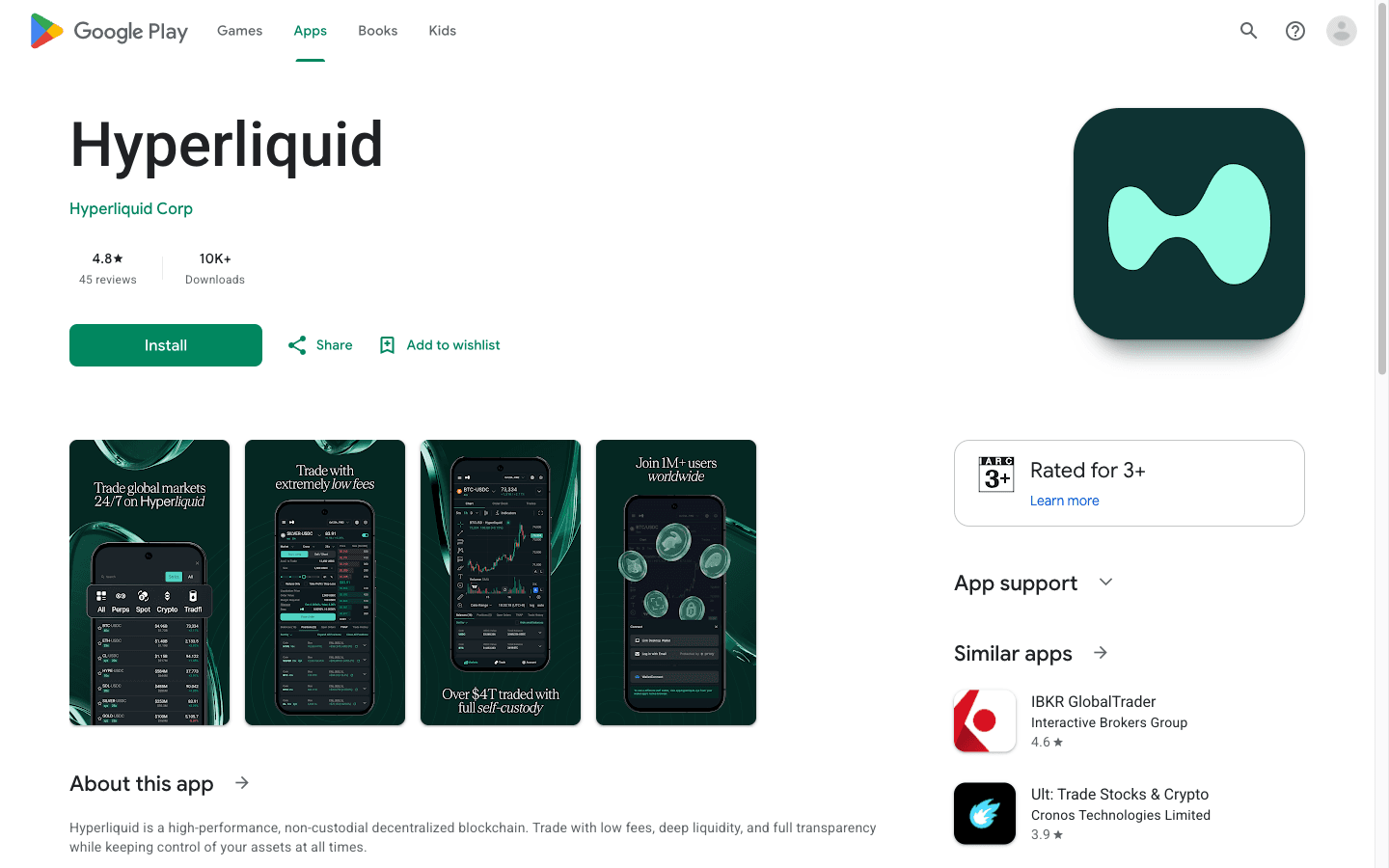
How to install and set up the Android app
- Open Google Play and search "Hyperliquid". Several third-party apps use the name (trackers, copy-trading front-ends); the official one is the plain "Hyperliquid" entry by Hyperliquid Corp.
- Install and open it. The app wraps the same interface as the website, so the layout will look familiar if you have used the web app.
- Tap Connect. Choose email (enter your address, type the 6-digit code that arrives — Hyperliquid creates an embedded wallet for you) or wallet (MetaMask, Rabby, Phantom or another app on the phone via WalletConnect).
- Enable trading. With a wallet login you sign one gas-less message; email accounts are ready immediately.
- Add the referral code before you trade. If you did not sign up through our app.hyperliquid.xyz link, open Referrals → Enter Code (the same page as on the website) and type
HOLYGRAIL. It takes 4% off your fees on your first $25M of volume, and the app only accepts a code while your account has traded $10,000 or less. - Deposit. Tap Deposit and send USDC on Arbitrum, Ethereum, Base or Polygon to the address shown, or scan the QR code from your exchange's withdrawal screen. Native BTC, ETH, SOL and a few other assets can also be sent and sold for USDC in the spot tab.
- Allow notifications when asked. Push notifications for order fills were the one native feature in the MVP release and remain the main reason to prefer the app over the browser.
What the Android app does not do (yet): it does not add biometric login, a separate key store or any trading feature the website lacks. Treat it as the web app plus notifications, which is exactly how Hyperliquid described it at launch.
APK downloads and fake "Hyperliquid" apps
Search results for "Hyperliquid app download" include APK mirror sites and, on Google Play itself, apps by unrelated developers that borrow the name — one of them a "mining" app, though Hyperliquid has no mining. None of these is the exchange. Install only the Google Play listing whose publisher line reads Hyperliquid Corp (package xyz.hyperliquid.app); a sideloaded APK can be an outdated build, an unofficial client or malware, and it will not update itself. If you cannot use Google Play, open app.hyperliquid.xyz in Chrome and choose "Add to Home screen" — you get the same interface without the download.
3. Hyperliquid app on iPhone (iOS): add it to your Home Screen
As of October 19, 2026 there is no official iOS app: none of the 80 US, 70 Japanese and 70 Korean App Store results for "hyperliquid" is published by Hyperliquid. You do not need one: the site declares itself a Home Screen web app (manifest display: standalone, apple-mobile-web-app-capable), so the icon opens full-screen without Safari's address bar. Five steps, about a minute:
- Open Safari and go to app.hyperliquid.xyz. Type the address or use our link; do not tap a search ad. Safari is the most reliable route; other iOS browsers also offer Add to Home Screen on recent iOS versions, but the steps differ.
- Tap Share, the square with an arrow. If you do not see it in the toolbar, tap the ••• button first.
- Choose Add to Home Screen (scroll down the share sheet if it is not in the first row), keep the name "Hyperliquid" and tap Add.
- Open Hyperliquid from the new icon. It launches full-screen without the address bar and keeps you logged in, like a native app.
- Connect. Log in with email (a 6-digit code; Hyperliquid creates a wallet for you) or connect a wallet app on the phone (MetaMask, Rabby, Phantom, Coinbase Wallet) through WalletConnect. If you joined through our link, HOLYGRAIL is already on the account; otherwise add it under Referrals → Enter Code before your first trade.
The one limitation is push notifications: the Hyperliquid web app does not currently deliver fill notifications on iOS, only the Android app does. If fill alerts matter, run a price-alert app beside the web app or use a third-party front-end that supports notifications.
Why there is no Hyperliquid app in the App Store
Searching the App Store for "hyperliquid" returns only third-party products: HyperIndex, HyperTerminal, Onyx, Perpy, Hyperbot, Dexly, Stack, Dexari, BasedApp, OneShot for Hyperliquid and wallets such as Phantom and MetaMask. Some are trading front-ends built on Hyperliquid's liquidity, some are trackers or wallets; none is the exchange itself, and any listing that claims to be the official Hyperliquid app is not. The one Google in the US shows as an App Store result for "Hyperliquid app", OneShot, is winding down (its website only offers withdrawal instructions) (details below).
Pages that rank for "Hyperliquid app iOS" (Dexly, goodcryptoX, Hyperview) are landing pages for those third-party apps. Front-ends that place orders on Hyperliquid for you do it with a builder code, so their fee is added on top of Hyperliquid's. The HOLYGRAIL discount still applies to Hyperliquid's part of those orders, as long as the code is on your account before an app attaches its own. The apps we have checked are compared in section 7.
4. Four ways to log in to Hyperliquid on a phone
All four routes are documented by Hyperliquid and work in the Android app and in the mobile web app.
Route A — Email login (simplest, no wallet app needed)
Tap Connect, enter your email, type the 6-digit code. Hyperliquid creates a wallet for you behind the login. You can export its private key later from the settings menu ("Export Email Wallet") and import it into Rabby or MetaMask if you ever want direct control — or if you accidentally send an unsupported asset to that address.
Route B — Mobile wallet's in-app browser
Open the dApp browser inside MetaMask Mobile, Rabby, Phantom or Trust Wallet, navigate to app.hyperliquid.xyz, tap Connect and approve. This is the most reliable connection because the wallet and the site run in the same app. MetaMask and Phantom are listed in the official docs as supported onboarding paths on iOS and Android.
Route C — WalletConnect from Safari or Chrome
On the Hyperliquid site tap Connect, choose WalletConnect and pick your wallet app; iOS will switch to it for approval and back. It works, but session drops are more common than with Route B, so if a transaction hangs, reopen the wallet app.
Route D — Link your desktop wallet by QR code
If your funds sit in a browser-extension wallet on your computer, you do not need to move the seed phrase to your phone. Connect on desktop, then on the phone tap Connect → Link Desktop Wallet and allow camera access. On desktop click the PC-plus-mobile icon at the top right of the navigation bar, sign the pop-up, and scan the QR code that appears. The phone session is now authorised to trade for that wallet.
5. What the mobile interface looks like
The navigation bar carries the same tabs as desktop: Trade, Outcomes, Portfolio, Earn, Vaults, Staking, Referrals, Leaderboard and More. On the trade page the market header shows mark and oracle price, 24h change and volume, open interest and the funding countdown. Because a phone screen is narrow, the chart, order book and order form stack vertically — you scroll instead of glancing.
The order form itself is unchanged: margin mode (Cross / Isolated), leverage, account mode, then Market / Limit / Pro tabs, Buy/Long or Sell/Short, size, Reduce Only and a Take Profit / Stop Loss toggle. Below it the ticket shows liquidation price, order value, margin required, estimated slippage (max 8% on market orders by default) and the fee line — 0.0450% / 0.0150% at the base tier. The bottom panel has Balances, Positions, Open Orders, TWAP, Chase, and trade, funding and order history; Deposit and Withdraw sit at the bottom right.
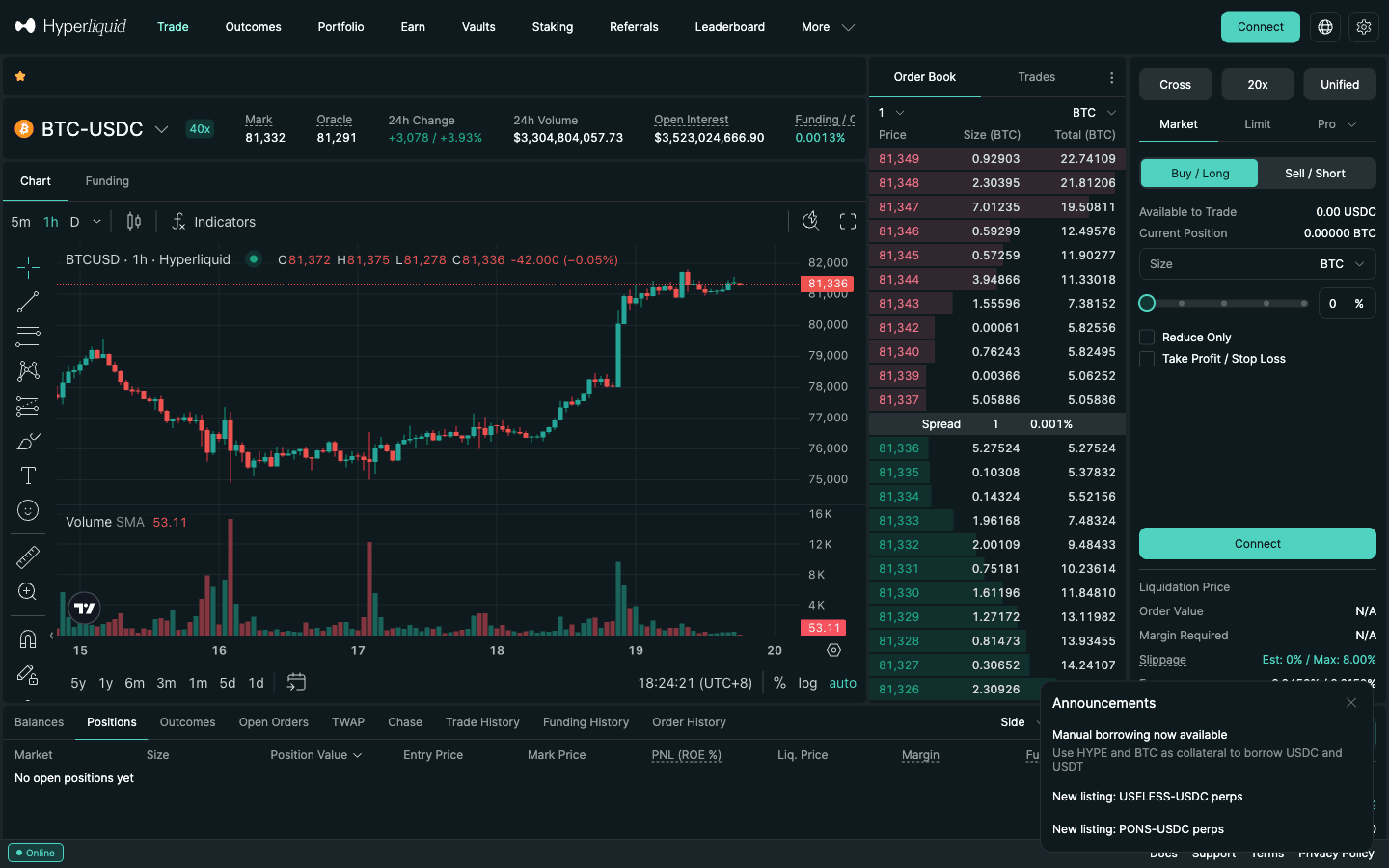
What you can open in the Hyperliquid app
The app is more than crypto perps. The same login on app.hyperliquid.xyz or the Android app reaches all of these:
- Stocks, indices and commodities (HIP-3 markets). Builder-deployed perps such as trade.xyz's stock and S&P 500 markets sit on the same order book and show up in the Trade page's market search, with no extra app fee: 0.009% taker in growth mode on most xyz markets, 0.09% on the rest (twice the normal rate), and your HOLYGRAIL discount applies. What they are and their weekend risks: Hyperliquid stocks via trade.xyz.
- Vaults and HLP. The Vaults tab lists the protocol vault HLP and vaults run by other traders; you deposit USDC and share their profit or loss. Lock-ups, live APY and risks: Hyperliquid vaults and HLP.
- Prediction markets. The Outcomes tab holds Hyperliquid's on-chain HIP-4 Yes/No outcome markets (some listed by deployers such as trade.xyz). Polymarket's perpetual futures are a different exchange, not part of the Hyperliquid app; how they compare on fees and leverage: Polymarket Perps review.
- A pro trading terminal. The official app has no per-wallet copy trading (vaults are its pooled alternative), trader cohorts or liquidation heatmaps. Hyperdash adds them in a web terminal that trades the same account (with its own +0.015% builder fee on perps): Hyperdash guide.
- "Is it available in my country?" The interface and the app are closed to people in the United States, Ontario and sanctioned territories, and outcome markets have a separate list. The exact Terms wording: Hyperliquid restricted countries.
Whichever of these you use, the account comes first: open it through our HOLYGRAIL referral code page or app.hyperliquid.xyz/join/HOLYGRAIL before you trade, deposit into a vault or connect a third-party terminal.
6. What is identical on mobile and desktop
Because every front-end talks to the same HyperCore clearinghouse, the numbers below apply to the Android app, the iPhone web app and desktop alike. Live figures come from the public API at build time (Oct 20, 2026).
| Item | On the app / mobile |
|---|---|
| Perp fees (base tier) | 0.045% taker / 0.015% maker; 4% off with code HOLYGRAIL on your first $25M |
| Spot fees (base tier) | 0.070% taker / 0.040% maker |
| Gas | None for orders, cancels, TP/SL or funding on HyperCore |
| Max leverage | BTC 40x, ETH 25x, SOL 20x, HYPE 10x — identical caps |
| Markets (Oct 20, 2026) | 178 perp markets, 336 spot pairs, ~$4B perp volume in the last 24h |
| Order types | Market, limit, stop, take-profit, trailing stop, scale, TWAP, chase; TP/SL trigger on mark price |
| Deposits | USDC on Arbitrum / Ethereum / Base / Polygon, or native BTC, ETH, SOL and others |
| Withdrawals | "Withdraw" button on the trade page; Arbitrum USDC 0.2 USDC flat + tiny HyperEVM gas |
Full fee schedule and discount stacking: Hyperliquid fees explained. Deposit and withdrawal walkthroughs: deposit guide · withdrawal guide.
7. Best Hyperliquid apps compared: official, Based, Liquid, fomo and others
Every Hyperliquid app below trades on the same order book: same liquidity, same prices, same liquidation engine. The difference is what each one adds on top of Hyperliquid's own fee. The official web app and Android app add nothing; third-party apps route your orders through builder codes and charge a builder fee per fill in exchange for a native iOS build and extra features. Fees are each app's base tier from its official fee page (registry dates in the disclosure); the "HOLYGRAIL" column answers the question that decides your cost: does Hyperliquid's own 4% referral discount still reach orders you place in that app?
| App | Platforms | Extra fee on perps (all-in taker, base tier) | HOLYGRAIL discount in the app? | Our code | Review |
|---|---|---|---|---|---|
| Official web app Open (HOLYGRAIL) | Any browser: desktop, Android, iPhone (Safari → Add to Home Screen) | None — 0.045% (0.0432% with HOLYGRAIL) | Yes — 4% off your first $25M | HOLYGRAIL4% off Hyperliquid fees | Hyperliquid review |
| Official Android app Join (HOLYGRAIL) | Android (Google Play, Hyperliquid Corp, 10K+ downloads) | None — 0.045% (0.0432% with HOLYGRAIL) | Yes — same account (Referrals → Enter Code) | HOLYGRAILSame account, same discount | Android set-up |
| Based Open Based | iOS, Android, web, desktop, Telegram bot | +0.025% (0.070%); spot sells +0.1% | Yes — connect the wallet that joined with HOLYGRAIL | HOLYGRAILBased's own program (same letters as our Hyperliquid code); no discount for you documented | Based app review |
| Liquid Open Liquid | iOS, Android | +0.05% (0.095%); stock/FX perps: market fee + 0.05% | Yes on Hyperliquid-routed orders — connect the same wallet | JV2EN2CX10% off Liquid's fee (0.090% all-in taker) | Liquid review |
| fomo Open fomo | iOS, Android | +0.05% (0.095%) | No — fomo creates its own wallet and account | DailyWiseKite10% off fomo's fees; sign-up only | fomo app review |
| Hyperdash Open Hyperdash | Browser — web terminal only, no App Store app | +0.015% (0.060%); spot +0.03% | Yes — connect the wallet that joined with HOLYGRAIL | None No code; plain link | Hyperdash guide |
| Phantom Open Phantom | iOS, Android (perps in app); desktop at trade.phantom.com | +0.05% (0.095%) | Yes — open the HOLYGRAIL link with the Phantom wallet first | None No code; plain link | Best Hyperliquid wallets |
| Dexari Open Dexari | iOS, Android | +0.10% under $500k 30-day volume (0.145%); +0.01% at $10M+ | Only if the account already carries the code | None No code; plain link | No review yet |
| OneShot for Hyperliquid No link: winding down | iOS only (not in the Korean store) | Not documented on its site | Unknown; do not open a new account | None No code | Why to avoid it |
Others. Hyperliquid's own ecosystem directory lists, under "Mobile apps" on October 19, 2026, Infinex, Based, fomo, Dexari, Dreamcash and the wallets MetaMask, Phantom, Trust Wallet and Rabby; Liquid is not on that list, though it routes orders to Hyperliquid and has its own iOS and Android apps. The official docs name Dexari (iOS, Android), MetaMask (iOS, Android), Phantom (web extension, iOS, Android) and app.hyperliquid.xyz (web) as ways to start trading. A listing in either place is not a fee check: read an app's fee page before you deposit.
The rule that decides your fees: HOLYGRAIL first, app second
the referral discount also applies to orders placed through apps with a builder code: on mainnet fills we checked on October 1, 2026, accounts with a code paid Hyperliquid's part of the fee at exactly 4% off on orders placed through apps such as Based and Phantom, and the referrer was still paid, while accounts without a code paid the full rate. The catch is order: apps such as Phantom often set their own Hyperliquid referral code on accounts that have none, so enter a code on Hyperliquid before you start using an app. So:
- First open app.hyperliquid.xyz/join/HOLYGRAIL with the wallet you will use in the app (MetaMask, Rabby, Phantom…), connect and confirm the code.
- Then connect the same wallet in Based, Liquid, Hyperdash or Phantom. The app trades from that wallet's Hyperliquid account, so the code stays. Signing up in an app with email, Google or Apple creates a new embedded wallet instead, which is a different account without the code.
- fomo is the exception: it has no wallet connection and creates its own account, so only fomo's own code applies there (below).
Hyperliquid accepts a code only while the account has traded $10,000 or less, and it cannot be changed once set.
OneShot for Hyperliquid: the App Store result is winding down
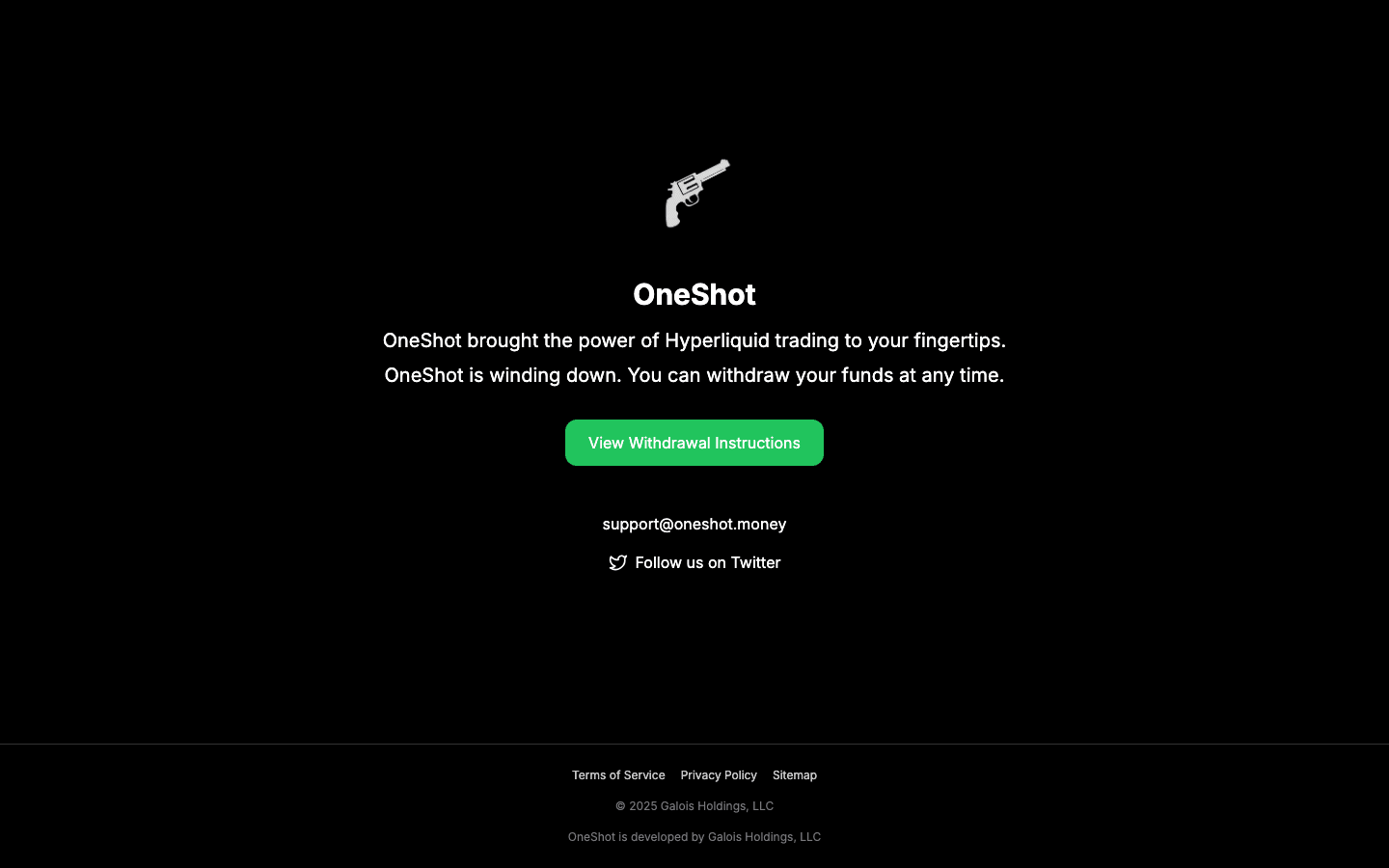
Search Google in the US for "Hyperliquid app" and the App Store result you are shown is OneShot for Hyperliquid, published by Galois Holdings LLC and last updated June 5, 2026. It is a third-party wallet-and-trading app, not Hyperliquid's. On October 14, 2026 its own website said "OneShot is winding down": the home page offers nothing but withdrawal instructions, and the fee it charged is not documented there. Our advice is simple: do not open a new account in it. If you already hold funds there, use its in-app withdrawal (sell, then withdraw USDC on Arbitrum to an address you control) or export the wallet key into your own wallet.
One more reason for caution: the App Store description still sells access "without needing a VPN". Hyperliquid's Terms (section §3.1.5) forbid using a VPN or any other method to hide your location, and no front-end changes who the official interface is closed to. We do not recommend any app as a way around a restriction.
Our referral codes for the phone apps
A Hyperliquid referral code also works inside third-party apps (see below): its 4% comes off Hyperliquid's part of the fee. Several apps add their own program on top, which applies to the app's own fee. Sign up with ours:
- Based — code
HOLYGRAIL. Same letters as our Hyperliquid code, but a separate program: it is Based's own affiliate program, separate from Hyperliquid's: your Hyperliquid code still takes 4% off Hyperliquid's part of orders placed in Based, and Based's referral covers Based's own builder fee. Our link opens Based's sign-up page with the code already in the "referral code" field. Based's docs list no discount for the person using a Based code, so your Based fee is the same either way. Sign up on Based → - Liquid — code
JV2EN2CX. Liquid's docs say a referred trader saves 10% on Liquid's fees for as long as they trade: 0.05% becomes 0.045%, so about 0.090% all-in taker on Hyperliquid perps at the base tier, or 0.088% with HOLYGRAIL on your Hyperliquid account as well. Enter it when the app asks for a code while you create your account; our link carries it. Get Liquid → - fomo — code
DailyWiseKite. 10% off fomo's fees (standard 0.50% → 0.45%). fomo applies a referral only at sign-up, with no field to add it later, so open our link before you create the account; on a phone tap "Download app" on the page it opens. Get fomo → - Dexari, Phantom and Hyperdash — we have no referral code for these; the links in the table are plain links.
Referee terms checked in each app's official docs on September 25, 2026.
We earn a commission when you sign up through our links and codes on this page; none of them raises your fees.
In-depth reviews: Based app review · Liquid review · fomo app review.
Third-party apps cost more — but your Hyperliquid referral code still applies
Two facts decide whether a third-party app is worth it:
- They add a fee to every fill. The builder fee is charged on top of Hyperliquid's own fee. You approve a maximum once (Hyperliquid caps builder fees at 0.1% on perps and 1% on spot) and can revoke it at any time. The official website and Android app charge no builder fee.
- Your Hyperliquid referral code still works through them. One sentence in Hyperliquid's docs says "builder codes override referral codes for that order", but it sits on a proposal page that Hyperliquid marks as not implemented, and on mainnet app orders keep both the discount and the referrer’s reward. On mainnet fills we checked on October 1, 2026, the referral discount also applies to orders placed through apps with a builder code: traders with a code paid Hyperliquid's part of the fee at exactly 4% off on orders placed through apps such as Based and Phantom, while traders without one paid the full rate. The discount never touches the app's builder fee. An app's own code stacks on top (a Hyperliquid referral code and an app's own referral code both apply on the same order: the 4% comes off Hyperliquid's part of the fee, the app's discount off its builder fee); ours are above, and on Liquid and fomo the app code takes 10% off the app's fee. The one catch is order: apps such as Phantom often set their own Hyperliquid referral code on accounts that have none, so enter a code on Hyperliquid before you start using an app. Hyperliquid locks the code field after $10,000 of volume.
What that means on a $10,000 position opened and closed with market orders at the base tier: official app with HOLYGRAIL $8.64; through apps, with HOLYGRAIL on your account: Hyperdash $11.64 · Based $13.64 · Liquid $18.64 ($17.64 with our Liquid code as well) · Phantom $18.64 · fomo $18.64 (with fomo's own Hyperliquid code on the account: HOLYGRAIL cannot be added there) · Dexari $28.64 (at its entry fee tier). Without a Hyperliquid code, each costs $0.36 more. The apps are not a way to save money; they are a way to get a better phone experience, and you pay for it per trade.
Which one to pick
- Desktop or Android — cheapest overall: the official app with code HOLYGRAIL (0.0432% taker).
- Cheapest on iPhone: the official web app in Safari, added to the Home Screen (section 3), with HOLYGRAIL. No native push notifications, but the lowest fee.
- Best native all-rounder: Based — iOS, Android, web and desktop, native charts, Polymarket predictions and a Visa card, and the lowest extra fee (0.025%) among full phone apps. Our Based code:
HOLYGRAIL(Based's own program; sign up). - Stocks, FX and fiat on-ramp in one app: Liquid — crypto on Hyperliquid's order book plus stock, FX and index perps with their own fee schedules, deposits by Apple Pay or card, weekly points. Our code
JV2EN2CXtakes 10% off Liquid's fee (get Liquid). - Social trading and spot tokens next to perps: fomo (perps are not offered to US persons). Our code
DailyWiseKitetakes 10% off fomo's fees (get fomo). - Already use Phantom: perps are built into the wallet; not available in the US or UK.
- Active points programme: Dexari (Season 2, weekly) and Liquid (weekly points, no seasons, per its docs on October 15, 2026) — no airdrop is promised by either.
- Desktop power user: Hyperdash, a web terminal with analytics and copy trading at +0.015%; connect the wallet that joined with HOLYGRAIL.
- Not OneShot: the App Store result is winding down; see above.
Trading on your phone? HOLYGRAIL first, then Based
Based is a native Hyperliquid app for iPhone, Android, web and desktop, with the lowest add-on fee among the full Hyperliquid phone apps we compare (+0.025% on perps). To keep Hyperliquid's 4% referral discount inside it, do both steps with one wallet.
- Join Hyperliquid with
HOLYGRAILfrom the wallet you will use on your phone. In the Rabby or MetaMask app, open its browser, go to app.hyperliquid.xyz/join/HOLYGRAIL, connect and confirm the code. That takes 4% off Hyperliquid's part of every fee for your first $25M of volume, and a code can only be added while the account has traded $10,000 or less. Step 1: join Hyperliquid with HOLYGRAIL → - Open Based with that same wallet. Our link opens app.based.one with Based code
HOLYGRAILfilled in (Based's own program, separate from Hyperliquid's). Link the wallet from step 1 instead of signing in with email or Google: those make a new wallet, which is a different Hyperliquid account without the discount. In the phone app, choose Connect Mobile to link your existing wallet (Based docs, checked October 19, 2026). Step 2: open Based →No Connect Mobile option? Based's route from a computer
From a computer: open app.based.one/accounts in a desktop browser, choose Add Hyperliquid account and connect the wallet, then scan the QR code shown on the computer with the phone app via Home → profile picture → Create new wallet → Link to Hyperliquid wallet. Despite the menu name, this links the wallet's existing Hyperliquid account instead of creating a new one; a wallet linked this way can trade, but deposits and withdrawals are done on app.hyperliquid.xyz.
Why this order: apps such as Phantom often set their own Hyperliquid referral code on accounts that have none, so enter a code on Hyperliquid before you start using an app.
What it costs. Based adds a 0.025% builder fee on top of Hyperliquid's fee on perps: 0.0682% taker with HOLYGRAIL (0.0432% Hyperliquid + 0.025% Based), 0.070% without. That is about $0.68 per $1,000 traded, against $0.43 on app.hyperliquid.xyz directly. The 4% only comes off Hyperliquid's part; HOLYGRAIL does not discount Based's builder fee. The cheapest way to trade on a phone is still the official web app (or the official Android app), which has no builder fee.
Both are our referral links: Hyperliquid pays us 10% of the Hyperliquid fees of people who join with HOLYGRAIL, and Based pays us 60% of its builder fee from people who sign up with our Based code. Based documents no discount for you from its code, and it does not raise your fee.
8. Mobile trading tips that actually matter
- Use limit orders on a weak connection. A market order sent over patchy mobile data still executes immediately once it reaches the chain, but you cannot see the fill until the response returns. A limit order caps the price either way.
- Set TP/SL when you open the position. The order form's Take Profit / Stop Loss toggle attaches both to the entry in one step. Triggers use the mark price, not the last trade, so a wick on one venue will not stop you out.
- Landscape for charting. Rotate the phone when you need indicators or want to drag TP/SL lines on the TradingView chart; portrait for order entry.
- Turn on fill notifications (Android app) or run a price-alert app alongside (iOS). Hourly funding accrues whether or not you are watching.
- Consider a sub-account for phone trading with a smaller balance. Sub-accounts share your fee tier but isolate mistakes; see the sub-accounts guide. Note the referral discount does not apply to sub-accounts.
- Do not scalp from a phone. Hyperliquid's documented median end-to-end latency assumes a well-connected client; mobile networks add hundreds of milliseconds. Fine for swing entries and risk management, wrong for tick-by-tick trading.
9. Is app.hyperliquid.xyz the real site? Phishing check
Yes: app.hyperliquid.xyz is the official Hyperliquid trading site. The official Android app's Google Play listing (publisher Hyperliquid Corp) names it as the app's website, and Hyperliquid's docs send new traders to it. Because "hyperliquid app" is a popular search, it is also a phishing target, so here are the official addresses as they stood on October 19, 2026:
| Address | What it is | Confirmed by |
|---|---|---|
app.hyperliquid.xyz | The trading app (web). Referral links such as app.hyperliquid.xyz/join/HOLYGRAIL are the same site | Google Play listing ("Website"), official docs |
hyperliquid.xyz | Project site, with the ecosystem directory at hyperliquid.xyz/apps | Same domain as the app |
hyperliquid.gitbook.io | Official documentation | Google Play listing ("Documentation") |
api.hyperliquid.xyz | The public API, not a page to log in on | Official docs |
| X, Telegram, Discord | x.com/HyperliquidX, t.me/hyperliquid_announcements, discord.com/invite/hyperliquid | Google Play listing ("Socials") |
| Google Play | "Hyperliquid" by Hyperliquid Corp, package xyz.hyperliquid.app | Google Play |
| App Store | No official app at all | App Store search, US, Japan and Korea |
Check a link in ten seconds
- Look at the address before the first single slash. It must end in
hyperliquid.xyz.app.hyperliquid.xyz.claim-rewards.comends inclaim-rewards.comand is not Hyperliquid. Typos such ashyperliquid.zyx,hyperliquid.com,.io,.app,hyperIiquid(capital i) or extra words in the domain are not the exchange either; "app.hyperliquid" without.xyzis not an address at all. - Arrive from a bookmark or your Home Screen icon, not from a search ad, a DM or an "airdrop claim" post.
- Never type a seed phrase or private key. Hyperliquid support never DMs first and never asks for one; the Play listing itself carries this warning. Logging in is an email code or a wallet connection plus one gas-less "Enable Trading" signature.
Fake apps and other rules
- On Google Play the publisher must read Hyperliquid Corp. On the App Store there is no official app at all (October 19, 2026).
- Name-borrowing apps rank for "Hyperliquid app" on Google itself: on October 14, 2026 that included a 'Hyperliquid Mining App' by VBCreations (5K+ downloads) on Google Play. A store listing is not an endorsement by Hyperliquid.
- Do not sideload an APK from a mirror site, and ignore any "Hyperliquid mining" or "airdrop claim" app — Hyperliquid has no mining, and claims happen on the official site.
- Prefer wallet login over email for balances you would not want to lose to a compromised inbox; if you use email, export and back up the wallet key once.
- Revoke builder-fee approvals you no longer use; an approval only lets an app charge its fee on orders it places, but there is no reason to leave old ones open. More: Hyperliquid API key and wallet security.
10. Which one should you use?
| You are… | Use | Why |
|---|---|---|
| On Android, want fill alerts | Official Android app | Same interface as the web plus push notifications |
| On desktop | app.hyperliquid.xyz with HOLYGRAIL | Cheapest route: no app fee, 4% off Hyperliquid's fee |
| On iPhone, lowest cost | Safari + Add to Home Screen | Full feature parity; no official iOS app exists; HOLYGRAIL applies |
| Keys already in a browser extension | QR "Link Desktop Wallet" | Trade from the phone without moving the seed phrase |
| Want a native iOS app with on-ramp or biometrics | Based, Liquid or fomo with our codes (section 7) | Same liquidity; on Based and Liquid the Hyperliquid discount still applies (join with HOLYGRAIL first, then connect the same wallet; fomo creates its own account), and the app's own code takes 10% off the app fee on Liquid and fomo |
| Doing chart-heavy analysis or scalping | Desktop | Multi-panel layout and lower latency |
Trade Hyperliquid on any device with 4% lower fees
Open the official app on your phone or desktop; code HOLYGRAIL is applied automatically to your first $25M in volume.
Open app.hyperliquid.xyz →Prefer a native iPhone app? Sign up with our codes: Based HOLYGRAIL, Liquid JV2EN2CX or fomo DailyWiseKite.
FAQ
Does Hyperliquid have an app?
Yes. The official Hyperliquid app is the web app at app.hyperliquid.xyz, which runs in any browser on desktop or phone, plus an Android app on Google Play published by Hyperliquid Corp (package xyz.hyperliquid.app, first released as an MVP in April 2026 and last updated on September 9, 2026). There is no official iOS app as of October 19, 2026 (App Store, US, Japan and Korea); iPhone users run the web app in Safari and add it to the Home Screen, where it opens full-screen like an app. Hyperliquid's own docs also list Dexari (iOS, Android), MetaMask (iOS, Android), Phantom (web extension, iOS, Android) and app.hyperliquid.xyz (web) as ways to trade, and third-party apps such as Based and Liquid trade on the same order book with an extra fee.
How do I download the Hyperliquid app on iPhone (iOS)?
There is nothing to download from the App Store: as of October 19, 2026 there is no official iOS app: none of the 80 US, 70 Japanese and 70 Korean App Store results for "hyperliquid" is published by Hyperliquid. Instead, open app.hyperliquid.xyz in Safari, tap Share (behind the ••• button if you do not see it), choose Add to Home Screen and tap Add. The site declares itself a Home Screen web app (manifest display: standalone, apple-mobile-web-app-capable), so the icon opens full-screen without Safari's address bar. It is the same account, markets and fees as on desktop (0.045% taker, 0.0432% with code HOLYGRAIL). If you want a native App Store app, Based (+0.025%) and Liquid (+0.05%) are built on Hyperliquid and add their own fee per trade; join with HOLYGRAIL first, then connect the same wallet. Any App Store listing that calls itself the official Hyperliquid app is not.
Is app.hyperliquid.xyz the official Hyperliquid site?
Yes. app.hyperliquid.xyz is the official trading interface (the Google Play listing links to it as the app's website), and hyperliquid.xyz is the project's homepage, with the ecosystem directory at hyperliquid.xyz/apps. Any other domain ending or look-alike (.com, .io, .app, typos such as hyperliquid.zyx, extra words in the name) is not the exchange; "app.hyperliquid" without .xyz is not an address at all. The official Android listing (publisher Hyperliquid Corp) gives the official links as app.hyperliquid.xyz (trading), hyperliquid.gitbook.io (docs), x.com/HyperliquidX, t.me/hyperliquid_announcements and discord.com/invite/hyperliquid (read October 19, 2026). Our links to app.hyperliquid.xyz add referral code HOLYGRAIL (app.hyperliquid.xyz/join/HOLYGRAIL), which takes 4% off your trading fees on your first $25M of volume; it is the same site and the same account.
Does Hyperliquid have an iPhone app?
Not an official one. An App Store search on October 19, 2026 (US, Japan and Korea stores) returns no app published by Hyperliquid Corp, only third-party apps; the one Google in the US shows as an App Store result, OneShot for Hyperliquid, is winding down (its website only offers withdrawal instructions). You have two options. The cheapest is the web app: open app.hyperliquid.xyz in Safari, tap Share, then "Add to Home Screen"; your referral discount and HYPE staking discounts apply. The other is a native third-party app built on Hyperliquid, such as Based, Liquid, Dexari, fomo or Phantom; they add their own fee of 0.025% to 0.10% on perps. A Hyperliquid referral code still applies to orders placed through apps you connect with the same wallet, such as Based and Liquid: the referral discount also applies to orders placed through apps with a builder code (checked against mainnet fills on October 1, 2026), so join with HOLYGRAIL at app.hyperliquid.xyz/join/HOLYGRAIL before you connect an app. fomo is different: it has no wallet connection (Apple, Google or email only) and creates its own wallet and Hyperliquid account for you, so HOLYGRAIL cannot apply there. Most apps also run their own referral program; our codes are HOLYGRAIL on Based (Based's own program, same letters as our Hyperliquid code; Based documents no discount for the person using it), JV2EN2CX on Liquid (10% off Liquid's own fee) and DailyWiseKite on fomo (10% off fomo's fees). Never install an App Store app that claims to be the official Hyperliquid app.
Is the Hyperliquid app free?
Yes. The Android app and the web app cost nothing to install or open: the Google Play listing shows no price and no in-app purchases, and there is no subscription. What you pay is trading fees, 0.045% taker / 0.015% maker on perps at the base tier (0.0432% taker with code HOLYGRAIL), with no gas on orders, plus 0.2 USDC and a tiny gas fee per USDC withdrawal to Arbitrum. Third-party apps are also free to install, but they add a builder fee to every trade (0.025% to 0.10% on perps at their base tiers).
Is there a Hyperliquid APK download?
Install the official Android app from Google Play only: the listing titled "Hyperliquid", publisher Hyperliquid Corp, package xyz.hyperliquid.app. APK mirror sites that rank for "Hyperliquid app" are not run by Hyperliquid; a file from them can be an outdated build, an unofficial client or malware, and it will not update itself. Google Play also carries apps by unrelated developers that borrow the name, including a "mining" app; Hyperliquid has no mining. If Google Play is not available on your phone, use app.hyperliquid.xyz in the browser instead of sideloading.
Which Hyperliquid app is best?
For cost, the official ones: app.hyperliquid.xyz (in any browser, including Safari on iPhone) and the official Android app charge no extra fee, 0.045% taker at the base tier or 0.0432% with code HOLYGRAIL. For a native iPhone app, Based is the most complete (iOS, Android, web, desktop, Visa card) with the lowest extra fee among full phone apps at 0.025%; Liquid (+0.05%) suits beginners who want stocks and FX with Apple Pay deposits; fomo (+0.05%) suits social and memecoin traders; Phantom (+0.05%) suits people who already use the wallet; Dexari (+0.10% at its entry tier) has an active points season. On a $10,000 round trip that is $8.64 on the official app with HOLYGRAIL versus $14 to $29 through third-party apps. If you go native, sign up with the app's own referral code; our codes are HOLYGRAIL on Based (Based's own program, same letters as our Hyperliquid code; Based documents no discount for the person using it), JV2EN2CX on Liquid (10% off Liquid's own fee) and DailyWiseKite on fomo (10% off fomo's fees).
Do Hyperliquid mobile apps have referral codes?
Yes, and they work alongside Hyperliquid's. Orders placed through Based, Liquid and other third-party apps you connect with the same wallet carry the app's builder code, but the referral discount also applies to orders placed through apps with a builder code: the 4% discount from HOLYGRAIL comes off Hyperliquid's part of the fee (checked against mainnet fills on October 1, 2026). fomo is different: it has no wallet connection (Apple, Google or email only) and creates its own wallet and Hyperliquid account for you, so HOLYGRAIL cannot apply there; use fomo's own referral code instead. The apps also run their own referral programs: our codes are HOLYGRAIL on Based (Based's own program, same letters as our Hyperliquid code; Based documents no discount for the person using it), JV2EN2CX on Liquid (10% off Liquid's own fee) and DailyWiseKite on fomo (10% off fomo's fees); a Hyperliquid referral code and an app's own referral code both apply on the same order: the 4% comes off Hyperliquid's part of the fee, the app's discount off its builder fee. Order matters: apps such as Phantom often set their own Hyperliquid referral code on accounts that have none, so enter a code on Hyperliquid before you start using an app, and Hyperliquid locks the code field after $10,000 of volume. Liquid's and fomo's discounts were checked in their official docs on September 25, 2026. Use the code when you create the account: Liquid asks for it during sign-up, and fomo applies it only at sign-up (open our link first), with no field to add it later. We earn a commission through all of these codes, and none of them raises your fees.
How do I download the Hyperliquid app on Android?
Search "Hyperliquid" on Google Play and check the developer name is Hyperliquid Corp, or open the listing for package xyz.hyperliquid.app. Install it, tap Connect, and either log in with your email (6-digit code) or connect a wallet, then deposit. Your account is the same as on the web.
Is Hyperliquid safe?
Hyperliquid is non-custodial: your funds sit at your own wallet address on Hyperliquid's own blockchain, and every order, fill and liquidation is publicly visible on-chain. The official Android app is published by Hyperliquid Corp, and with a wallet login your keys never leave your wallet app (email accounts get an embedded wallet whose key you can export). The real risks are elsewhere: leverage and liquidation, smart-contract and bridge risk on deposits, phishing sites and fake apps, and the absence of regulatory protection. The Google Play listing itself says neither the app nor Hyperliquid is licensed or registered by any regulator, and that support will never DM you first or ask for private keys. Use app.hyperliquid.xyz or the Google Play app from Hyperliquid Corp, and never share a seed phrase.
Where can I trade Hyperliquid?
On the official web app at app.hyperliquid.xyz (desktop or mobile browser), in the official Android app, or through third-party front-ends that route orders to the same order book: Based, Dexari, fomo, Phantom and MetaMask on phones, Hyperdash on desktop, and others in the hyperliquid.xyz/apps directory. All of them reach the same 178 perp markets and 336 spot pairs (live count, Oct 20, 2026), including HYPE itself on the spot market. The official interfaces are the cheapest because they add no builder fee.
Why is Hyperliquid not available in the USA?
Because Hyperliquid's own Terms exclude it. Section 1.6 of the app.hyperliquid.xyz Terms of Use (re-read on September 27, 2026) says the interface is not available to "Restricted Persons": people and entities residing, located or incorporated in the United States of America or Ontario, Canada; in jurisdictions subject to economic sanctions or export controls; and citizens of those sanctioned territories wherever they live. Section 1.7 adds that outcome markets are also closed to "Excluded Persons" in jurisdictions Hyperliquid designates from time to time, and the Google Play listing notes that features may vary by region. Outside those groups the interface is open, and the terms leave it to you to check that leveraged trading is legal where you live. The US exclusion reflects how tightly leveraged perpetuals are regulated there; the protocol is a public blockchain, and the restriction applies to the official interface and app. Section §3.1.5 of the same Terms forbids VPNs, proxies or other ways of hiding your location, so a third-party app that advertises access "without a VPN" does not change who may use the interface; check what the law where you live allows.
What is so special about Hyperliquid?
It runs its own layer-1 (HyperCore) with a fully on-chain central limit order book, so every order, fill and liquidation is publicly verifiable, yet there is no gas on orders and fills land in well under a second. Fees go to the community (the HLP vault, an assistance fund that buys and burns HYPE, and market deployers) rather than a company treasury. As of October 20, 2026 it clears about $4B of perp volume a day across 178 markets, more than any other decentralized exchange.
What is OneShot for Hyperliquid?
A third-party iPhone app published by Galois Holdings LLC (last updated June 5, 2026) that Google in the US shows as an App Store result for "Hyperliquid app". It is not made by Hyperliquid, and on October 14, 2026 its website said "OneShot is winding down" and offered only withdrawal instructions (sell in the app, then withdraw USDC on Arbitrum, or export the wallet key). We would not open a new account in an app that is shutting down. The App Store text still promises access "without needing a VPN"; Hyperliquid's Terms (section §3.1.5) forbid hiding your location, and no app changes the restricted list. For an iPhone, use app.hyperliquid.xyz in Safari or one of the maintained apps in section 7.
Is there a Hyperliquid mining app?
No. Hyperliquid has no mining: HYPE is not mined, and the exchange has no app that pays you for "mining". Apps that use the name, such as a 'Hyperliquid Mining App' by VBCreations (5K+ downloads) on Google Play (seen on October 14, 2026), are made by unrelated developers and are not connected to Hyperliquid or its token. The only official Android app is "Hyperliquid" by Hyperliquid Corp (package xyz.hyperliquid.app); the trading site is app.hyperliquid.xyz.
Is there a Hyperliquid wallet app?
Not a separate one. Your Hyperliquid account is a wallet address: either one you connect (MetaMask, Rabby, Phantom, Coinbase Wallet and others) or an embedded wallet Hyperliquid creates when you log in with email, whose key you can export later. Phantom and MetaMask also let you trade Hyperliquid perps inside their own phone apps. Our best-wallet guide compares them. Best wallet for Hyperliquid trading →
How do I spot a fake Hyperliquid app or site?
Check three things. The trading site is app.hyperliquid.xyz, nothing else: not .com, .io or .app, and no extra words in the domain. On Google Play the publisher reads "Hyperliquid Corp" (package xyz.hyperliquid.app); on the App Store there is no official app at all, so any listing that calls itself the official Hyperliquid app is not. Apps that borrow the name exist on both stores, for example a 'Hyperliquid Mining App' by VBCreations (5K+ downloads) on Google Play, though Hyperliquid has no mining. Support never DMs first and never asks for a seed phrase or private key. Bookmark the site or add it to your Home Screen instead of searching for it each time.
Are fees different in the Hyperliquid app?
No. The Android app, the mobile web app and the desktop site hit the same clearinghouse and the same fee schedule: 0.045% taker / 0.015% maker at the base tier on perps, 0.070% / 0.040% on spot, no gas. A referral code entered on any device (4% off your first $25M) and HYPE staking discounts (5–40%) apply everywhere.
Disclosure: HOLYGRAIL is our Hyperliquid referral code; we earn a share of referred accounts' fees. We also hold referral codes for third-party apps — HOLYGRAIL on Based (Based's own program, separate from our Hyperliquid code), JV2EN2CX on Liquid and DailyWiseKite on fomo — and earn a commission when you sign up through them; none of these codes raises your fees. Third-party app fees were read from each app's official fee page between October 14, 2026 and October 19, 2026; the referral terms of Based, Liquid and fomo were re-checked on September 25, 2026. App-store facts, terms and market figures were read from Google Play, the App Store, app.hyperliquid.xyz/terms, the official docs and the public API on the date above.