
Every route in brief. Wallet login: USDC on Arbitrum only (plus native assets), minimum 5 USDC, anything smaller is lost; the default CCTP route costs 0.20 USDC plus gas. Email login: USDC on Arbitrum, Ethereum, Base or Polygon to your deposit address; under 5 USDC bounces to your email wallet. Native coins (BTC, ETH, SOL, AVAX, ZEC and a few more) go through Unit, land in spot, and carry only network fees. Exchanges can withdraw straight to Hyperliquid if they list the network, otherwise use Arbitrum. Card: the Swapped.com on-ramp inside the Deposit window. After arrival, trading costs no gas; smallest perp order $10.
Open your account before you deposit
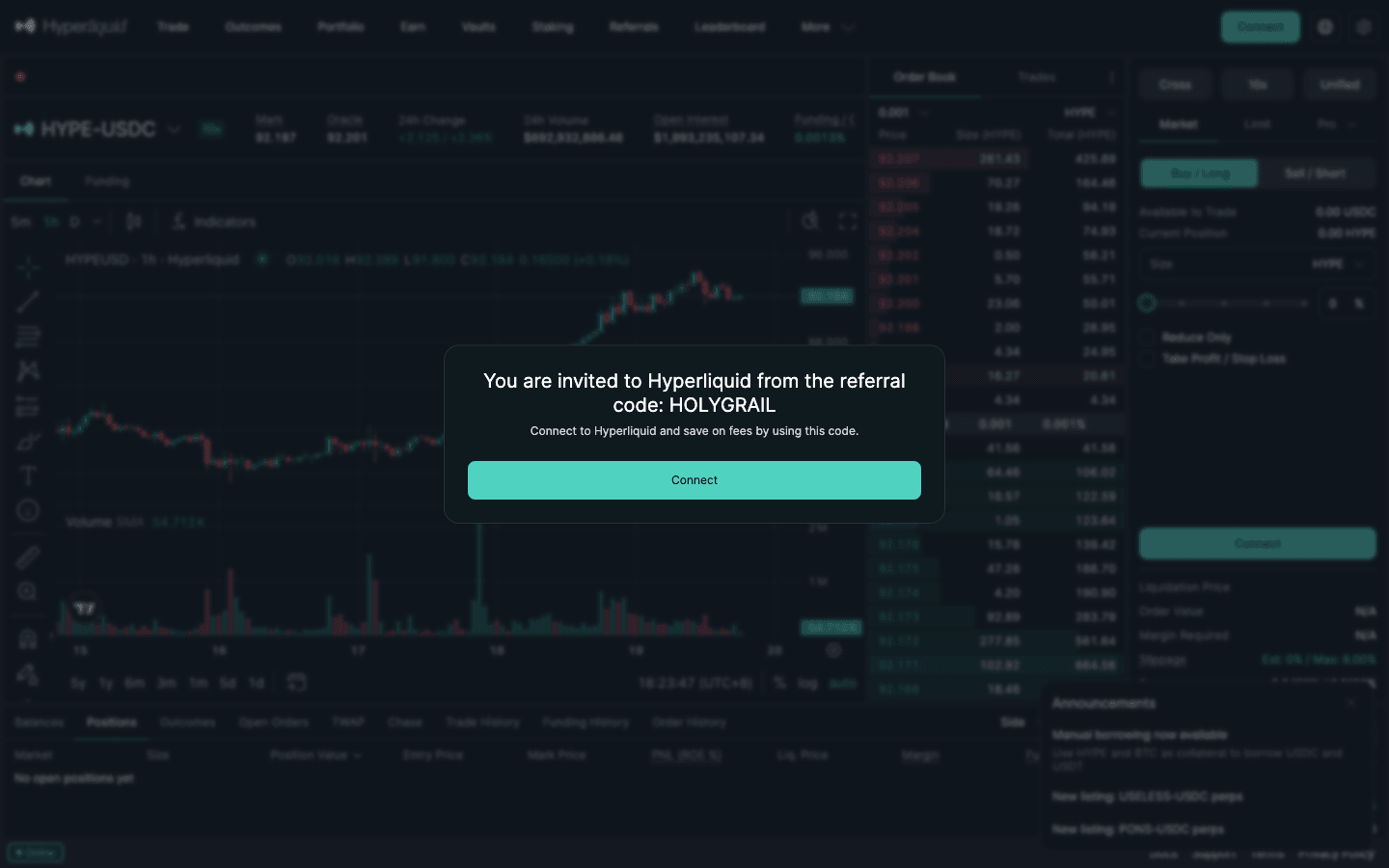
Join Hyperliquid through code HOLYGRAIL and your trading fees are 4% lower on your first $25M of volume. The app attaches the code right after your first deposit creates the account; your funds stay in your own wallet’s account.
We earn a commission when you sign up through our links; it never raises your fees.
Where is your money now? Pick your route
| You hold… | Fastest way onto Hyperliquid | Guide |
|---|---|---|
| USDC on an exchange (Coinbase, Binance, OKX…) | Withdraw on the Hyperliquid network if the exchange lists it; otherwise native USDC to Arbitrum One in your own wallet, then Deposit | Exchange routes |
| USDC on Arbitrum in your wallet | Deposit → USDC → Arbitrum (the default CCTP route), two prompts, less than a minute | Step by step |
| ETH on Arbitrum, no USDC | Swap part of it to native USDC on Arbitrum, keep a little ETH for gas, then Deposit | ETH or USDT first |
| USDT on Arbitrum | Deposit window option “Arbitrum (Swap USDT for USDC)” | ETH or USDT first |
| USDC on Ethereum, Base or Polygon | Email login: send it to your deposit address. Wallet login: move it to Arbitrum or use a CCTP bridge | Email login · Bridge guide |
| SOL or USDC on Solana | SOL: the Solana (Unit) address. USDC on Solana: a bridge route (not the Unit address) | Unit · Bridge guide |
| BTC, or ETH on Ethereum mainnet | The Bitcoin or Ethereum (Unit) address; lands in spot | Unit |
| Only a bank card | Swapped.com inside the Deposit window, or buy USDC on an exchange | Card |
Picked your route? Open the account before you send anything, so the 4% discount is on it from the first trade: Join Hyperliquid with HOLYGRAIL →
Do I need a referral code before I deposit?
Not to deposit, but the first deposit is when it gets set. A Hyperliquid account is just your wallet address, and it only exists on HyperCore once its first deposit lands. We read the app’s code on October 6, 2026: the join link remembers the code and the app submits it once your account is ready to trade, which is right after your first deposit and Enable Trading. In practice:
- Best order: open app.hyperliquid.xyz/join/HOLYGRAIL in the same browser and wallet you will deposit from, connect, Enable Trading, deposit, all on app.hyperliquid.xyz. The Referrals page shows “You are using the code: HOLYGRAIL” as soon as you open the link, but at that point the code is only stored in your browser: it is registered once your first deposit has landed and Enable Trading is done.
- Already deposited or traded? Enter the code on the Referrals page while your account has no referrer and no more than $10,000 of volume. Above that the app says “You cannot enter a code after >$10,000 in volume.”
- Planning to trade through an app (Phantom, Based, Liquid…)? Finish the best order above on app.hyperliquid.xyz, first deposit included, and only then connect the app: apps such as Phantom often set their own Hyperliquid referral code on accounts that have none. A referrer cannot be changed once it is set.
The code changes nothing about the deposit itself: same routes, same minimum, and the USDC stays in your own account. It only lowers your trading fees by 4% on your first $25M of volume. Before you start, make sure Hyperliquid is open to you: the restricted countries guide covers the US, Ontario and sanctioned regions.
1. Wallet or email login: it decides your routes
Hyperliquid has no KYC and no account form. Your account is an address, and the way you create it changes which deposit routes the app offers:
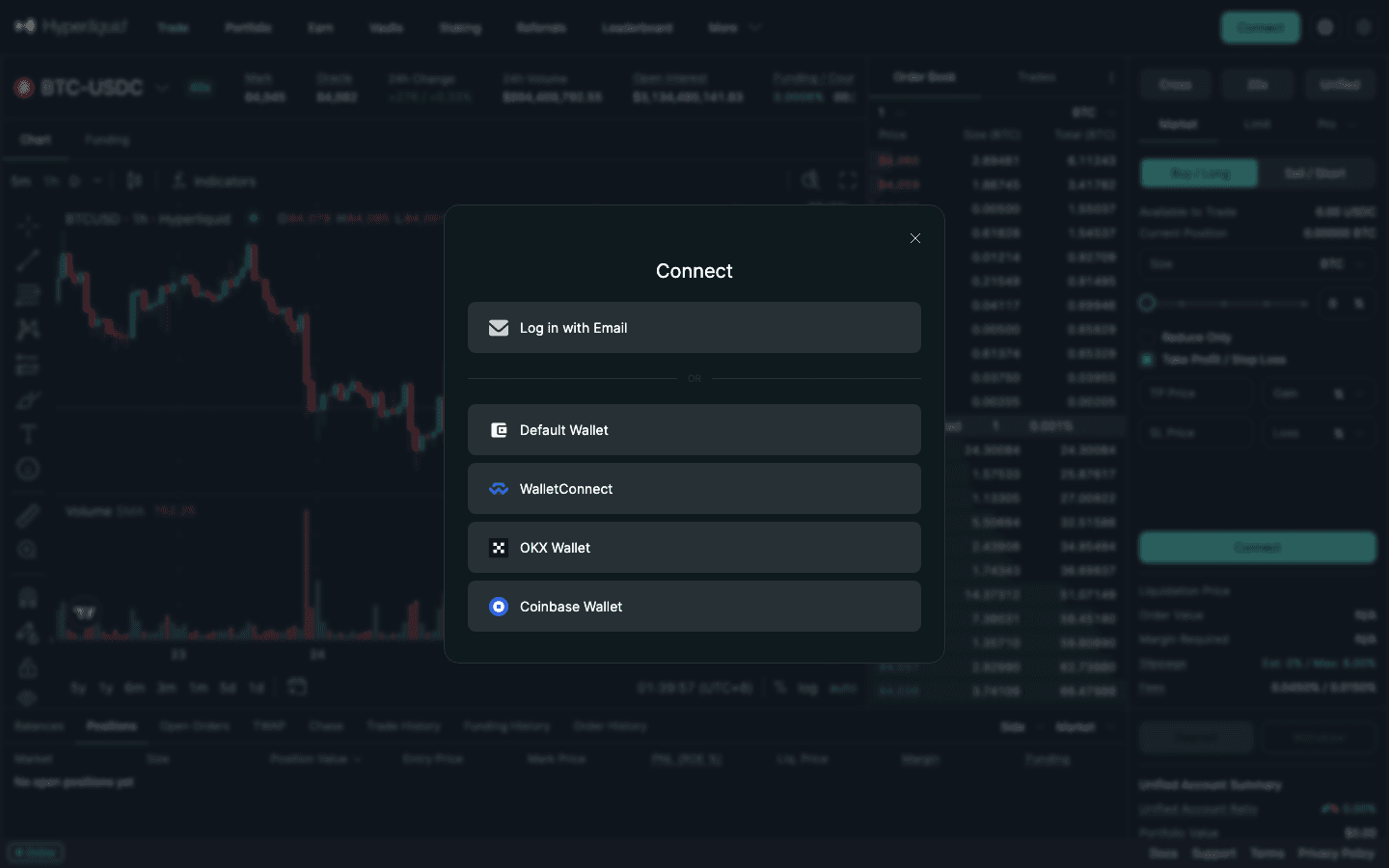
- EVM wallet (Rabby, MetaMask, WalletConnect, Coinbase Wallet, OKX Wallet): click Connect, approve, then Enable Trading, a gas-less signature. The docs list what you need: “USDC and ETH (gas to deposit) on Arbitrum”, or a native asset. For USDC, wallet-connected accounts support Arbitrum only.
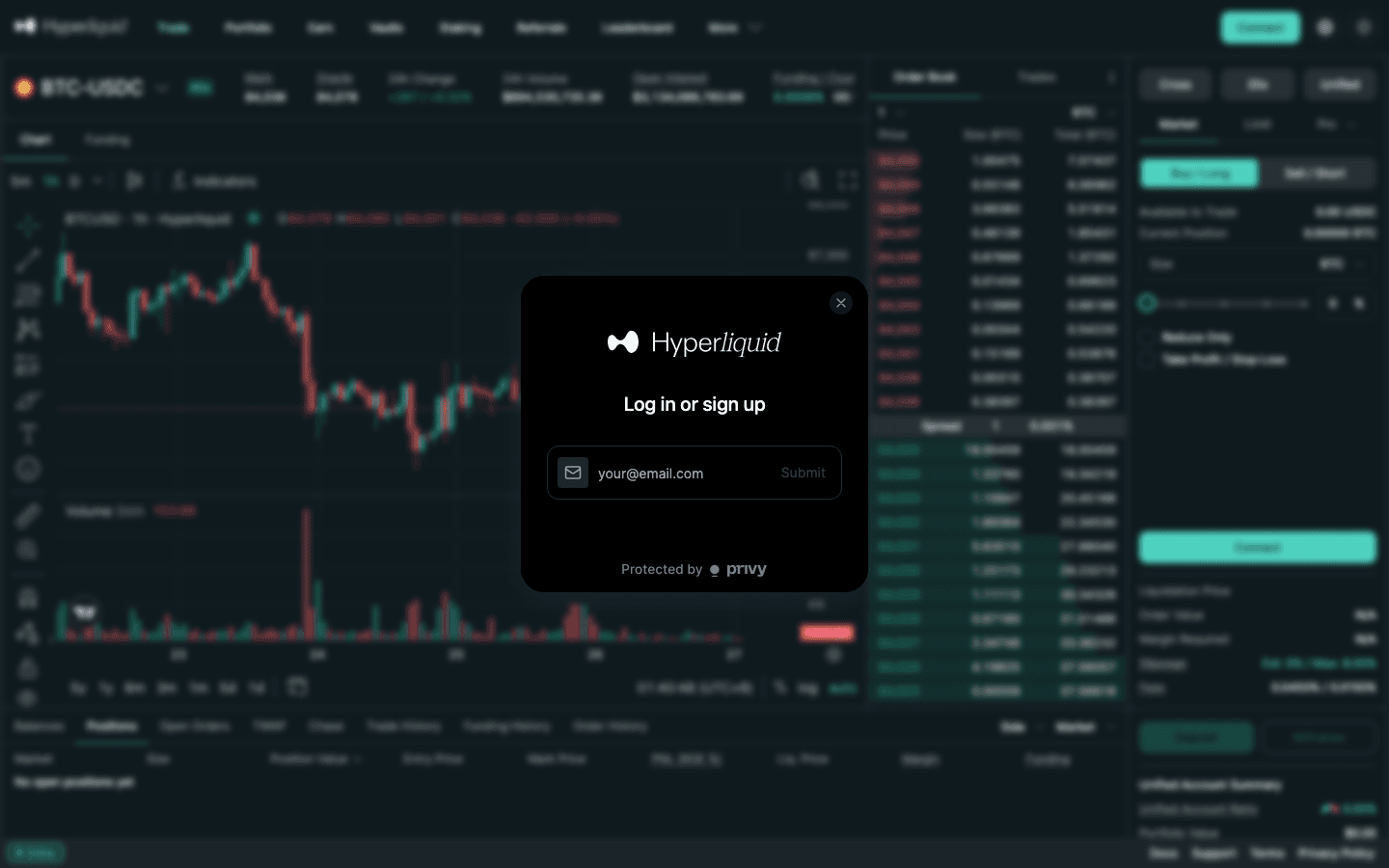
- Email login: type your email, then the 6-digit code you receive. The app creates a wallet for you and the Deposit window shows a deposit address and QR code. You can send USDC on Arbitrum, Ethereum, Base or Polygon (a flow managed by Across Protocol) or a native asset. The key can be exported later with Export Email Wallet in the settings menu.
Not sure which to pick? Wallet logins give you full control and work with every Hyperliquid tool; email logins are the easier way to fund straight from an exchange. The best wallet for Hyperliquid guide compares them, including Phantom’s missing Arbitrum support.
2. What are all the ways to deposit on Hyperliquid?
| Route | Who can use it | Minimum | What you pay | Time | Lands as |
|---|---|---|---|---|---|
| USDC on Arbitrum (Deposit button) | Wallet logins (email logins send to their deposit address) | 5 USDC | Arbitrum gas + 0.20 USDC Circle CCTP fee on the default route (legacy bridge: gas only) | Less than a minute | USDC (perps collateral) |
| USDT on Arbitrum (Deposit window swap) | Wallet logins | Enough to leave at least 5 USDC after the swap | Arbitrum gas + swap cost via LI.FI (quoted before you sign) | Swap + deposit | USDC (perps collateral) |
| USDC on Ethereum, Base or Polygon (deposit address) | Email login only | 5 USDC | Source-chain gas + Across relay fee | Source chain + Across relay | USDC (perps collateral) |
| USDC from another chain via CCTP (bridge apps) | Anyone | Set by the app | Source gas + app fee | Circle attestation | USDC |
| BTC on Bitcoin (Unit) | Everyone | 0.0003 BTC | Bitcoin network fees | ~30 minutes | BTC in spot (UBTC) |
| ETH or ENA on Ethereum (Unit) | Everyone | 0.007 ETH · 120 ENA | Ethereum network fees | ~5 minutes | ETH / ENA in spot |
| SOL and Solana tokens (Unit) | Everyone | 0.12 SOL (token minimums below) | Solana network fees | ~1 minute | SOL / token in spot |
| AVAX · MON · XPL · ZEC · VIRTUAL on Base (Unit) | Everyone | 1.5 AVAX · 450 MON · 60 XPL · 0.07 ZEC · 25 VIRTUAL | That chain’s fees | ~1 min (AVAX, MON, XPL), ~6 min (Base), ~2 h (ZEC) | Token in spot |
| Exchange withdrawal on the Hyperliquid network | Anyone | Set by the exchange | Exchange withdrawal fee | Exchange processing | HyperCore or HyperEVM (check) |
| Card / bank via Swapped.com (inside the Deposit window) | Anyone | Set by Swapped | Swapped.com fees | Set by Swapped | USDC |
Sources: Hyperliquid onboarding, USDC and support-FAQ pages; Unit supported-assets page; checked September 25, 2026.
Hyperliquid itself charges nothing to deposit. Every cost above is gas on the chain you send from, your exchange’s withdrawal fee, or a third party’s fee: Circle’s flat 0.20 USDC for CCTP transfers from Arbitrum to HyperCore, Across’s relay fee on email-login deposits, Swapped’s fees for card purchases. Once the funds arrive, orders, cancels and transfers between your balances need no gas. The one fixed cost comes later: 0.2 USDC plus a tiny HyperEVM gas fee per USDC withdrawal (withdrawal guide).
This page covers what the Deposit window accepts. If your USDC sits on a chain it does not accept, the Hyperliquid bridge guide compares the bridges and CCTP routes that get it to Arbitrum or straight to Hyperliquid.
3. How do I deposit USDC on Arbitrum, step by step?
- Get native USDC on Arbitrum One, plus a little ETH on Arbitrum for gas. Native USDC is Circle’s contract
0xaf88d065e77c8cC2239327C5EDb3A432268e5831; the older bridged token USDC.e is a different contract and the Deposit window does not count it. Most large exchanges can withdraw native USDC to Arbitrum One. - Open app.hyperliquid.xyz/join/HOLYGRAIL (or type app.hyperliquid.xyz yourself; never follow links from DMs), click Connect and choose your wallet. Through the join link the 4% fee discount goes on your account as soon as the first deposit has created it (why the order matters).
- Click Enable Trading and sign. There is no gas on this step.
- Click Deposit, pick USDC and the chain Arbitrum, the default, which runs through Circle’s CCTP (the second Arbitrum entry, “Arbitrum (Legacy Bridge)”, is the old bridge). Enter at least 5 USDC; below that the button reads “Minimum deposit: 5 USDC”. The window shows the 0.20 USDC CCTP fee before you confirm.
- Approve the two wallet prompts. The window lists them as “Approve USDC for deposit” and “Deposit USDC to Hyperliquid”. With an ordinary wallet the first is a gas-free signature that authorizes this one USDC transfer (smart-account wallets see an on-chain approval instead); the second is the Arbitrum transaction. The “Arbitrum (Legacy Bridge)” route has a single deposit transaction.
- Wait. Hyperliquid’s docs give less than a minute for bridge deposits, and the default CCTP route is about as fast. The app shows “Deposit pending”, then “Deposit confirmed. Balance will update on the next block.” Do not send again while it is pending (see troubleshooting).
What it costs in gas. Arbitrum gas was 0.02 gwei at 21:30 UTC on September 26, 2026, and the last ten deposits through Hyperliquid’s CCTP contract used about 172,000–177,000 gas each: roughly 0.0000035 ETH, about one cent. Keeping 0.001 ETH on Arbitrum covers many deposits at that price, and leaves room if gas spikes.
Behind the button: Circle’s CCTP is now the preferred way to mint USDC natively on Hyperliquid, and the older Arbitrum bridge contract is marked as deprecated (it holds less than 10% of the USDC on HyperCore). On September 26, 2026 Hyperliquid’s routing endpoint (usdcRouting) still set deposits to CCTP. Circle deducts a flat 0.20 USDC forwarding fee on Arbitrum → HyperCore transfers, so 100 USDC arrives as 99.80. The chain list also offers the legacy bridge (“Arbitrum (Legacy Bridge)”), which has no forwarding fee but credits the address that sent the USDC, and a “HyperEVM” option for USDC already on HyperEVM. For you as a user the flow is the same either way: USDC on Hyperliquid less than a minute later.
Haven’t set a referral code yet? Set HOLYGRAIL before your first trade. Connected without the join link? Once this deposit lands, open Referrals → Enter Code and type HOLYGRAIL before you place an order. The app accepts a code only while your account has traded $10,000 or less, the 4% discount applies to fees from then on (not to earlier trades), and a code cannot be changed once set.
Holding ETH or USDT instead of USDC
- ETH on Arbitrum: the Deposit button takes USDC, so swap part of your ETH to native USDC on Arbitrum first, with any DEX or wallet swap you trust (check the “to” token is the 0xaf88…5831 contract), and keep a little ETH for the deposit gas. Then follow the steps above. Do not send Arbitrum ETH to the Ethereum address in the Deposit window: that Unit address takes ETH on Ethereum mainnet only, and the app warns that ETH “sent from L2s (e.g. Arbitrum, Base, Optimism) will be lost.”
- USDT on Arbitrum: the Deposit window has its own option, “Arbitrum (Swap USDT for USDC)”, which swaps through LI.FI and deposits the USDC in one flow. The quote shows what you receive; it must still come to at least 5 USDC after the swap.
- ETH on Ethereum mainnet: either send it to the Ethereum (Unit) address (minimum 0.007 ETH, lands as ETH in spot) or move it to Arbitrum and swap. The bridge guide compares the cross-chain routes.
4. Email login: the deposit address
With an email login you do not sign an Arbitrum transaction. You copy an address and send to it from anywhere:
- USDC on Arbitrum, Ethereum, Base or Polygon goes to the Across-managed address and arrives as USDC on HyperCore, minus Across’s relay fee (the app’s fee table used 0.24 USDC, plus 0.01–0.013% from Ethereum or Base, on September 25, 2026). You can follow the transfer at across.to/transfers.
- Wrong token on that address: redirected to your email wallet within about 10 minutes, per the support FAQ.
- Less than 5 USDC: not credited and redirected to your email wallet; less than 1 USDC is lost.
- Getting redirected funds back: log in with the same email, open the settings dropdown, click Export Email Wallet, copy the private key and import it into a wallet such as Rabby.
Gas depends on the chain you send from. Ethereum mainnet was cheap on the morning of September 25, 2026 (0.36 gwei, roughly $0.06 for a USDC transfer), but it is the chain whose fee swings most; Base and Polygon are usually cheaper. If you sent USDC on Arbitrum to an old Privy-generated email deposit address, the docs say it is still processed.
5. Can I deposit BTC, ETH or SOL directly? (Unit)
The Bitcoin, Ethereum, Solana, Avalanche, Monad, Plasma, Zcash and Base addresses in the Deposit window are run by Unit, an independent protocol whose MPC Guardian network generates a deposit address tied permanently to your Hyperliquid address. Send the coin, and after the source chain finalizes Unit credits the same asset to your spot balance. Unit takes no revenue: “the fees associated with an operation are those required to process the source and destination transactions on their respective native networks.”
| Network | Accepted assets | Minimum deposit | Unit deposit fee (live) | Unit withdrawal fee (live) | ETA deposit / withdrawal |
|---|---|---|---|---|---|
| Bitcoin | BTC | 0.0003 BTC (≈ $25) | 0.0000232 BTC (≈ $1.97) | 0.0000072 BTC (≈ $0.61) | 31 min / 74 min |
| Ethereum | ETH, ENA | 0.007 ETH (≈ $19) · 120 ENA | 0.00047 ETH (≈ $1.27) | 0.000063 ETH (≈ $0.17) | 3 min / 7 min |
| Solana | SOL, 2Z, ANSEM, BONK, FARTCOIN, PUMP, SPX | 0.12 SOL (≈ $14.50) · 150 2Z · 60 ANSEM · 1.8M BONK · 55 FARTCOIN · 5,500 PUMP · 32 SPX | 0.0108 SOL (≈ $1.31) | 0.000008 SOL (under $0.01) | 1 min / 4 min |
| Avalanche | AVAX | 1.5 AVAX (≈ $16) | 0.113 AVAX (≈ $1.20) | 0.000063 AVAX | 1 min / 4 min |
| Zcash | ZEC | 0.07 ZEC (≈ $112) | 0.0057 ZEC (≈ $9.12) | 0.00015 ZEC (≈ $0.24) | 126 min / 130 min |
| Monad · Plasma · Base | MON · XPL · VIRTUAL | 450 MON · 60 XPL · 25 VIRTUAL | 45.6 MON · 10.6 XPL · n/a | small | 1 min (MON, XPL) · 6 min (Base) |
Minimums: docs.hyperunit.xyz supported assets and Hyperliquid support FAQ (ENA, ANSEM). Fees and ETAs: api.hyperunit.xyz/v2/estimate-fees at 11:34 UTC on September 25, 2026, dollar values at Hyperliquid mid prices that minute. Network fees change constantly; the Deposit window shows the current estimate.
- Below the minimum = lost. The docs: deposits below 0.0003 BTC “will result in a loss of funds”. The same wording applies to every Unit asset.
- Each address takes only its listed assets. The Base address accepts VIRTUAL only: USDC on Base sent there “will fail and not be credited”. The Ethereum address takes ETH and ENA, not USDC.
- Some mistakes can be reverted. USDC, USDT or WETH sent to the Ethereum address, USDC, USDT or WSOL to the Solana address, and USDT0 to the Plasma address can be tried at app.hyperunit.xyz/revert. Anything else is not recoverable today.
- To use them as perps collateral, sell on the spot market (UBTC/USDC, UETH/USDC, USOL/USDC) at 0.070% taker, or keep BTC and HYPE as collateral in portfolio margin mode. The spot trading guide covers the markets.
6. Can I deposit to Hyperliquid straight from an exchange?
The docs note that “many CEXs and bridges support withdrawals on Hyperliquid, either via HyperCore or HyperEVM.” On your exchange’s USDC withdrawal page:
- Hyperliquid / HyperCore listed: withdraw to your Hyperliquid address. No intermediate chain, no bridge.
- Only HyperEVM listed: the funds land on the EVM side of the same chain. Move them to your trading balance with Transfer to/from EVM on the Portfolio page (section 8).
- Neither: withdraw native USDC to Arbitrum One (the docs’ fallback), then use the Deposit button. Email logins can also withdraw to Base, Polygon or Ethereum and send to the deposit address.
Never paste Hyperliquid’s Arbitrum bridge contract as an exchange withdrawal address. The old bridge credits the USDC to “the account that sent it”, and for an exchange withdrawal that is the exchange’s hot wallet, not you. The Deposit button (or an email-login deposit address) is the way in.
A small test first costs one extra exchange fee and protects against the most expensive mistake on this page: the wrong network. Exchanges that require you to register a withdrawal destination may treat a deposit address you do not control as a third-party address; sending to your own wallet first avoids that question.
7. Card and bank: the Swapped.com on-ramp
Hyperliquid has no fiat rail of its own. The Deposit window includes a fiat on-ramp “powered by Swapped.com, an independent service provider”: you pay Swapped and receive USDC on Hyperliquid. Payment methods and fees are listed at swapped.com/payment-methods and swapped.com/fees, and the docs send any issue with a fiat deposit to Swapped’s 24/7 support (live chat at swapped.com/contact-us), not to Hyperliquid. Compare Swapped’s all-in price with buying USDC on an exchange you already use and withdrawing it to Arbitrum.
8. HyperCore vs HyperEVM
Hyperliquid is one chain with two parts. HyperCore holds your trading balances, order books, staking and vaults: every deposit route above lands here. HyperEVM (chain ID 999, RPC rpc.hyperliquid.xyz/evm) is a normal EVM for DeFi apps, with HYPE as its gas token.
- Move assets between the two with Transfer to/from EVM in the Balances table or EVM <-> Core Transfer on the Portfolio page. Moving to HyperCore from the EVM costs gas in HYPE on the EVM.
- You can also send HYPE to
0x2222222222222222222222222222222222222222to cross over. HYPE only: the docs warn other assets sent there are lost. - Exchanges differ: some send and receive HYPE on HyperCore but not on HyperEVM. Confirm which side before a first transfer.
- Clicked the EVM button by accident? Nothing is lost; transfer it back, which needs a little HYPE on the EVM for gas.
9. What is the minimum deposit on Hyperliquid?
| Limit | Value |
|---|---|
| Account minimum | None. No tier, no KYC threshold |
| USDC deposit | 5 USDC on every USDC route |
| Native assets (Unit) | 0.0003 BTC · 0.007 ETH · 0.12 SOL · 1.5 AVAX · 0.07 ZEC · 450 MON · 60 XPL (table above) |
| Smallest perp order | $10 notional |
| Smallest spot order | 10 units of the quote token (10 USDC) |
| Vault deposits | Lock-up after each deposit: HLP 4 days, user vaults 1 day |
With exactly $10 you can open one minimum-size position, but any loss or fee pushes you below the next order. $50–100 leaves room to size positions and keeps the 0.2 USDC withdrawal fee at 0.2–0.4%. There is no benefit to a larger first deposit beyond your own trading plan. Per-pair minimums, spot and TWAP rules, and the Lighter and Aster equivalents are in minimum order size on Hyperliquid and other DEXs.
10. After the deposit: balances and the referral code
- USDC is perps collateral straight away. In Unified account mode, which the docs recommend for most users, spot and perps share one USDC balance. Separate Spot and Perps balances, and the Transfer button between them, exist only in Manual / Standard mode.
- Native assets sit in spot. Sell them for USDC or use them as collateral in portfolio margin mode (HYPE, BTC, USDC, USDT are eligible).
- Referral code: it is not too late after depositing. The Referrals page accepts a code while you have no referrer and no more than $10,000 of volume; above that the app says “You cannot enter a code after >$10,000 in volume.” A referrer cannot be changed once set. Joining through a link sets it automatically right after your first deposit.
- Practice: after a mainnet deposit the same address can claim mock USDC on the Hyperliquid testnet.
Funded? Trade at 4% lower fees
Code HOLYGRAIL turns the 0.045% taker fee into 0.0432% and 0.015% maker into 0.0144% for your first $25M. Accounts with up to $10,000 of volume can still add it.
11. Why is my deposit not showing?
| What happened | Why | What to do |
|---|---|---|
| Sent under 5 USDC from a connected wallet | Below the bridge minimum | Lost. The docs say amounts under 5 USDC “will not be credited and be lost forever” |
| Sent under 5 USDC to an email-login deposit address | Below the minimum | Redirected to your email wallet; under 1 USDC is lost. Recover with Export Email Wallet |
| Sent USDC on Base, Ethereum or Polygon from a wallet login | Wallet logins accept Arbitrum USDC only | Do not use these chains unless you logged in with email. Contact support with the tx hash |
| Sent USDC to the Bitcoin, Ethereum, Solana, Avalanche, Monad, Plasma or Base (Unit) address | Unit addresses take only their listed native assets | USDC, USDT or WETH on Ethereum, USDC/USDT/WSOL on Solana and USDT0 on Plasma can be tried at app.hyperunit.xyz/revert; other mistakes are not recoverable today |
| Sent BTC/ETH/SOL below the Unit minimum | Below minimum | Loss of funds per the docs. Unit rebroadcasts only if Guardians later lower the minimum |
| Deposit shows “Failed” on a BTC, ETH or SOL deposit | Unit could not process it | Contact Unit (app.hyperunit.xyz/support); Unit is an independent team |
| Arbitrum shows success but Available Balance is lower than the deposit | Open cross positions with negative unrealized PnL absorb the USDC as margin | Not missing: check Positions. Close or reduce, or wait |
| Exchange withdrawal arrived on HyperEVM, not in your trading balance | The exchange used HyperEVM | Move it with “Transfer to/from EVM” (needs a little HYPE for gas) |
| Exchange withdrew USDC straight to the old Hyperliquid bridge contract on Arbitrum | The legacy bridge credits “the account that sent it”, which is the exchange’s hot wallet, not you | Contact the exchange and Hyperliquid support with the tx hash. Always withdraw to your own wallet, then use the Deposit button |
| Sent ETH on Arbitrum (or Base, Optimism) to the Ethereum (Unit) address | That address takes ETH on Ethereum mainnet only; the app warns L2 ETH “will be lost” | Unit’s revert tool does not list this case; open a ticket with Unit (app.hyperunit.xyz/support) with the tx hash. Next time swap Arbitrum ETH to USDC and use the Arbitrum route |
| Arbiscan shows Success but the app shows no new balance | You are now connected with a different address than the one that deposited: the USDC is credited to the account that signed the deposit | Connect the address shown as “From” on Arbiscan (check other wallets or accounts in your wallet app); the USDC is on that Hyperliquid account |
| Deposit “pending” for a few minutes, so you sent it again | Two separate transactions | Both are credited, nothing is lost: you simply deposited twice. Check the pending notice and Portfolio → Deposits and Withdrawals before resending |
| Wallet shows USDC but the Deposit window says the balance is 0 | You hold bridged USDC.e, not native USDC | Swap USDC.e to native USDC (contract 0xaf88…5831) on Arbitrum, then deposit |
Based on the Hyperliquid support FAQ (deposit or transfer issues), the USDC bridge docs, the app’s own warnings and Unit’s revert documentation, checked September 26–27, 2026.
If a deposit is not showing: what to check, in order
- First 2 minutes (Arbitrum USDC): wait, and do not resend. Refresh the page; a cross position in loss can absorb new USDC as margin, so check Positions too.
- After that: open the transaction link in the app’s “Deposit pending” notice (it opens Arbiscan) and check the status is Success, the token is native USDC and the amount is at least 5 USDC. Then look at Portfolio → Deposits and Withdrawals, or check the deposit on the Hyperliquid explorer by searching your address.
- Email login: follow the transfer at across.to/transfers; wrong tokens and amounts under 5 USDC come back to your email wallet within about 10 minutes.
- BTC, ETH, SOL and other Unit assets: these appear only after the source chain confirms (about 30 minutes for BTC) and Unit’s API reflects them. A “Failed” status goes to Unit’s support.
- Still missing: open a Hyperliquid ticket in the official Discord (#open-ticket) or through the email form linked from the docs’ Support Guide, with the transaction hash. Replies can take up to 48 hours. Support never DMs you first; anyone who does is an impersonator.
Two more details. The first transfer to a brand-new HyperCore address (for example a Send from another Hyperliquid account) costs a one-time 1 USDC activation fee. And until an address has received a deposit it does not exist on HyperCore, so API calls from it fail. Neither affects a normal Arbitrum deposit to your own account.
12. Safety checklist before you send
- Type the URL: app.hyperliquid.xyz. Hyperliquid’s own support guide warns about lookalike domains such as “hyperliguid.xyz” that ask you to sign malicious transactions.
- Read the wallet prompt: on Arbitrum you should see a USDC authorization for the amount you typed and a deposit transaction, nothing asking for unlimited spending of other tokens.
- Match token and network: native USDC on Arbitrum for the button; each Unit address takes only its own coin on its own chain.
- Test small: send just over 5 USDC first when you use a route for the first time, especially from an exchange.
- Never share a seed phrase and ignore DMs offering “support” or refunds.
- Remember the trading risk: the deposit is the easy part. Leverage can liquidate your balance; read the Hyperliquid review for the platform’s risks before sizing up.
13. Worked examples with real costs
A. $500 from an exchange via Arbitrum
Withdraw 500 USDC to Arbitrum One (your exchange’s fee applies), deposit with the button: about a cent of Arbitrum gas at 0.02 gwei plus Circle’s 0.20 USDC on the default CCTP route, credited in less than a minute. On Hyperliquid you have 499.80 USDC of perps collateral. Opening and closing a $1,000 BTC position with market orders later costs 0.045% × $1,000 × 2 = $0.90, or $0.864 with a referral code.
B. 0.01 BTC from a Bitcoin wallet via Unit
0.01 BTC was worth about $848 on September 25, 2026. Unit’s estimate for the deposit was 0.0000232 BTC (≈ $1.97), plus your own wallet’s Bitcoin fee to send. After roughly 30 minutes the BTC is in spot; selling it for USDC at 0.070% costs about $0.59. Total before your wallet fee: about $2.56, or 0.3%.
C. 1 SOL via Unit
1 SOL (≈ $121) is above the 0.12 SOL minimum. Unit’s quoted deposit fee was 0.0108 SOL (≈ $1.31), arrival about a minute, then 0.070% ($0.08) to sell it for USDC. Cheap and fast, but the flat deposit fee is a larger share of small amounts than on Arbitrum.
14. FAQ
What is the minimum deposit on Hyperliquid?
USDC deposits must be at least 5 USDC. From a connected wallet, anything below 5 USDC is lost; to an email-login deposit address it is redirected to your email wallet (below 1 USDC it is lost). Native assets through Unit have their own minimums: 0.0003 BTC, 0.007 ETH, 0.12 SOL, 1.5 AVAX, 0.07 ZEC. The smallest perp order is $10, so $10 is the practical floor and $50–100 makes the 0.2 USDC withdrawal fee a small share.
How do I deposit to Hyperliquid?
Open app.hyperliquid.xyz, connect an EVM wallet (or log in with email), click Enable Trading and sign (no gas), then click Deposit. With a wallet, choose USDC on Arbitrum, enter the amount and approve the two wallet prompts (a USDC authorization, then the Arbitrum deposit transaction); it is credited in less than a minute, minus a 0.20 USDC CCTP fee on the default route. With an email login, copy the deposit address and send USDC on Arbitrum, Ethereum, Base or Polygon, or a supported native asset such as BTC or SOL.
Do I need a referral code before I deposit?
You do not need one to deposit, but the first deposit is the moment to set it. A Hyperliquid account only exists on HyperCore once its first deposit lands, and the join link remembers the code and the app submits it once your account is ready to trade, which is right after your first deposit and Enable Trading. So open app.hyperliquid.xyz/join/HOLYGRAIL in the same browser and wallet you deposit from, then deposit. Missed it? The Referrals page still accepts a code while your account has no referrer and no more than $10,000 of volume. Planning to use a trading app? Make that first deposit on app.hyperliquid.xyz through the join link before you connect it: apps such as Phantom often set their own Hyperliquid referral code on accounts that have none.
Which network should I use to deposit USDC?
Arbitrum One. It is the only USDC network for wallet logins, gas is tiny (0.02 gwei on September 26, 2026, about one cent per deposit) and the deposit arrives in less than a minute; the default CCTP route deducts 0.20 USDC. Email logins can also use Ethereum, Base or Polygon through the Across-managed address. Never send USDC to the Bitcoin, Solana, Ethereum or Base addresses in the Unit section of the Deposit window: those only accept native assets.
Can I deposit BTC, ETH or SOL directly?
Yes. Unit, the protocol behind the native-asset addresses, accepts BTC on Bitcoin, ETH and ENA on Ethereum, SOL and several Solana tokens, AVAX, MON, XPL, ZEC and VIRTUAL on Base. The coins land in your spot balance (BTC shows as UBTC in the spot market). Sell them for USDC at 0.070% spot taker if you want perps collateral. Unit charges no protocol fee; you pay the networks’ fees.
Can I deposit to Hyperliquid straight from an exchange?
If the exchange offers Hyperliquid (HyperCore) as a USDC network, withdraw to your Hyperliquid address directly. If it only offers HyperEVM, the funds land on the EVM side and you move them to HyperCore with Transfer to/from EVM. Otherwise withdraw native USDC to Arbitrum One and use the Deposit button. Send a small test amount first.
Can I buy USDC on Hyperliquid with a card?
The Deposit window includes a fiat on-ramp powered by Swapped.com, an independent provider. Payment methods and fees are Swapped’s (swapped.com/payment-methods and swapped.com/fees), and Hyperliquid’s docs send fiat-deposit problems to Swapped’s 24/7 support.
Is it too late to use a referral code after depositing?
No. Depositing does not lock anything. The Referrals page accepts a code while your account has no referrer and no more than $10,000 of trading volume; above that the app shows “You cannot enter a code after >$10,000 in volume.” Joining through a link such as app.hyperliquid.xyz/join/HOLYGRAIL sets it automatically once your first deposit has created the account.
How long does a Hyperliquid deposit take?
USDC on Arbitrum arrives in less than a minute (Hyperliquid’s docs give that for the bridge; the default CCTP route is about as fast): the app shows “Deposit pending” and then “Deposit confirmed. Balance will update on the next block.” Email-login deposits add the Across relay time, and native assets wait for their own chain: about 1 minute for SOL, AVAX, MON and XPL, a few minutes for ETH, about 30 minutes for BTC (2 confirmations) and about 2 hours for ZEC.
Is there a deposit fee on Hyperliquid?
Hyperliquid charges none. You pay gas on the chain you send from (an Arbitrum deposit used about 176,000 gas, roughly 0.0000035 ETH or one cent, on September 26, 2026), plus Circle’s flat 0.20 USDC on the default CCTP route, Across’s relay fee on email-login deposits, or network fees on Unit deposits. The fixed cost comes on the way out: 0.2 USDC plus a tiny HyperEVM gas fee per USDC withdrawal.
Is it safe to deposit to Hyperliquid?
The deposit itself is a standard, well-trodden path: native USDC through Circle’s CCTP (or Hyperliquid’s older Arbitrum bridge), credited to the address you connected. The real risks are around it: phishing sites with lookalike domains, fake “support” DMs, sending the wrong token or network, and the trading itself (leverage, liquidations, smart-contract and validator risk on any DEX). Type app.hyperliquid.xyz yourself, read every wallet prompt, test with a small amount first, and never share a seed phrase.
Can I withdraw right after depositing?
Yes. There is no lock-up on the trading balance: Withdraw sends USDC to Arbitrum for 0.2 USDC plus a tiny gas fee, arriving within 5 minutes by the app’s estimate, as long as the amount is not needed as margin for open positions. Vault deposits are different (HLP 4 days lock-up). See the Hyperliquid withdrawal guide for the steps.
Which wallet is best for depositing to Hyperliquid?
Any EVM wallet that supports Arbitrum: Rabby and MetaMask are the common choices, and the Connect window also lists WalletConnect, OKX Wallet and Coinbase Wallet. Phantom can connect but has no Arbitrum support for USDC, which matters for deposits and withdrawals. If you only want to send from an exchange, an email login gives you a deposit address instead.
Why is my deposit not showing?
Check four things: the amount was at least the minimum (5 USDC, or the Unit minimum for native assets); the token and chain match the address you used (wallet logins: Arbitrum USDC only); the source transaction is confirmed (Bitcoin takes about 30 minutes, Zcash about 2 hours); and, if the balance looks short, whether open cross positions with a loss absorbed it as margin. Unit deposits that show Failed go to app.hyperunit.xyz/support.
Start trading on Hyperliquid
No KYC: a wallet or an email login is enough. Join with HOLYGRAIL for 4% off fees on your first $25M of volume, then deposit with the route that suits you.
Disclosure: HOLYGRAIL is our Hyperliquid referral code; we earn a share of referred accounts’ fees at no cost to you. Routes, minimums and times are taken from Hyperliquid’s and Unit’s official documentation, and network fees from Unit’s public fee API (September 25–27, 2026); the USDC minimum, deposit time, CCTP fee, routing and the join-link behaviour were re-checked on October 6, 2026. Fees change with network conditions. Not investment advice.