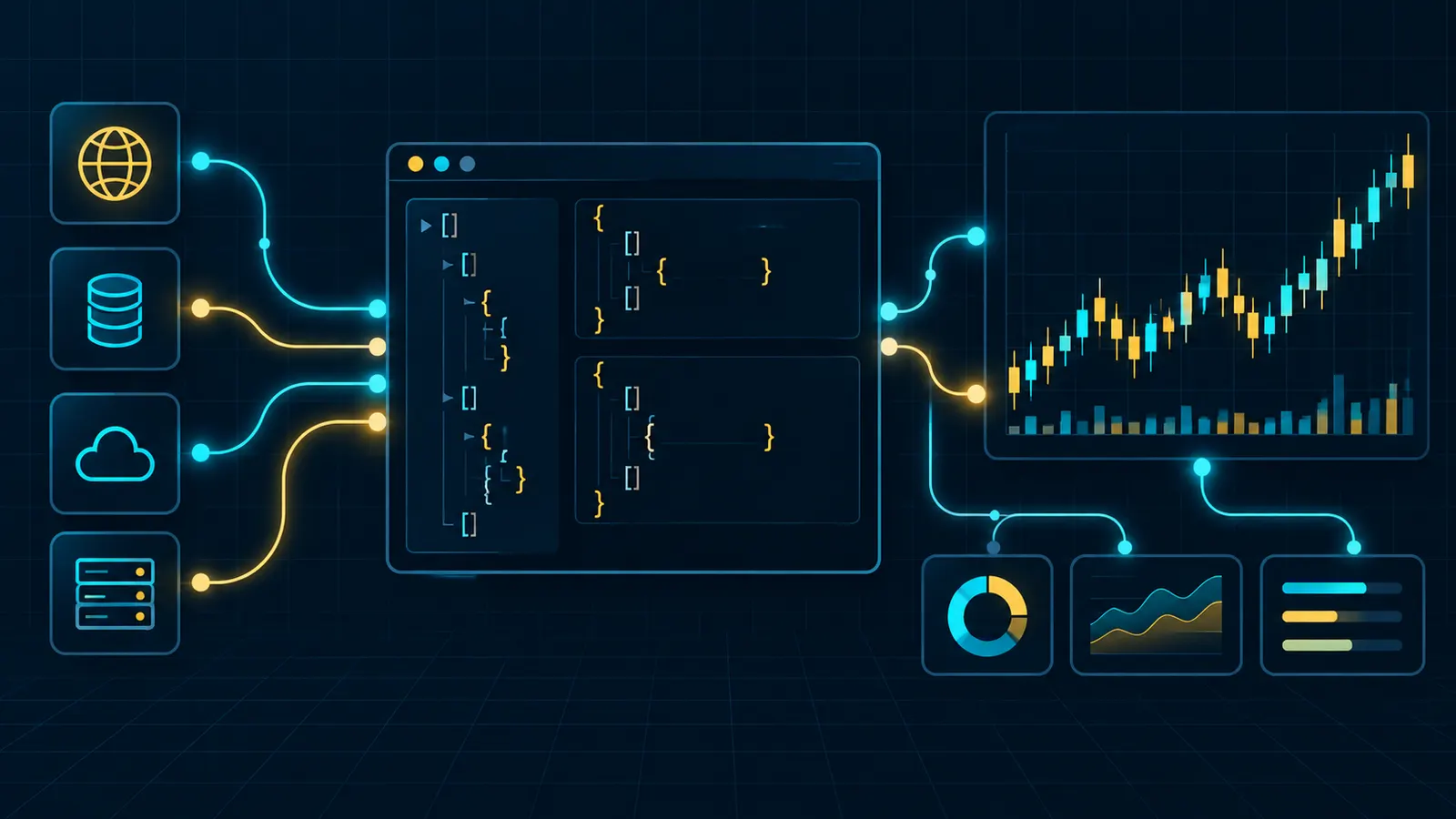
Short version. Three surfaces: POST /info (reads, no key), POST /exchange (signed writes) and wss://api.hyperliquid.xyz/ws (streams). There is no classic API key — you sign with an API wallet that can trade but cannot withdraw. Budget: 1,200 REST weight per minute per IP. Cost: no gas, no subscription — just 0.045% taker / 0.015% maker when orders fill. Start with pip install hyperliquid-python-sdk on testnet. Only need market data? The endpoint cookbook gives the request and weight for candles, trades, the L2 book, funding, open interest, liquidations and spot metadata; for archives older than the API keeps, see Hyperliquid historical data.
Hyperliquid docs: the official URL and what lives where
The official Hyperliquid docs are at hyperliquid.gitbook.io/hyperliquid-docs: one English GitBook covering the protocol, the trading rules and the API. The API reference starts at For developers → API. Append .md to any page URL for clean Markdown; llms.txt lists every page (re-read October 19, 2026).
| Looking for | Official page |
|---|---|
| Fees, maker rebates, volume tiers | Trading → Fees |
| Margin and liquidations | Trading → Margining · Liquidations |
| Funding rate formula | Trading → Funding |
| Every read request (candles, books, fills…) | For developers → API → Info endpoint |
| Orders, cancels, API wallet approval | For developers → API → Exchange endpoint |
| WebSocket subscriptions | For developers → API → WebSocket → Subscriptions |
| Rate limits | For developers → API → Rate limits and user limits |
| S3 archives (L2 books, asset contexts, fills) | Historical data |
| Testnet USDC | Onboarding → Testnet faucet |
Every section of the official docs
The docs are a reference, not a tutorial. Every top-level section and what it covers; the section name is the link:
| Docs section | What it covers |
|---|---|
| About | What Hyperliquid is, core contributors |
| Onboarding | Start trading, HyperEVM wallet setup, staking HYPE, email-wallet export, testnet faucet |
| HyperCore | Clearinghouse (margin and position accounting), oracle, order book, staking, vaults, multi-sig, API servers |
| HyperEVM (users) | What the HyperEVM is, tools for HyperEVM builders |
| HIPs | HIP-1 tokens, HIP-2 Hyperliquidity, HIP-3 builder-deployed perps, HIP-4 outcome markets |
| Trading | Fees, sub-accounts, builder codes, margining, liquidations, funding, order types, TP/SL |
| Validators | Running a validator, delegation program |
| Referrals | Referral codes and rewards: a code takes 4% off fees for the first $25M of volume (master account only; sub-accounts and vaults are excluded) |
| Points · Audits · Bug bounty | The past points programs (both phases have ended), audit reports, bug bounty program |
| API overview | SDK links (official Python, community Rust/TypeScript), notation |
| Info endpoint | Every read: mids, books, candles, fills, orders, fees, vaults, staking; perps and spot sub-pages |
| Exchange endpoint | Order, cancel, modify, leverage, TWAP, scheduleCancel, approveAgent, transfers |
| WebSocket | Subscriptions, post requests over the socket, timeouts and heartbeats |
| Nonces and API wallets | What an API (agent) wallet may sign, nonce rules, pruning, bot design |
| Signing · Error responses | The two signing schemes and the errors a bad signature produces |
| Rate limits and user limits | IP weight budget, WebSocket caps, address-based action limits, open-order caps |
| Asset IDs · Tick and lot size | Integer asset codes, 5 significant figures, szDecimals rounding |
| Optimizing latency · Priority fees | Co-location advice, fast cancels, paying for priority |
| HyperEVM (developers) | JSON-RPC, dual-block architecture, reading HyperCore from contracts, transfers |
| Nodes | Running a non-validating node, L1 data schemas |
| Historical data | S3 archives: L2 snapshots, asset contexts, fills, node data (our guide: /blog/hyperliquid-historical-data/) |
| Builder tools | Community HyperCore and HyperEVM tools |
| Support | Support guide and FAQ: deposits, withdrawals, liquidations, API questions |
Outside the GitBook: app.hyperliquid.xyz/API to create API wallets, the official Python SDK (PyPI, v0.24.0), the testnet faucet (1,000 USDC of mock USDC for addresses that have deposited on mainnet), Discord #api-traders for questions and t.me/hyperliquid_api for API announcements.
Opening the account your bot will trade from? Join with code HOLYGRAIL before you deposit: fees drop 4% for your first $25M of volume, API orders included. Open Hyperliquid with the code →
1. What the Hyperliquid API is — and how it differs from a CEX API
On Binance or Bybit you create an API key, restrict it to trading and sign requests with an HMAC secret. Hyperliquid's order book lives on its own L1, so every order, cancel and modify is an action signed by an EVM private key. The API servers forward your signed action to a node, HyperBFT consensus commits it, and the HTTP response you get back is the execution result from the committed block. Reads are different: all state is public, so the info endpoint and every WebSocket stream are unauthenticated — pass an address and you get that account's data.
The chain has two execution layers, and "Hyperliquid API" usually means the first one:
| Item | HyperCore API | HyperEVM |
|---|---|---|
| What it runs | The order books: perps, spot, margin, vaults, staking, transfers | EVM smart contracts; HYPE is the gas token |
| How you talk to it | POST /info, POST /exchange, WebSocket /ws | Standard Ethereum JSON-RPC (eth_call, eth_sendRawTransaction …) |
| Auth | Actions signed with EIP-712 by your wallet or an API wallet | Ordinary EVM transactions signed by the account key |
| Public limits | 1,200 weight per minute per IP | 100 requests per minute per IP; no WebSocket JSON-RPC |
| Use it for | Trading bots, market data, account monitoring | DeFi contracts, EVM token balances, reading HyperCore via precompiles |
Endpoints by network. The testnet mirrors mainnet exactly and only the host changes, so rehearse every script on the Hyperliquid testnet before pointing it at real funds:
| Surface | Mainnet | Testnet |
|---|---|---|
| REST (info + exchange) | https://api.hyperliquid.xyz | https://api.hyperliquid-testnet.xyz |
| WebSocket | wss://api.hyperliquid.xyz/ws | wss://api.hyperliquid-testnet.xyz/ws |
| HyperEVM JSON-RPC | https://rpc.hyperliquid.xyz/evm | https://rpc.hyperliquid-testnet.xyz/evm |
| HyperEVM chain ID | 999 | 998 |
| Web app (API wallets) | app.hyperliquid.xyz/API | app.hyperliquid-testnet.xyz/API |
| Python SDK constant | constants.MAINNET_API_URL | constants.TESTNET_API_URL |
| hyperliquidChain (user-signed actions) | "Mainnet" | "Testnet" |
Three consequences for anyone porting a bot from a centralized exchange: (1) no gas — abuse is throttled by rate limits, not fees; (2) nonces replace sequence numbers — each action carries a millisecond timestamp, Hyperliquid keeps the 100 highest per signer, and a new one must be larger than the smallest stored and fall within 2 days behind or 1 day ahead of block time; (3) two signing schemes — trading actions use one, "user-signed" actions such as withdrawals and agent approval use another (details below), which is why the docs tell you to use an SDK rather than hand-roll signatures.
2. How to read the Hyperliquid API docs, and which SDK to use
The API index page in the docs map is a short list of SDK links; the schemas sit on the sub-pages. Read them in this order for a first bot: Nonces and API wallets (what your key can do), Info endpoint (every read), Exchange endpoint (orders and cancels), WebSocket → Subscriptions, then Rate limits and user limits before you shorten any loop. Signing and Error responses only matter if you skip the SDK. The Markdown versions (.md) are the easiest to grep or feed to an LLM.
SDKs the docs point to (checked September 26, 2026; Python version re-checked October 19, 2026):
| Language | Package | Maintainer | Install |
|---|---|---|---|
| Python | hyperliquid-python-sdk | Hyperliquid (official) | pip install hyperliquid-python-sdk |
| Rust | hypersdk | Infinite Field (community, linked from the docs) | cargo add hypersdk |
| TypeScript | @nktkas/hyperliquid | nktkas (community, linked from the docs) | npm i @nktkas/hyperliquid |
| TypeScript | hyperliquid | nomeida (community, linked from the docs) | npm i hyperliquid |
| Python, JS/TS, PHP, C#, Go … | ccxt | CCXT (unified multi-exchange API) | pip install ccxt |
The hyperliquid-python-sdk repository is the other half of the docs: its examples/ folder covers orders, market orders, cancels, agents, sub-accounts, vaults, TWAP, schedule-cancel and WebSocket streams, and its signing code is the reference every other implementation is measured against. Bot platforms wrap the same API: Hummingbot has spot and perp connectors, and like CCXT it asks for your main wallet address plus an API wallet private key.
3. Step 1 — Get a Hyperliquid API key (API wallet)
When guides and bot platforms say "Hyperliquid API key", they mean the private key of an API wallet — the docs also call it an agent wallet. It is a separate keypair that your funded (master) account authorises to sign trading actions on its behalf. It holds no funds and cannot move funds out. Set one up in about two minutes:
- No account yet? Create it with referral code
HOLYGRAILbefore you generate an API wallet. The code can only be entered before the account passes $10,000 of volume, and a bot gets there fast; it takes 4% off fills from your master account for your first $25M of volume, API orders included (sub-accounts and vaults are excluded). Connect a self-custody wallet and open Hyperliquid with HOLYGRAIL, then come back to this step. How the code works, and why it has to come first: Hyperliquid referral code. - Fund the master account first. Connect your wallet (or email login) at app.hyperliquid.xyz, click Enable Trading and deposit. API wallets are pruned when the account that registered them no longer has funds, so an empty account is not a usable base for a bot.
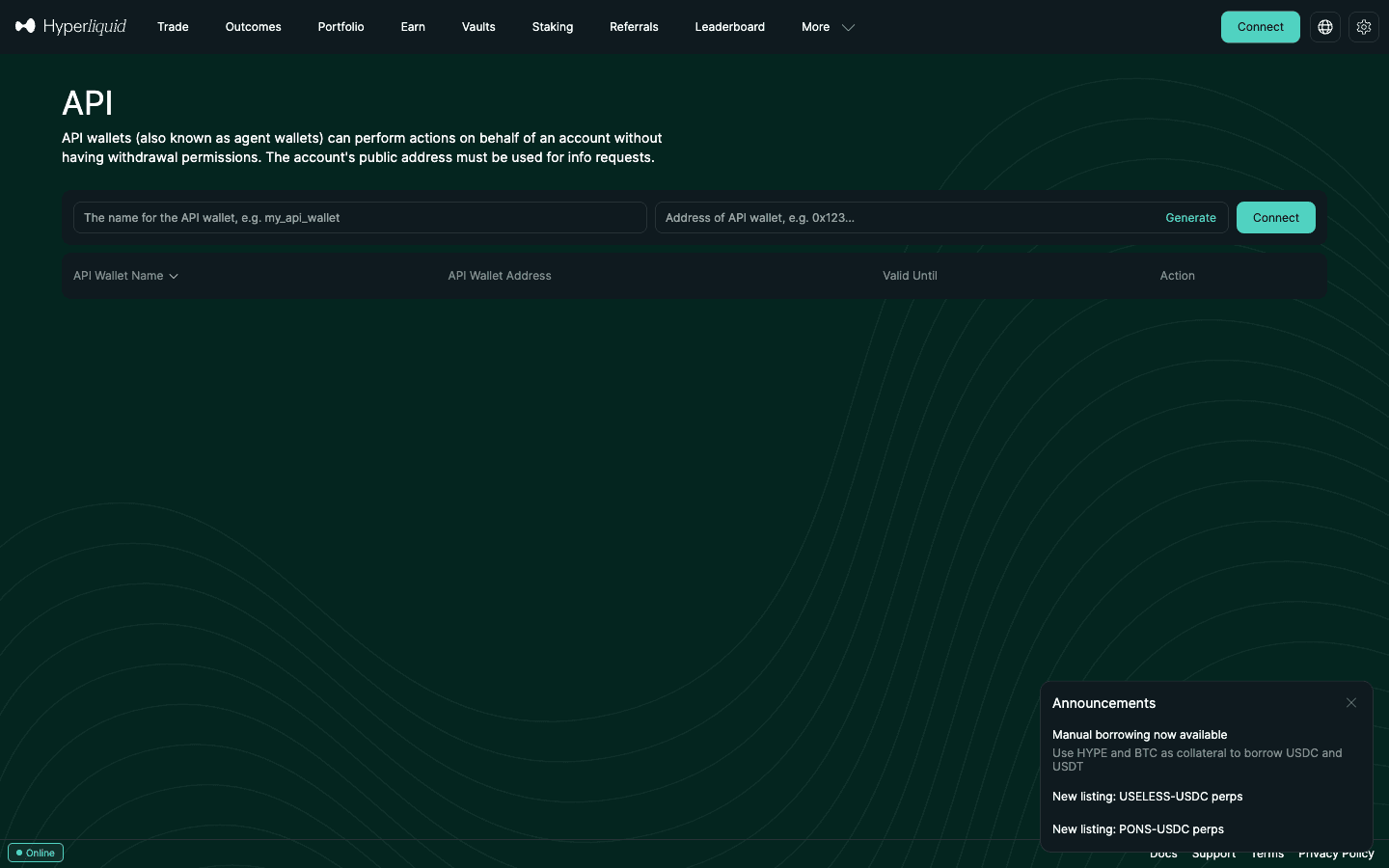
- Open app.hyperliquid.xyz/API (More → API in the top menu).
- Name the wallet (for example
bot-btc-mm) and click Generate. A fresh address and private key appear. Copy the private key into a secrets manager now — this is the only time it is shown. - Choose a validity period. The maximum is 180 days. Use 30 days for anything experimental.
- Click Authorize and sign the
approveAgentmessage with your master wallet. No gas is charged. - Note your master address (top-right menu next to Deposit). Bots need both values: the agent's private key to sign and the master address to query.
Rules from the Nonces and API wallets and Exchange endpoint pages that matter in practice:
- An account can hold 1 unnamed + up to 3 named API wallets, plus 2 named per sub-account. Approving a new unnamed agent deregisters the old one; approving a named agent with the same name replaces it.
- API wallets only sign. Withdrawals, USDC sends to other addresses and approving further agents are user-signed actions that need the master key. The one agent-level transfer,
agentSendAsset, only moves assets between your own perp and spot balances. - Query the master address, never the agent. Querying the agent address returns an empty state — the docs call this a common pitfall.
- Never reuse a deregistered agent address. Its nonce set may be pruned and previously signed actions could be replayed. Generate a new key every time.
- One agent per trading process. Nonces are tracked per signer, so one agent signing for two sub-accounts shares a single nonce set and collides.
The threat model, rotation schedule and VPS hygiene are in the agent wallet setup guide and the API key security guide. You can also approve agents programmatically with exchange.approve_agent(), run from a machine that holds the master key. Want to rehearse without real funds? The Hyperliquid testnet guide covers the faucet and a separate testnet API wallet.
4. Step 2 — Install the Python SDK and configure two values
The official SDK is version 0.24.0 on PyPI and needs Python 3.9 or newer. The Info class wraps the info endpoint and the WebSocket; the Exchange class signs and sends actions.
Shell
# 1. Isolated environment + the official SDK (0.24.0, Python 3.9+)
python3 -m venv .venv && source .venv/bin/activate
pip install hyperliquid-python-sdk

# 2. Two values the bot needs. Keep them in env vars or a secrets manager, never in git
export HL_ACCOUNT_ADDRESS=0xYourMainWalletAddress   # master account: PUBLIC address
export HL_SECRET_KEY=0xYourApiWalletPrivateKey      # API wallet: PRIVATE key (it cannot withdraw)
The SDK README states the rule every first-timer trips on: when you sign with an API wallet, account_address must still be the main wallet's public address, not the API wallet's. Swap them and orders fail while every query comes back empty. The examples folder reads the same two values from examples/config.json (secret_key and account_address) if you prefer a file.
5. Step 3 — Read market and account data from the info endpoint
Reading needs no key at all. This prints the BTC mid, the top of the order book and any open positions of an address:
Python — info.py
from hyperliquid.info import Info
from hyperliquid.utils import constants

info = Info(constants.MAINNET_API_URL, skip_ws=True)   # reads need no key and no signature

mids = info.all_mids()                                  # weight 2: every mid price in one call
print("BTC mid:", mids["BTC"])

book = info.l2_snapshot("BTC")                          # weight 2: up to 20 levels per side
bid, ask = book["levels"][0][0], book["levels"][1][0]
print("best bid", bid["px"], "x", bid["sz"], "| best ask", ask["px"], "x", ask["sz"])

state = info.user_state("0xYourMainWalletAddress")      # weight 2: margin + positions
print("account value:", state["marginSummary"]["accountValue"])
for p in state["assetPositions"]:
    pos = p["position"]
    print(pos["coin"], pos["szi"], "entry", pos["entryPx"], "uPnL", pos["unrealizedPnl"])
Output on September 26, 2026, 16:30 UTC
BTC mid: 84076.5
best bid 84076.0 x 5.2787 | best ask 84077.0 x 3.68416
account value: …
Under the hood each call is a JSON POST whose type field selects the query, so any language with an HTTP client can read the API:
curl
# Order book (weight 2)
curl -s -X POST https://api.hyperliquid.xyz/info \
  -H "Content-Type: application/json" \
  -d '{"type":"l2Book","coin":"BTC"}'

# Positions and margin of any address (weight 2)
curl -s -X POST https://api.hyperliquid.xyz/info \
  -H "Content-Type: application/json" \
  -d '{"type":"clearinghouseState","user":"0xYourMainWalletAddress"}'
That BTC book was one tick wide on an $84k asset. The meta request returned 234 entries in its universe array on September 26, 2026 (and again on October 19, 2026), of which 56 are flagged isDelisted; the index of each entry is the integer asset you use in raw orders (BTC = 0, ETH = 1, SOL = 5), and spot pairs use 10000 + their index in spotMeta. allMids returned over 1,100 prices in one message because it includes spot pairs.
The info request types you will use most: allMids, l2Book, meta / metaAndAssetCtxs (markets, funding, open interest), clearinghouseState (positions), openOrders, userFills (at most 2,000 per response, only the latest 10,000), orderStatus, userFees (your fee tier) and userRateLimit (how much of your address budget is left). Info requests never count against the address-based limit, only the per-IP weight budget. Every fill you read here is also visible on the Hyperliquid explorer, which is the quickest way to check by eye that a bot's order did what the logs say.
Market data in one request each. Candles, the public trade tape, the L2 book, funding history, open interest (metaAndAssetCtxs), liquidations and spot metadata each have their own request type; the endpoint cookbook below gives the body, a curl example and the rate-limit weight for every one.
6. Step 4 — Place and cancel your first order on the exchange endpoint
This places a post-only bid 5% under the mid, confirms it rests and cancels it — the safest possible first write. Run it on testnet, then change one constant for mainnet:
Python — order.py
import os
import eth_account
from hyperliquid.exchange import Exchange
from hyperliquid.info import Info
from hyperliquid.utils import constants

BASE = constants.TESTNET_API_URL                                    # MAINNET_API_URL when ready
address = os.environ["HL_ACCOUNT_ADDRESS"]                          # master PUBLIC address
agent = eth_account.Account.from_key(os.environ["HL_SECRET_KEY"])   # API wallet PRIVATE key

info = Info(BASE, skip_ws=True)
exchange = Exchange(agent, BASE, account_address=address)

# Post-only (ALO) bid 5% under the mid: it rests on the book and can never pay the taker fee
mid = float(info.all_mids()["ETH"])
px = round(float(f"{mid * 0.95:.5g}"), 6 - 4)   # 5 significant figures; perps allow 6 - szDecimals decimals (ETH: 4)
res = exchange.order("ETH", True, 0.01, px, {"limit": {"tif": "Alo"}})

if res["status"] != "ok":                        # the whole request was rejected (signature, agent, deposit)
    print("request error:", res["response"])
else:
    status = res["response"]["data"]["statuses"][0]
    if "resting" in status:
        oid = status["resting"]["oid"]
        print("resting", oid, "at", px)
        print(exchange.cancel("ETH", oid))
    else:
        print("order error:", status.get("error"))
Market orders are IOC limit orders priced through the book; the SDK builds the price for you:
Python — market open / close
# Set leverage first (cross, 5x), then open and close with IOC "market" orders
exchange.update_leverage(5, "ETH", is_cross=True)
res = exchange.market_open("ETH", True, 0.01, None, 0.01)   # buy 0.01 ETH, at most 1% slippage (SDK default 5%)
print(res["response"]["data"]["statuses"][0])                # {'filled': {'totalSz': ..., 'avgPx': ..., 'oid': ...}}
exchange.market_close("ETH")                                 # flatten the whole ETH position
Limit orders pick a time-in-force:
| TIF | Behaviour | Use it for |
|---|---|---|
Alo | Add-liquidity-only (post-only). Cancelled instead of matching, so it can never pay taker fees. ALO-only batches are prioritised by validators. | Market making, any resting quote |
Ioc | Immediate-or-cancel; the unfilled remainder is dropped. A "market" order is an IOC priced through the book. | Taking liquidity now, stop-loss execution |
Gtc | Good-till-cancelled; rests if it does not fill. | Ordinary limit orders |
Trigger orders (stop-loss / take-profit) use a trigger object with isMarket, triggerPx and tpsl instead of limit. Formatting rules from the tick-and-lot-size page: prices allow at most 5 significant figures (integer prices are always allowed) and no more than 6 − szDecimals decimal places on perps (8 − szDecimals on spot); sizes are rounded to the asset's szDecimals (BTC: 5, ETH: 4); trailing zeros must be stripped before signing; and every perp order needs at least $10 notional. The response comes in two shapes — a per-order status inside "status":"ok", or a request-level "status":"err" with a plain string — so handle both, as the code above does:
Sample responses
// resting (ALO / GTC that did not match)
{"status":"ok","response":{"type":"order","data":{"statuses":[{"resting":{"oid":77738308}}]}}}
// filled (IOC / market)
{"status":"ok","response":{"type":"order","data":{"statuses":[{"filled":{"totalSz":"0.02","avgPx":"1891.4","oid":77747314}}]}}}
// per-order error: the request was valid, this order was not
{"status":"ok","response":{"type":"order","data":{"statuses":[{"error":"Order must have minimum value of $10."}]}}}
// request-level error: our own test on September 26, 2026 with an API wallet nobody had approved
{"status":"err","response":"User or API Wallet 0xea25…b5be does not exist."}
Other exchange actions a bot relies on: cancel / cancelByCloid (the latency page recommends the f: true fast flag: no downside except that fast cancels cannot cancel trigger orders, and a future upgrade will prioritise only fast cancels in the mempool), modify / batchModify, updateLeverage, twapOrder, and scheduleCancel — a dead man's switch that cancels every open order at a time at least 5 seconds ahead, up to 10 triggers per UTC day. Actions also accept an expiresAfter timestamp so a stale request cannot execute late — but a request cancelled for being stale costs 5× the normal address rate-limit charge.
7. How /exchange requests are signed (if you are not using an SDK)
Every exchange request is the same envelope: an action, a millisecond nonce, a signature, and optional vaultAddress (to act for a sub-account or one of your Hyperliquid vaults) and expiresAfter. This is the shape the SDK posts for an ALO order like the one above (price, nonce and signature are illustrative):
Raw request
POST https://api.hyperliquid.xyz/exchange
{
  "action": {
    "type": "order",
    "orders": [{"a": 1, "b": true, "p": "2850.5", "s": "0.01", "r": false,
                "t": {"limit": {"tif": "Alo"}}}],
    "grouping": "na"
  },
  "nonce": 1790440000000,
  "signature": {"r": "0x…", "s": "0x…", "v": 27},
  "vaultAddress": null,
  "expiresAfter": null
}
The signature is where hand-rolled clients fail, because there are two signing schemes (the SDK's sign_l1_action vs sign_user_signed_action):
- L1 actions — orders, cancels, modifies, leverage, TWAP, scheduleCancel. The action is msgpack-encoded (field order matters), hashed with the nonce and vault address, and signed as an EIP-712 "phantom agent" message in the
Exchangedomain with chain ID 1337. API wallets can sign these. - User-signed actions — withdrawals,
usdSend, spot sends,approveAgent, builder-fee approval. Plain EIP-712 typed data in theHyperliquidSignTransactiondomain; the action carrieshyperliquidChain("Mainnet" / "Testnet") and asignatureChainId(the SDK uses 0x66eee). Only the master key can sign these, which is exactly why an API wallet cannot withdraw.
The signing page lists the classic mistakes: using the wrong scheme, msgpack field order, trailing zeros on numbers, upper-case addresses, and trusting a local recover-signer check that builds a different payload. A wrong signature does not fail cleanly — it recovers some other address and you get "User or API Wallet 0x… does not exist" for an address you have never seen.
8. Step 5 — Stream real-time data over the Hyperliquid WebSocket
Polling the info endpoint in a loop burns your weight budget; a serious bot lives on the WebSocket. With the SDK, a subscription is one line and a callback:
Python — ws.py (SDK)
import time
from hyperliquid.info import Info
from hyperliquid.utils import constants

info = Info(constants.MAINNET_API_URL)      # skip_ws=False opens the socket; the SDK sends a ping every 50 s

def on_bbo(msg):
    bid, ask = msg["data"]["bbo"]
    print("BTC", bid["px"], "/", ask["px"])

info.subscribe({"type": "bbo", "coin": "BTC"}, on_bbo)
info.subscribe({"type": "orderUpdates", "user": "0xYourMainWalletAddress"}, print)
info.subscribe({"type": "userFills", "user": "0xYourMainWalletAddress"}, print)
time.sleep(60)
info.disconnect_websocket()
Without the SDK, connect to wss://api.hyperliquid.xyz/ws and send JSON subscribe messages yourself:
Python — raw WebSocket
import json
from websocket import create_connection     # websocket-client, installed with the SDK

ws = create_connection("wss://api.hyperliquid.xyz/ws")
ws.send(json.dumps({"method": "subscribe", "subscription": {"type": "l2Book", "coin": "BTC"}}))
print(ws.recv())                            # {"channel":"subscriptionResponse", ...}
book = json.loads(ws.recv())                # a complete 20-level snapshot, not a delta
print(book["data"]["levels"][0][0])         # best bid: {'px': ..., 'sz': ..., 'n': ...}
ws.send(json.dumps({"method": "ping"}))     # heartbeat for quiet channels; the reply is {"channel":"pong"}
while (msg := json.loads(ws.recv()))["channel"] != "pong":
    pass                                    # book updates keep arriving until the pong
print(msg)
ws.close()
Each push arrives with channel set to the subscription type (the ack comes on subscriptionResponse). Coins use the names from meta (BTC, ETH …); spot pairs use PURR/USDC or @index; HIP-3 markets carry their DEX prefix (xyz:NVDA). Unsubscribe with method: "unsubscribe" and the same subscription object. All 24 subscription types in the docs (re-counted October 19, 2026):
| type | Parameters | What you get | Feed |
|---|---|---|---|
| allMids | optional dex | Mid price of every market (spot mids only with the first perp DEX) | Market |
| l2Book | coin; optional nSigFigs, mantissa, fast | Order book snapshot: 20 levels per side, or 5 with fast | Market |
| bbo | coin | Best bid and offer, sent only on blocks where it changed | Market |
| trades | coin | Prints: side, px, sz, time, hash, tid, buyer and seller addresses | Market |
| candle | coin, interval (1m to 1M) | OHLCV candle updates | Market |
| activeAssetCtx | coin | Mark, mid, oracle price, funding, open interest, 24 h volume | Market |
| fastAssetCtxs | – | Mark prices for all assets, base64 + raw DEFLATE compressed; only changed coins after the first message | Market |
| allDexsAssetCtxs | – | Asset contexts across all perp DEXs (incl. HIP-3) | Market |
| outcomeMetaUpdates | – | Changes to outcome-market metadata | Market |
| orderUpdates | user | Status changes of that address’s orders | User |
| userEvents | user | Fills, funding, liquidations, non-user cancels (channel name is "user") | User |
| userFills | user; optional aggregateByTime | Fill snapshot, then each fill with fee, closedPnl, crossed (taker) flag | User |
| userFundings | user | Funding snapshot, then hourly payments | User |
| userNonFundingLedgerUpdates | user | Deposits, withdrawals, transfers, liquidations | User |
| clearinghouseState | user; optional dex | Positions, margin summary, maintenance margin, withdrawable | User |
| allDexsClearinghouseState | user | Clearinghouse state across all DEXs | User |
| openOrders | user; optional dex | Resting orders | User |
| spotState | user; optional isPortfolioMargin | Spot balances | User |
| activeAssetData | user, coin (perps only) | Leverage, max trade sizes, available to trade | User |
| twapStates | user; optional dex | Running TWAP orders | User |
| userTwapSliceFills | user | Fills of TWAP slices | User |
| userTwapHistory | user | TWAP history (activated, terminated, finished, error) | User |
| notification | user | Front-end notifications | User |
| webData3 | user | Front-end account metadata (agent address and expiry, vault flag, per-DEX states) | User |
"dex" selects a HIP-3 perp DEX. The older webData2 still appears in the Python SDK examples; the docs list webData3, whose payload has no positions, so use clearinghouseState for those. There is no "ticker" channel: use activeAssetCtx for 24-hour stats and allMids or bbo for prices. Payload details: book levels are {px, sz, n} strings; a fill carries fee (negative = rebate), crossed (true = you were the taker), closedPnl and an optional builderFee; tid is a 50-bit hash, so key trades on (time, coin, tid).
How often feeds update. The docs call l2Book a snapshot "pushed on each block that is at least 0.5 [seconds] since last push", a minimum interval rather than a promise. Our measurement of BTC from one client on September 25, 2026 (08:41–08:48 UTC):
| Subscription | Messages | Interval | Depth |
|---|---|---|---|
l2Book with fast: true | 58 in 30 s | avg 0.53 s (0.43–0.61 s) | 5 levels per side |
l2Book default | 8 in 30 s | avg 4.7 s (1.0–5.4 s) | 20 levels per side |
bbo | 91 in 20 s | whenever the top of book changed | best bid + ask |
trades | 14 in 20 s | batched prints per block | – |
One short sample from one location; rates vary with activity. For a fresh book, subscribe with fast: true and combine it with bbo; the 20-level book suits dashboards better than quoting.
A production Python client. The SDK's socket pings every 50 seconds but runs run_forever() without reconnect logic, and it does not map every channel (clearinghouseState, fastAssetCtxs). This standalone client subscribes to the BTC book, BBO and your fills, pings every 50 seconds and reconnects with jittered exponential backoff (1 s, 2 s, 4 s … 60 s), re-sending every subscription (run against mainnet on September 25, 2026):
Python — ws_client.py (websockets, with reconnect)
import asyncio, json, random, websockets   # pip install websockets (Python 3.10+)

URL = "wss://api.hyperliquid.xyz/ws"
USER = "0xYourMasterOrSubAccount"   # NOT the agent wallet address
SUBS = [
    dict(type="l2Book", coin="BTC", fast=True),
    dict(type="bbo", coin="BTC"),
    dict(type="userFills", user=USER),
]

async def heartbeat(ws):
    while True:
        await asyncio.sleep(50)           # server drops a connection after 60 s of silence
        await ws.send(json.dumps(dict(method="ping")))

def handle(msg):
    ch, data = msg.get("channel"), msg.get("data")
    if ch == "l2Book":                    # full snapshot: replace, never merge
        bids, asks = data["levels"]
        print("book", data["time"], bids[0]["px"], asks[0]["px"])
    elif ch == "bbo":
        bid, ask = data["bbo"]
        print("bbo", bid and bid["px"], ask and ask["px"])
    elif ch == "userFills":
        if data.get("isSnapshot"):        # history is re-sent on every (re)subscribe
            return
        for f in data["fills"]:
            print("fill", f["coin"], f["side"], f["px"], f["sz"], "fee", f["fee"])

async def run():
    backoff = 1
    while True:
        try:
            async with websockets.connect(URL, ping_interval=None) as ws:
                for s in SUBS:
                    await ws.send(json.dumps(dict(method="subscribe", subscription=s)))
                hb = asyncio.create_task(heartbeat(ws))
                backoff = 1
                try:
                    async for raw in ws:
                        handle(json.loads(raw))
                finally:
                    hb.cancel()
        except (OSError, websockets.ConnectionClosed) as e:
            print("disconnected:", e)
        await asyncio.sleep(backoff + random.random())
        backoff = min(backoff * 2, 60)

asyncio.run(run())
For a bot, put handle behind an asyncio.Queue so slow strategy code never blocks the socket, and de-duplicate fills by (hash, tid) in case a snapshot overlaps live messages after a reconnect.
JavaScript — Node 22+ or browser (trades + 1m candles)
const URL = "wss://api.hyperliquid.xyz/ws";   // Node 22+ and browsers have WebSocket built in
const subs = [
  { type: "trades", coin: "ETH" },
  { type: "candle", coin: "ETH", interval: "1m" },
];
let backoff = 1000;

function connect() {
  const ws = new WebSocket(URL);
  let hb;
  ws.onopen = () => {
    backoff = 1000;
    for (const s of subs) ws.send(JSON.stringify({ method: "subscribe", subscription: s }));
    hb = setInterval(() => ws.send(JSON.stringify({ method: "ping" })), 50_000);
  };
  ws.onmessage = (ev) => {
    const msg = JSON.parse(ev.data);
    if (msg.channel === "trades") for (const t of msg.data) console.log(t.coin, t.side, t.px, t.sz);
    if (msg.channel === "candle") console.log("candle", msg.data.t, "close", msg.data.c);
  };
  ws.onclose = () => {
    clearInterval(hb);
    setTimeout(connect, backoff + Math.random() * 1000);
    backoff = Math.min(backoff * 2, 60_000);
  };
  ws.onerror = () => ws.close();
}
connect();
Trade side is "B" (buy aggressor) or "A" (sell aggressor). Sending requests over the socket: wrap any info request or signed action as method: "post" with a numeric id; the reply arrives on the post channel with the same id. Explorer requests are not supported, and the action payload is the same signed envelope as on REST (signing):
WebSocket post messages
# Over the socket, any /info or /exchange body is wrapped in method "post" with your own id
{"method": "post", "id": 1, "request": {"type": "info", "payload": {"type": "l2Book", "coin": "BTC"}}}
{"method": "post", "id": 2, "request": {"type": "action", "payload": {"action": {...}, "nonce": 1791127000000, "signature": {...}}}}

# Replies come back on channel "post" with the same id; response.type is "info", "action" or "error"
{"channel": "post", "data": {"id": 1, "response": {"type": "info", "payload": {"type": "l2Book", "data": {...}}}}}
Behaviours the docs spell out: l2Book is a snapshot feed, not incremental — each message is a complete book, so replace your local copy rather than applying deltas; the server closes a connection after 60 seconds without a message, so send a ping on quiet channels (the SDK does it every 50 seconds); and time-series subscriptions open with a message tagged isSnapshot: true containing recent history. The server may also drop connections without warning — reconnect, re-send your subscriptions, and use the snapshot on reconnect (or an info request) to fill the gap. Up to 100 post requests may be in flight at once.
WebSocket pitfalls we see most:
- Empty user feed: you passed the agent wallet address. Use the master or sub-account address.
- userEvents looks silent: its messages arrive on channel
"user", not"userEvents". - Unreadable fastAssetCtxs: it is base64 plus raw DEFLATE:
zlib.decompress(b, wbits=-15)in Python,DecompressionStream("deflate-raw")in browsers. - Tracking many wallets: user-specific subscriptions are capped at 10 unique users per IP, so a tracker following 50 wallets needs REST polling, several IPs or its own node.
- Refused after restarts: only 30 new connections per minute per IP. Jitter your backoff.
- Stale data: compare each message's
timewith your clock and stop quoting if the book has not moved for a few seconds in active hours. Keep market data and order posts on separate connections.
9. Endpoint cookbook: candles, trades, order book, OI and more
Every market-data read is one POST to https://api.hyperliquid.xyz/info with no key; only the type in the body changes. Pick the data you need, copy the curl, and budget it against the 1,200 weight per minute your IP gets. Each request below was sent to mainnet on October 19, 2026, and the # → line is a trimmed copy of what came back.
| Data you need | Request type | Weight | How much history |
|---|---|---|---|
| Candles (OHLCV) | candleSnapshot | 20 + 1 per 60 candles (a full 5,000-candle pull ≈ 104) | Latest 5,000 per coin and interval; 1d covers the whole history |
| Public trades | recentTrades · WS trades | 20 + 1 per 20 trades; the stream costs no REST weight | The latest 10 prints for BTC; stream to keep more |
| Order book (L2) | l2Book | 2 | Current snapshot only, up to 20 levels per side |
| Funding rate history | fundingHistory | 20 + 1 per 20 rows (a full 500-row page ≈ 45) | Back to May 12, 2023 for BTC; 500 rows per call |
| Open interest, mark and current funding | metaAndAssetCtxs | 20 | Current values only (history: S3 asset_ctxs) |
| Liquidations | userFills · userNonFundingLedgerUpdates | 20 + 1 per 20 fills | One address at a time; no market-wide endpoint |
| Spot markets and tokens | spotMeta · spotMetaAndAssetCtxs | 20 | Current metadata: 333 spot pairs on October 19, 2026 |
Candles (OHLCV): candleSnapshot
curl -s https://api.hyperliquid.xyz/info -H "Content-Type: application/json" \
  -d '{"type":"candleSnapshot","req":{"coin":"BTC","interval":"1h","startTime":1792281600000,"endTime":1792368000000}}'
# → 25 candles (endTime is inclusive): {"t":1792281600000,"T":1792285199999,"s":"BTC","i":"1h","o":"81451.0","c":"81505.0","h":"81550.0","l":"81358.0","v":"302.40864","n":6052}, …
Times are epoch milliseconds (here October 18, 2026 00:00 → October 19 00:00 UTC). 14 intervals from 1m to 1M; v is volume in coins, n the number of trades. HIP-3 coins take their DEX prefix (xyz:XYZ100). Live bars: WebSocket candle.
Public trades: recentTrades · WS trades
curl -s https://api.hyperliquid.xyz/info -H "Content-Type: application/json" \
  -d '{"type":"recentTrades","coin":"BTC"}'
# → 10 prints: {"coin":"BTC","side":"A","px":"82644.0","sz":"0.01056","time":1792389074977,"hash":"0x787c…23b8","tid":279130789036563,"users":[buyer, seller]}
side is the aggressor: "B" buy, "A" sell. users is [buyer, seller]. For a continuous tape, subscribe to {"type":"trades","coin":"BTC"} on the WebSocket and key each print on (time, coin, tid).
Order book (L2): l2Book
curl -s https://api.hyperliquid.xyz/info -H "Content-Type: application/json" \
  -d '{"type":"l2Book","coin":"BTC"}'
# → {"coin":"BTC","time":…,"levels":[[{"px":"82644.0","sz":"1.01049","n":4}, …20 bids],[{"px":"82645.0","sz":"13.25906","n":68}, …20 asks]]}
levels[0] is bids, levels[1] asks; n is the number of orders at that price. nSigFigs (2–5) aggregates levels to see further from the mid. The WebSocket l2Book pushes the same full snapshot (replace, never merge).
Funding rate history: fundingHistory
curl -s https://api.hyperliquid.xyz/info -H "Content-Type: application/json" \
  -d '{"type":"fundingHistory","coin":"BTC","startTime":1792281600000}'
# → [{"coin":"BTC","fundingRate":"0.0000036781","premium":"-0.0004705753","time":1792281600074}, …] one row per hour
Rates are hourly decimals (0.0000036781 = 0.00036781% for that hour). endTime is optional; page forward with the last time + 1 as the next startTime. Your own payments: userFunding.
Open interest, mark and current funding: metaAndAssetCtxs
curl -s https://api.hyperliquid.xyz/info -H "Content-Type: application/json" \
  -d '{"type":"metaAndAssetCtxs"}'
# → [{"universe":[{"name":"BTC","szDecimals":5,…}, …]}, [{"openInterest":"39616.41548","markPx":"82645.0","funding":"0.0000088674","dayNtlVlm":"2139972680.51",…}, …]]
Element [1][i] belongs to universe[i]. openInterest is in coins, not dollars: multiply by markPx (BTC: about $3.27B on October 19, 2026). Add "dex":"xyz" for HIP-3 markets such as the stock perps in our trade.xyz guide; {"type":"perpsAtOpenInterestCap"} lists markets at their OI cap.
Liquidations: userFills · userNonFundingLedgerUpdates
curl -s https://api.hyperliquid.xyz/info -H "Content-Type: application/json" \
  -d '{"type":"userFills","user":"0x2e3d94f0562703b25c83308a05046ddaf9a8dd14"}'
# → 2,000 fills, 2 with a liquidation object: {"coin":"HMSTR","dir":"Liquidated Isolated Short","liquidation":{"liquidatedUser":"0x…","markPx":"0.000231","method":"backstop"}, …}
The address is one of HLP’s strategy vaults, which takes backstop liquidations (read 06:25 UTC on October 19, 2026; the trade-tape address in the script below had none in its fills). The docs define the object as FillLiquidation with a "market" or "backstop" method. There is no public "all liquidations" request. Per address, filter fills on the liquidation object, or read userNonFundingLedgerUpdates (entries of type "liquidation"; pass startTime, which the docs mark as required); the WebSocket userEvents pushes them live. Market-wide history means parsing every fill in the S3 node_fills_by_block archive.
Spot markets and tokens: spotMeta · spotMetaAndAssetCtxs
curl -s https://api.hyperliquid.xyz/info -H "Content-Type: application/json" \
  -d '{"type":"spotMeta"}'
# → {"universe":[{"tokens":[1,0],"name":"PURR/USDC","index":0,"isCanonical":true}, … {"tokens":[150,0],"name":"@107","index":107,…}, …], "tokens":[…]}
Spot coins are named PURR/USDC or @index in every other request (HYPE/USDC is @107 on mainnet); the order asset is 10000 + index. spotMetaAndAssetCtxs adds mark, mid, 24 h volume and supply. Some pairs are remapped in the app (BTC/USDC is UBTC/USDC on HyperCore).
The same seven reads with the official Python SDK (0.24.0). The SDK has helpers for most of them; info.post() sends any body it does not wrap, such as recentTrades:
Python — cookbook.py
import time
from hyperliquid.info import Info
from hyperliquid.utils import constants

info = Info(constants.MAINNET_API_URL, skip_ws=True)   # reads: no key, no signature
now, day = int(time.time() * 1000), 86_400_000

candles = info.candles_snapshot("BTC", "1h", now - day, now)            # weight 20 + 1 per 60 candles
trades = info.post("/info", {"type": "recentTrades", "coin": "BTC"})     # weight 20 + 1 per 20 trades
book = info.l2_snapshot("BTC")                                           # weight 2
funding = info.funding_history("BTC", now - day)                         # weight 20 + 1 per 20 rows
meta, ctxs = info.meta_and_asset_ctxs()                                  # weight 20
oi_usd = {a["name"]: float(c["openInterest"]) * float(c["markPx"]) for a, c in zip(meta["universe"], ctxs)}
spot = info.spot_meta()                                                  # weight 20
fills = info.user_fills("0xAddressToCheck")                              # weight 20 + 1 per 20 fills
liqs = [x for x in fills if x.get("liquidation")]

print(len(candles), "candles |", len(trades), "trades | best bid", book["levels"][0][0]["px"])
print("last funding", funding[-1]["fundingRate"], "| BTC OI $", f"{oi_usd['BTC']:,.0f}")
print(len(spot["universe"]), "spot pairs |", len(fills), "fills,", len(liqs), "liquidations")
Output on October 19, 2026, 05:52 UTC (fills of one public address from the trade tape)
25 candles | 10 trades | best bid 82660.0
last funding 0.0000108771 | BTC OI $ 3,275,088,126
333 spot pairs | 2000 fills, 0 liquidations
Need more history than these requests keep? The API is built for live trading: candles stop at 5,000 per interval and books, open interest and trades are current-only. Our Hyperliquid historical data guide covers the official S3 archives (hourly L2 books, daily asset contexts, every fill), how far back each interval goes and the paid providers; to turn the series into a test with fees, funding and slippage, see how to backtest on Hyperliquid.
Pulling data today, trading it tomorrow? Open the account with code HOLYGRAIL before its first trade: 4% off fees on your first $25M of volume (master account; the code can only be added before $10,000 of volume). Open Hyperliquid with HOLYGRAIL →
10. From quickstart to bot: a minimal quoting loop
This page stops at the plumbing; strategy design, grid and market-making patterns and rate-limit budgeting for a full Hyperliquid trading bot have their own guide. Here is the smallest loop that is still safe to leave running on testnet: it quotes post-only on both sides of the ETH mid, caps its position, and re-arms a dead man's switch every loop so a crash leaves nothing on the book.
Python — bot.py (testnet)
import os
import time
import eth_account
from hyperliquid.exchange import Exchange
from hyperliquid.info import Info
from hyperliquid.utils import constants

BASE = constants.TESTNET_API_URL
COIN, SIZE, EDGE, MAX_POS = "ETH", 0.01, 0.002, 0.05     # quote 0.2% each side, never hold more than 0.05 ETH
address = os.environ["HL_ACCOUNT_ADDRESS"]
exchange = Exchange(eth_account.Account.from_key(os.environ["HL_SECRET_KEY"]), BASE, account_address=address)
info = Info(BASE, skip_ws=True)

def px5(x):                                    # 5 significant figures, max 2 decimals for ETH perps
    return round(float(f"{x:.5g}"), 2)

while True:
    # 1. Dead man's switch: if this process dies, every open order is cancelled 30 s later
    exchange.schedule_cancel(int(time.time() * 1000) + 30_000)
    # 2. Pull our old quotes in one batched cancel
    stale = [{"coin": COIN, "oid": o["oid"]} for o in info.open_orders(address) if o["coin"] == COIN]
    if stale:
        exchange.bulk_cancel(stale)
    # 3. Read position and mid, then re-quote post-only on the sides that stay inside the cap
    pos = sum(float(p["position"]["szi"]) for p in info.user_state(address)["assetPositions"]
              if p["position"]["coin"] == COIN)
    mid = float(info.all_mids()[COIN])
    if pos < MAX_POS:
        print(exchange.order(COIN, True, SIZE, px5(mid * (1 - EDGE)), {"limit": {"tif": "Alo"}}))
    if pos > -MAX_POS:
        print(exchange.order(COIN, False, SIZE, px5(mid * (1 + EDGE)), {"limit": {"tif": "Alo"}}))
    time.sleep(10)
Two budget checks before you shorten that sleep. IP weight: each loop costs about 20 for open_orders, 2 each for user_state and all_mids and 1 per exchange request — trivial against 1,200 a minute. Address actions: every order, cancel and schedule-cancel counts, so this loop spends up to 5 actions per 10 seconds — about 1,800 an hour — and a fresh account's 10,000-action buffer lasts roughly 5.6 hours unless the bot trades enough volume to earn more (one action per 1 USDC filled). Real market makers read the book from the WebSocket and use modify instead of cancel-and-replace.
The architecture the nonces page recommends for anything bigger:
- One API wallet per trading process (and per sub-account), approved from a machine that holds the master key — the VPS gets only the agent key, as an environment variable.
- A market-data task on the WebSocket:
l2Bookorbbofor the coins you trade,orderUpdatesanduserFillsfor the master address. Reconnect on any close, heartbeat on quiet channels. - A strategy task that consumes the feed and emits order and cancel intents into a queue. It never touches the network.
- A batching task that drains the queue every 100 ms and sends one batched
orderorcancelaction (ALO batches separate from IOC/GTC), taking each nonce from an atomic counter fast-forwarded to current milliseconds. - A safety task that re-arms
scheduleCanceland enforces hard caps in code: max position, max daily loss, max messages per minute.
Latency expectations from the Optimizing latency page: a cancel or ALO order shows roughly 380 ms end-to-end, because the round trip includes the API server, mempool inclusion and commit — but sequencing is far less noisy than that number suggests, and cancels and ALO orders sent at time t almost always execute before IOC and GTC orders sent at the same time. If you would rather not write code, see perp DEX APIs compared (ready-made bots included) or Hyperliquid copy trading.
11. Historical data: a separate guide
The trading API keeps little history: candleSnapshot returns only the latest 5,000 candles per coin and interval, order books and open interest are current-only, and public trades stop at the last few prints. Where each data set ends, how to page funding history, the S3 archive layout and which providers sell tick data are all in Hyperliquid historical data: candles, trades and order book. The current-state requests are in the endpoint cookbook above. Once you have the series, our guide on how to backtest on Hyperliquid adds fees (with and without a referral code), funding, slippage and look-ahead bias.
12. Hyperliquid API rate limits you must design around
| Scope | Limit | Notes |
|---|---|---|
| REST weight, per IP | 1,200 per minute | Shared by info, exchange and explorer requests |
| Exchange action weight | 1 + floor(batch length / 40) | One order = 1; a batch of 79 orders = 2 |
| Cheap info calls | weight 2 | l2Book, allMids, clearinghouseState, orderStatus, spotClearinghouseState, exchangeStatus |
| Other info calls | weight 20 | userRole = 60; list endpoints add weight per 20 items returned (candles per 60); explorer = 40 |
| WebSocket, per IP | 10 connections · 30 new/min · 1,000 subscriptions · 2,000 msgs/min | Max 10 unique users across user-specific subscriptions; 100 in-flight posts |
| HyperEVM public RPC, per IP | 100 requests per minute | rpc.hyperliquid.xyz/evm; third-party RPCs have their own limits |
| Address-based (actions only) | 1 action per 1 USDC traded, 10,000 starting buffer | Exhausted → 1 request per 10 s; cancels get min(limit + 100,000, 2 × limit) |
| Open orders | 1,000 + 1 per $5M volume, max 5,000 | Reduce-only and trigger orders rejected above 1,000 open |
Two worked examples. IP budget: polling clearinghouseState (weight 2) every 100 ms is 1,200 weight per minute — your whole allowance, leaving nothing for orders; the same data arrives free on the WebSocket. Address budget: with $100 orders you need about a 1% fill rate to earn actions as fast as you spend them; a batch of 20 orders costs 1 IP weight but 20 address actions. If you run short, the reserveRequestWeight action buys extra actions for 0.0005 USDC each. Batch every ~100 ms, keep ALO batches separate from IOC/GTC batches, and during congestion do not resend cancels whose results have already come back. More patterns — token buckets, backoff, what to monitor — in the rate limits guide.
13. Common errors, and what to do when the API goes down
| Symptom | Cause | Fix |
|---|---|---|
User or API Wallet 0x… does not exist showing your API wallet's address | The signature is fine but that wallet is not approved on this network: never authorized, expired, replaced, pruned because the master is empty — or testnet code pointed at mainnet | Re-authorize a fresh API wallet at app.hyperliquid.xyz/API on the right network; check the master has funds |
| Same error with an address you do not recognise | Wrong signature — a bad payload recovers a random signer | Use the SDK; check msgpack field order, trailing zeros, lower-case addresses, and the L1 scheme for trading actions |
| Empty positions / balances | You queried the agent address | Query the master (or sub-account) address |
Must deposit before performing actions | Master account not funded, or a bad signature (the signing page lists both) | Deposit first; then debug the signature as above |
| Nonce rejected | Reused nonce, clock drift, or two processes sharing one agent | Atomic millisecond counter per process; one agent per process |
| Orders work on testnet, fail on mainnet | Hard-coded asset IDs (they differ per network) | Resolve IDs from meta / spotMeta at startup |
| Price rejected | More than 5 significant figures or too many decimals | Round to tick rules; strip trailing zeros |
HTTP 429 with body null | IP weight budget exhausted (shared by everything on that IP) | Move reads to WebSocket; batch actions; back off with jitter |
| First transfer to a new account short by 1 USDC | One-time activation fee on new HyperCore accounts | Expected; documented on the activation-gas-fee page |
Outages happen. On July 29, 2025 Hyperliquid's API went down and took the web app with it while blocks kept being produced, so traders could not close positions through the usual front end for a while. Design for it: arm scheduleCancel so resting orders are pulled on schedule even if your bot can no longer reach the API, keep position sizes you could live with through an hour of downtime, alert on consecutive failed requests, and follow t.me/hyperliquid_api for announcements. The docs also warn that WebSocket disconnects "may happen periodically and without announcement" — reconnect logic is not optional.
14. Hyperliquid API pricing: what it really costs
The official API is free: no key fee, no subscription, no per-request charge and no gas on orders, cancels or modifies. A bot's real cost is trading fees, and those depend on whether it adds or takes liquidity. Base tier (under $5M of 14-day volume), per $10,000 traded:
| Fill type | Rate | Per $10,000 |
|---|---|---|
| Taker (market / IOC that fills) | 0.045% | $4.50 |
| Maker (resting limit / ALO) | 0.015% | $1.50 |
| Taker with a referral code (4% off) | 0.0432% | $4.32 |
| Maker with a referral code (4% off) | 0.0144% | $1.44 |
| Gas per order, cancel or modify | 0 | $0 |
A bot turning over $1M a month pays $450 if it always takes and $150 if it always posts ALO — a 3× difference from one word in the order type. Join through a referral code and both rates drop 4% for your first $25M of volume (master account only; sub-accounts and vaults do not get the discount, and the code must be entered before the account passes $10,000 of volume); stake 100+ HYPE for a further 10% off. The only other charges: source-chain gas on deposit, 0.2 USDC plus a tiny HyperEVM gas fee to withdraw USDC, and a one-time 1 USDC activation fee on the first transfer into a brand-new HyperCore account. Full schedule in Hyperliquid fees explained; for comparison, Lighter's standard account charges 0% / 0% and Aster's order-book perps 0.04% taker / 0% maker.
Paid Hyperliquid API providers sell capacity, not access. HypeRPC offers a 1:1 replica of the public API with 10× the aggregated limits (12,000 REST weight a minute) and a Tokyo endpoint for $1,999 a month; Dwellir sells gRPC streaming from $299 and an order-book server from $199 a month plus usage, or dedicated nodes from $4,000; Quicknode, Chainstack and others host HyperEVM RPC and info endpoints (vendor prices checked September 26, 2026). The honest answer for most readers: you do not need any of them. The public limits comfortably support a strategy trading a handful of markets; you outgrow them only when you track thousands of wallets, quote dozens of markets or need archive data. Start on the free API, watch userRateLimit, and pay for infrastructure when the numbers say so.
Builder codes and CCXT. Apps and libraries can add a builder fee on top of Hyperliquid's own fee once you approve it; how approval, charging and revocation work is in the Hyperliquid builder codes guide. CCXT's Hyperliquid class (source read September 26, 2026) tries on first use to approve a 0.01% builder fee for its own address, which only succeeds with the main wallet key (one more reason to give CCXT an API wallet key), and to register its own referral code on accounts that have none. Set builderFee and ref explicitly. The sample fills in our code, HOLYGRAIL (see the disclosure below); any code works, and the discount only applies if a code is set before the account passes $10,000 of volume:
Python — CCXT
import ccxt                                          # pip install ccxt

ex = ccxt.hyperliquid({
    "walletAddress": "0xYourMainWalletAddress",      # master PUBLIC address
    "privateKey": "0xYourApiWalletPrivateKey",       # API wallet PRIVATE key
    "options": {
        "builderFee": False,                         # otherwise CCXT adds its own 0.01% builder fee
        "ref": "HOLYGRAIL",                          # otherwise CCXT sets its own code on accounts that have none
    },
})
print(ex.fetch_ticker("BTC/USDC:USDC")["last"])
Run your bot with 4% lower fees
Create your Hyperliquid account with code HOLYGRAIL before the first API order — the discount applies automatically to your first $25M of volume, on fills from your master account, API orders included (sub-accounts and vaults are excluded).
Estimate (all market orders, tier 0, no staking): the code saves about $18 a month at $1M of monthly volume and about $180 a month at $10M, until the discount’s $25M volume cap is used (about 25 months at $1M, 2.5 at $10M): about $450 in total at tier 0. For your own volume and order mix: Hyperliquid fee calculator.
Open Hyperliquid →15. Safety checklist before the first live order
- Master key never on the bot host; agent key in a secrets manager, never in git.
- Testnet first: same code,
api.hyperliquid-testnet.xyz, faucet USDC, one full place → fill → cancel → reconnect cycle. - Agent validity 30 days for experiments; rotate before expiry with a fresh key, never a reused one.
- Dead man's switch (
scheduleCancel) armed every loop. - Position, loss and message caps enforced in code — the agent can open 40x BTC; your bot should refuse to.
- Each strategy in its own sub-account with its own agent — see sub-accounts explained.
- Send one minimum-size live order, confirm it appears under the master address, check the fee line, cancel the rest.
- Trading for a fund or a company? Add multi-sig custody and reporting from our guide to institutional trading on Hyperliquid.
FAQ
Where are the Hyperliquid docs?
The official Hyperliquid docs are one GitBook at https://hyperliquid.gitbook.io/hyperliquid-docs (English only). Onboarding covers getting started, staking HYPE and the testnet faucet; HyperCore covers the clearinghouse, oracle and vaults; Trading holds the rules (fees, margining, liquidations, funding, order types); then the HIPs, Historical data (the S3 archives) and running a node. Append .md to any page URL for Markdown, or open /llms.txt for the full index.
Where are the official Hyperliquid API docs?
Under For developers → API in the same GitBook: hyperliquid.gitbook.io/hyperliquid-docs/for-developers/api. Its sub-pages are the info endpoint (with perpetuals and spot pages), the exchange endpoint, WebSocket and its subscriptions, nonces and API wallets, signing, error responses and rate limits. The official Python SDK is at github.com/hyperliquid-dex/hyperliquid-python-sdk, and API wallets are created at app.hyperliquid.xyz/API.
Does Hyperliquid have an API?
Yes. Hyperliquid exposes a public API with two REST endpoints — POST https://api.hyperliquid.xyz/info for reading market and account data and POST https://api.hyperliquid.xyz/exchange for signed actions such as orders — plus a WebSocket at wss://api.hyperliquid.xyz/ws for real-time streams. A testnet with the same interface runs at api.hyperliquid-testnet.xyz.
How do I get a Hyperliquid API key?
Open app.hyperliquid.xyz/API while connected with your funded wallet, name the API wallet, click Generate, copy the private key it shows (this is your "API key"), optionally set a validity period, then click Authorize and sign. Your bot signs with that private key but queries data with your main wallet address. An account can hold 1 unnamed and up to 3 named API wallets, plus 2 named per sub-account, each valid for at most 180 days.
How much does the Hyperliquid API cost?
Nothing. There is no subscription, no API tier and no gas on orders, cancels or modifies. You pay normal trading fees when orders fill — 0.045% taker and 0.015% maker at the base tier, 4% less with a referral code — and the public rate limits (1,200 REST weight per minute per IP) cap your request rate. Paid infrastructure exists for bigger budgets: HypeRPC's replica with 10× the limits is $1,999 a month and Dwellir sells gRPC and order-book streams from $199 a month (vendor pricing checked September 26, 2026).
What is the difference between the info and exchange endpoints?
The info endpoint (POST /info) is read-only: prices, order books, candles, positions, open orders, fills and fee tiers for any address, with no key and no signature. The exchange endpoint (POST /exchange) changes state: placing, cancelling and modifying orders, leverage, transfers and API wallet approval. Every exchange request carries an action, a nonce and an EIP-712 signature from your wallet or an approved API wallet.
What is the difference between the HyperCore API and HyperEVM?
HyperCore is Hyperliquid's native trading layer — the order books, margin and vaults — and you reach it through /info, /exchange and the WebSocket. HyperEVM is the EVM smart-contract chain secured by the same HyperBFT consensus, reached through standard JSON-RPC at rpc.hyperliquid.xyz/evm (chain ID 999; testnet 998) with HYPE as gas. Trading bots use the HyperCore API; contracts and EVM tokens use HyperEVM.
Can a Hyperliquid API wallet withdraw funds?
No. API (agent) wallets only sign trading actions: orders, cancels, modifies, leverage changes, TWAPs and transfers between your own perp and spot balances. Withdrawals, USDC sends to other addresses and approving further agents are user-signed actions that need the master wallet key. A stolen API key can trade your account badly, but it cannot send the funds out.
What are the Hyperliquid API rate limits?
Per IP: 1,200 REST weight per minute (an unbatched order weighs 1, most info requests 20, order-book and account snapshots 2), 10 WebSocket connections, 1,000 subscriptions and 2,000 messages per minute. Per address: one action per 1 USDC of cumulative traded volume with a 10,000-request starting buffer; once exhausted you get one action every 10 seconds, though cancels keep extra headroom.
Which SDK should I use — and can I use CCXT with Hyperliquid?
The official hyperliquid-python-sdk (pip install hyperliquid-python-sdk, version 0.24.0 as of October 19, 2026) is the reference implementation and handles the msgpack and EIP-712 signing that trips up hand-rolled clients. The docs also link a Rust SDK (hypersdk), two TypeScript SDKs (@nktkas/hyperliquid and hyperliquid by nomeida) and CCXT. CCXT works with walletAddress set to your main address and privateKey set to an API wallet key. By default it also tries to approve a 0.01% builder fee for its own builder address (that approval only succeeds when signed by the main wallet key) and to set its own referral code on accounts without one, so set the builderFee and ref options explicitly.
How do I build a Hyperliquid trading bot?
Fund a main account, create an API wallet at app.hyperliquid.xyz/API, install the Python SDK, read prices with Info and send orders with Exchange (account_address = main wallet, secret_key = API wallet). Run it on testnet first. A robust bot streams data over the WebSocket, batches orders and cancels every 100 ms, uses post-only (ALO) orders where it can, re-arms scheduleCancel as a dead man's switch and enforces position and loss caps in code.
Why do I get "User or API Wallet 0x… does not exist"?
Compare the address in the error with your API wallet address. If it is your API wallet, the wallet is not approved on that network: it was never authorized, it expired, it was replaced by a newer unnamed or same-name agent, the main account holds no funds, or you are pointing testnet code at mainnet. If it is an address you do not recognise, the signature is wrong and recovered a random signer — use the SDK, lower-case addresses and strip trailing zeros.
Can I get historical data for backtesting from the Hyperliquid API?
Partly. candleSnapshot returns only the most recent 5,000 candles per coin and interval (about 3.5 days of 1-minute candles, but every daily candle), fundingHistory pages back to May 12, 2023 for BTC (checked October 19, 2026), and order books, open interest and public trades are current-only. Hyperliquid's S3 archives (requester pays) add hourly L2 book snapshots, daily asset contexts and every fill, but no candles. Our Hyperliquid historical data guide maps each data set, its depth and the paid providers.
How do I get candle, trade, order book or open interest data from the Hyperliquid API?
POST a JSON body to https://api.hyperliquid.xyz/info with no key: candleSnapshot for OHLCV candles (weight 20 plus 1 per 60 candles), recentTrades for the latest prints, l2Book for the order book (weight 2, up to 20 levels per side), fundingHistory for hourly funding rates and metaAndAssetCtxs for every market's open interest, mark price and current funding (weight 20). Open interest comes in coins, so multiply it by markPx for dollars. Spot markets come from spotMeta. The endpoint cookbook on this page has a curl example for each.
Is there a Hyperliquid liquidation data API?
Not market-wide. The API returns liquidations per address: fills in userFills carry a liquidation object (liquidated user, mark price, market or backstop method), userNonFundingLedgerUpdates (with a startTime) lists liquidation entries, and the WebSocket userEvents subscription pushes them live. For every liquidation on the exchange you have to parse the fills in the official S3 archive (node_fills_by_block) or use a third-party data provider.
What is the Hyperliquid WebSocket API URL?
wss://api.hyperliquid.xyz/ws on mainnet and wss://api.hyperliquid-testnet.xyz/ws on testnet. Send {"method":"subscribe","subscription":{"type":"l2Book","coin":"BTC"}} to subscribe; the docs list 24 subscription types (trades, l2Book, bbo, candle, activeAssetCtx, userFills, orderUpdates and more). Limits per IP: 10 connections, 1,000 subscriptions and 2,000 messages per minute, and the server closes a connection after 60 seconds without a message, so ping on quiet channels.
Does the Hyperliquid API work on testnet?
Yes. Point the same code at https://api.hyperliquid-testnet.xyz (WebSocket wss://api.hyperliquid-testnet.xyz/ws), set hyperliquidChain to "Testnet" in user-signed actions and claim 1,000 USDC of mock USDC from the faucet — which requires a mainnet deposit from the same address. Asset IDs differ between networks (HYPE's spot index is 107 on mainnet and 1035 on testnet, so its order asset is 10107 vs 11035), so resolve them from meta and spotMeta instead of hard-coding them.
Ready for the first live order?
Join with HOLYGRAIL before the first deposit: the code can only be added before the account passes $10,000 of volume, and it takes 4% off fills from your master account, API orders included, for the first $25M (sub-accounts and vaults are excluded).
Disclosure: HOLYGRAIL is our Hyperliquid referral code; we earn a share of referred accounts' fees at no cost to you. API behaviour and limits are taken from Hyperliquid's official documentation, the official Python SDK and live API responses, re-checked on October 19, 2026. Code samples are provided as-is for testnet use; nothing here is trading advice.