
Hyperliquid withdrawal at a glance (route and fee checked October 15, 2026)
| Fee (USDC → Arbitrum) | 0.2 USDC flat, deducted from the amount, plus a tiny HyperEVM gas fee in HYPE (under $0.01) |
|---|---|
| Route | Arbitrum (CCTP), the app’s route since late September or early October 2026; the legacy bridge charged $1 |
| Minimum | 0.4 USDC, twice the route fee (the app blocks smaller amounts) |
| Maximum | 10,000,000 USDC per withdrawal; no daily cap documented |
| Time | Within 5 minutes (the app’s estimate); Pending → Completed |
| Network | Arbitrum One, native USDC, to an EVM address |
| Gas | No ETH needed: you sign a message; only the small HyperEVM gas in HYPE |
| BTC / ETH / SOL | Through Unit, destination-chain network fee only (BTC $0.60 on September 27, 2026) |
To an exchange: its USDC on Arbitrum One deposit address, directly with an email login or via your own wallet with a wallet login; never Send. Blocked? Open positions lock margin (at least 10% of open notional), staked HYPE needs a 7-day queue, HLP deposits a 4-day lock-up.
Keep more of what you withdraw
Trading fees come out of your balance before anything is withdrawn. Code HOLYGRAIL takes 4% off them on your first $25M of volume; accounts with up to $10,000 of volume can still add it on the Referrals page.
We earn a commission when you sign up through our links; it never raises your fees.
1. What happens when you withdraw
Hyperliquid runs on its own chain, and USDC leaves it through Circle’s CCTP. You sign one gas-less action (an EIP-712 signature, like every Hyperliquid action); the app labels the route Arbitrum (CCTP) and tells you that “Arbitrum (CCTP) withdrawals go through the HyperEVM”. The USDC moves to the HyperEVM, is burned there through CCTP and arrives as native USDC at your address on Arbitrum One. You do not need ETH on Arbitrum to receive it.
Two costs follow. The 0.2 USDC fee is deducted from the withdrawn amount, so it is the same on $20 and on $200,000. On top comes a tiny HyperEVM gas fee in HYPE: the app estimates 200,000 gas at the current HyperEVM gas price, under $0.01 when we checked, takes it from your spot HYPE (or its dollar value from the USDC if you hold no HYPE) and asks you to acknowledge it when the HyperEVM is congested. The USDC route only goes to an EVM address on Arbitrum One.
Why many guides still say $1. Until at least September 27, 2026 the app sent USDC withdrawals over Hyperliquid’s own Arbitrum bridge: a withdraw3 signature, validators sending the Arbitrum transaction, a $1 fee and a 2 USDC minimum. Hyperliquid’s routing setting (usdcRouting) picks the route; it still said “bridge” for withdrawals on September 27 and said “cctp” when next checked on October 4 (October 15, 2026: CCTP). The API docs still quote the $1 fee, but their USDC page now calls the legacy bridge deprecated and CCTP the preferred method. If the setting switches back, the Withdraw window shows $1 before you sign.
2. Four checks before you click Withdraw
- Are you on the real site? Type
app.hyperliquid.xyzyourself or use a bookmark. Hyperliquid’s support guide warns that scammers use lookalike domains such as “hyperliguid.xyz” to get you to sign a malicious transaction, and that support happens only in the Discord ticket channel: ignore DMs. A withdrawal never needs your seed phrase or private key. - Which account mode are you in? In Unified account mode (the docs’ recommendation for most users) or Portfolio margin, spot and perps share one USDC balance. In Manual / Standard mode there are two, and USDC withdrawals come from Perps: if your USDC sits in Spot, click Transfer and move it Spot → Perps first (instant, free).
- Is the USDC free or backing positions and orders? The margining doc: unrealized PnL and margin can be withdrawn “only if the remaining margin is at least 10% of the total notional position value of all open positions” and meets the initial margin requirement. Withdrawals, transfers to spot and isolated-margin transfers all count. Resting spot orders put part of a balance on hold (the API’s
holdfield), so cancel orders you no longer need. The Withdrawable number in the app already applies all of this. - Is it staked or in a vault? Staked HYPE takes a 7-day queue to reach spot. Vault deposits unlock 4 days (HLP) or 1 day (user vaults) after your most recent deposit. Neither counts as withdrawable until it is back in your balance (section 9).
3. Step by step: USDC to Arbitrum
- Open app.hyperliquid.xyz/trade and click Connect with the same wallet or email login that holds the funds. You should see your balance in the account panel at the bottom right.
- Click Withdraw in that panel. Not Send, which moves funds to another address on Hyperliquid.
- Choose USDC if the window lists several assets; the others are Unit routes (section 6).
- Destination. With a wallet login there is no destination field: the app withdraws USDC to your connected wallet’s own address on Arbitrum One. With an email login you type the destination, an Arbitrum One address you control or an exchange’s Arbitrum One USDC deposit address, and the app refuses your email wallet’s own address. Withdrawals cannot be reversed.
- Enter the amount. At least 0.4 USDC, at most Withdrawable. 0.2 USDC is deducted from it, so 250 USDC arrives as 249.8. You should see the fee, the HyperEVM gas in HYPE and the amount you will receive before you confirm.
- Sign. Your wallet shows a typed-data signature, with no gas prompt. Email logins confirm in the app.
- Wait (the app’s estimate: within 5 minutes) and follow it in Portfolio → Deposits and Withdrawals. The Action column should say “Withdrawal”; Status moves from Pending to Completed, with an explorer link next to the timestamp (how to read it: Hyperliquid explorer guide). The USDC then shows in your wallet on the Arbitrum One network.
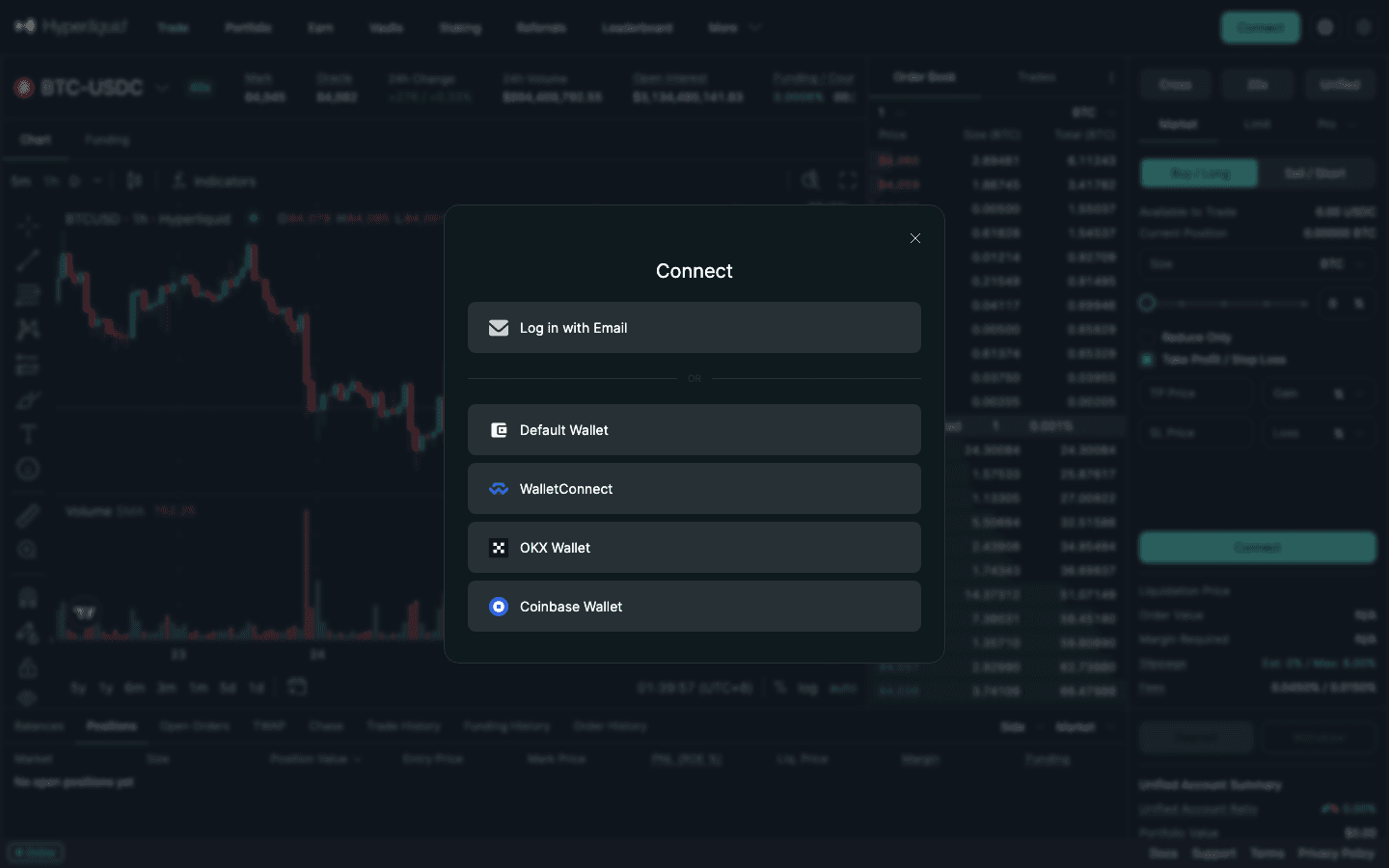
Email logins. Because the app will not withdraw to the email wallet’s own address, have an external Arbitrum One address ready before you start: your own wallet or an exchange’s USDC deposit address on Arbitrum One. The email wallet can also be turned into a normal wallet: log in with the same email, choose Export Email Wallet in the settings dropdown and import the private key into a wallet such as Rabby (Hyperliquid docs). Anyone who sees that key controls the funds, so never show it on a screen share or paste it into a chat.
USDC not showing in MetaMask or Rabby? Switch the wallet to the Arbitrum One network and, if needed, add native USDC as a token (contract 0xaf88d065e77c8cC2239327C5EDb3A432268e5831, from Circle’s list of USDC addresses). Bridged USDC.e is a different token.
4. Fees, minimum and timing by route
| Route | Drawn from | Cost | Time |
|---|---|---|---|
| USDC → Arbitrum One (CCTP) | USDC (withdrawable balance) | 0.2 USDC flat, taken from the amount, + HyperEVM gas in HYPE; minimum 0.4 USDC | Within 5 minutes (app); no Arbitrum transaction from you |
| BTC → Bitcoin (Unit) | Spot BTC | Bitcoin network fee (Unit quote: 0.00000715 BTC ≈ $0.60) | Unit ETA about 64 minutes |
| ETH → Ethereum (Unit) | Spot ETH | Ethereum network fee (quote: 0.0000633 ETH ≈ $0.17) | Unit ETA about 7 minutes |
| SOL → Solana (Unit) | Spot SOL | Solana network fee (quote: 0.000008 SOL, under $0.01) | Unit ETA about 4 minutes |
| AVAX, MON, XPL, ZEC, VIRTUAL (Unit) | Spot balance | That chain’s network fee | about 4 minutes; ZEC about 130 minutes |
| HYPE or tokens → HyperEVM | Spot balance | Gas in HYPE on HyperCore | Seconds |
| Send to another Hyperliquid address | Any balance | None, except a one-time 1 USDC if the address is new | Instant (stays on Hyperliquid) |
USDC fee, minimum, maximum and time: the official app’s Withdraw window (CCTP route, October 15, 2026; the legacy bridge charged $1 with a 2 USDC minimum). Unit quotes: api.hyperunit.xyz/v2/estimate-fees on September 27, 2026 (22:50 UTC on September 26), dollar values at Hyperliquid mid prices. Network fees move with congestion.
For scale: the 0.2 USDC fee equals the taker fee on a $444 perp order at the base rate (0.045%). Together with the 0.20 USDC CCTP fee on Arbitrum deposits, it is one of only two fixed transfer costs (plus tiny gas). The app’s limits are 0.4 USDC minimum (twice the route fee) and 10,000,000 USDC per withdrawal; no daily limit is documented. The full fee picture is in Hyperliquid fees explained, and Hyperliquid withdrawal fee vs other DEXs sets it against the limits and fees of other venues.
5. How to withdraw from Hyperliquid to Binance
Hyperliquid cannot send to Binance by itself: you withdraw USDC to Arbitrum One, and Binance receives it there. Binance’s public network list on September 27, 2026 had USDC deposits enabled on Arbitrum One, credited after 120 network confirmations. The network must match on both sides.
- On Binance, open Deposit, choose USDC and the network Arbitrum One. Copy the address.
- Email login on Hyperliquid: paste that address as the Withdraw destination and withdraw. Wallet login: withdraw to your own wallet (the only option), then send the USDC from that wallet to the Binance address on Arbitrum One. That second transfer costs Arbitrum gas, 0.02 gwei on September 27, 2026, well under a cent.
- For a first transfer, send a small test amount (at least 0.4 USDC) and wait for Binance to credit it.
Sending HYPE to Binance. Binance lists HYPE on one network only, “Hyperliquid EVM” (the HyperEVM), and has traded HYPE spot since September 24, 2026. HYPE in your Hyperliquid spot balance lives on HyperCore, so move it first: Transfer to/from EVM in the Balances table (gas in HYPE; the docs put a Core → EVM transfer at 200,000 gas), then send it from your wallet on the HyperEVM network (chain ID 999) to Binance’s HYPE deposit address. Keep a little HYPE for gas on the HyperEVM.
- Other exchanges: the rule is the same. USDC goes to the exchange’s USDC on Arbitrum One address. For HYPE, check which network the exchange names: Hyperliquid’s onboarding docs note that exchanges support Hyperliquid “either via HyperCore or HyperEVM”, and Binance uses only the HyperEVM. Do a test transaction the first time.
- Native coins: withdraw BTC to the exchange’s Bitcoin address, SOL to its Solana address, and so on, via Unit (section 6).
- Never use Send to reach an exchange unless it lists the Hyperliquid network. The support FAQ: funds sent to an exchange address with Send can only be accessed by that exchange once it “integrate[s] the Hyperliquid blockchain”.
6. Withdrawing BTC, ETH, SOL and other coins (Unit)
BTC, ETH, SOL, AVAX, ZEC, MON, XPL, VIRTUAL and a few Solana tokens (PUMP, BONK and others) leave Hyperliquid through Unit, the same independent protocol that handles their deposits. From Unit’s withdrawal guide: select the asset in the Withdraw tab, enter the destination address on that chain and the amount, and sign. Unit generates a withdrawal address on Hyperliquid tied to your destination, and “upon the finalization of the Hyperliquid transaction (~10 seconds), the Unit protocol will generate and broadcast the corresponding transfer” on the native chain.
- No protocol fee. Unit “does not collect revenue from deposits or withdrawals”; you pay the destination chain’s network fee ($0.60 for BTC, $0.17 for ETH and under $0.01 for SOL in Unit’s quote on September 27, 2026).
- Minimums apply to withdrawals as well as deposits: 0.0003 BTC, 0.007 ETH, 0.12 SOL, 1.5 AVAX, 0.07 ZEC.
- First withdrawal to a new address: the app adds a one-time account-activation fee, paid in a USD stablecoin, when the destination is new to Unit on that chain, because Unit’s withdrawal address for it is a new HyperCore account (Hyperliquid charges 1 USDC to activate a new account). Later withdrawals to the same address skip it.
- Addresses: a Bitcoin destination is a Bitcoin address, a Solana destination a Solana address. Read the chain label before pasting.
- From USDC to BTC: buy UBTC on the spot market (0.070% taker at the base tier) and then withdraw it. This is also the easiest way to take profits to a Bitcoin-only wallet.
- Failed? Hyperliquid’s support page sends failed BTC, ETH and SOL withdrawals to the Unit team. Track them on Unit’s app or a block explorer (mempool.space, Etherscan, Solscan).
7. Ethereum, Base, Solana, HYPE and hardware wallets
- USDC on Ethereum mainnet: Arbitrum’s own bridge back to Ethereum takes at least 7 days. Third-party bridges are faster; compare them in our Hyperliquid bridge guide.
- USDC on Base, Solana or another chain: either withdraw to Arbitrum and bridge from there, or use a bridge that withdraws straight from HyperCore. Relay, Across and Mayan all support withdrawals from HyperCore (details and costs in the bridge guide). Check the destination token before you confirm.
- Plain HYPE to your own wallet: HYPE is not a Unit asset. Move it from spot to the HyperEVM with Transfer to/from EVM; it then sits at the same address on the HyperEVM network, where any EVM wallet shows it once network 999 is added. Staked HYPE first needs the 7-day queue (section 9).
- Hardware wallet (Ledger, Trezor): if you connected to Hyperliquid with the hardware wallet’s address (for example through Rabby or MetaMask), a withdrawal lands on that same address and you only confirm the signature on the device. Otherwise use an email login and type the hardware wallet’s Arbitrum address, or withdraw BTC via Unit to its Bitcoin address. See our wallet guide.
8. Cashing out to a bank account
Hyperliquid has no fiat withdrawal, so no route goes straight to a bank. The usual path has three hops: withdraw USDC to Arbitrum One → deposit it at an exchange that accepts USDC on Arbitrum One (Binance does, per section 5; check any other exchange’s deposit page) → sell USDC for your currency and withdraw to your bank. The exchange runs identity checks (KYC) and charges its own bank-withdrawal fee. If your exchange does not take Arbitrum USDC, convert to BTC or SOL on Hyperliquid and withdraw through Unit instead.
Records and tax. Keep the explorer link of each withdrawal and export your Trade History and Funding History as CSV from the Portfolio page. Moving funds between your own wallets is usually not a sale, but trading gains, and swaps you make to exit (USDC into UBTC, or USDC into cash on an exchange), can be taxable depending on where you live. Our DEX tax reporting guide covers what to keep; ask a local tax adviser for your case.
9. Staking, vaults and other locks
| Where the funds are | Lock | How to get them out |
|---|---|---|
| Staked HYPE | 1-day lock after delegating, then a 7-day Staking → Spot queue (max 5 pending per address) | Unstake from the validator, then Transfer to Spot, wait exactly 7 days |
| HLP (protocol vault) | 4 days after your most recent deposit | Vault page → Withdraw, then withdraw from your balance |
| User vaults | 1 day after your most recent deposit | Vault page → Withdraw (the leader keeps 10% of profits) |
| Open positions | Margin: max(initial margin, 10% of open notional) stays | Reduce or close positions |
| Resting orders | The part of the balance they reserve is on hold | Cancel the orders |
| HyperEVM tokens | None | Transfer to/from EVM back to HyperCore (gas in HYPE), then withdraw |
The unstaking queue is the one that catches people. The support FAQ is precise: unstaking and transferring to Spot are two separate actions, the 7 days start only when you initiate the transfer, and “it’s not possible to speed up” it. Details in the Hyperliquid staking guide; vault lock-ups in the vaults guide.
Trading again after you withdraw?
Hyperliquid’s fees drop 4% with code HOLYGRAIL for your first $25M of volume. The official web app adds no builder fee.
10. Stuck withdrawals and common errors
Start in Portfolio → Deposits and Withdrawals and read two columns: Action (Withdrawal or Send) and Status (Pending, Completed, Failed). The support FAQ’s decision tree and the other known cases:
| Symptom | Cause | Fix |
|---|---|---|
| Withdrawable is far below account value | Margin locked by open positions: what stays must cover max(initial margin, 10% of total open notional) | Close or reduce positions, or remove isolated margin you no longer need |
| Withdraw button stays greyed out | Amount below the 0.4 USDC minimum or above Withdrawable | Enter at least 0.4 USDC and no more than Withdrawable |
| Withdraw shows 0 but Spot shows USDC | Manual / Standard account mode keeps separate Spot and Perps balances | Transfer Spot → Perps first. Unified accounts never see this |
| Part of a spot balance is “on hold” | Resting orders (and, in unified mode, position margin) reserve it | Cancel orders you no longer need, then withdraw |
| Status “Pending” for longer than expected | Network congestion | Wait for the estimate shown in the Withdraw modal; the docs say it will be processed, only slower |
| Status “Completed” but nothing in the wallet | Looking at the wrong token or address | Click the explorer link next to the timestamp; check native USDC (not USDC.e) on Arbitrum One |
| Action column says “Send Spot” or “Send USDC” | You used Send, which stays on Hyperliquid | Your own address: connect it on Hyperliquid. An exchange address: only the exchange can reach it |
| BTC, ETH or SOL withdrawal “Failed” | Native-asset withdrawals are run by Unit | Contact Unit (t.me/hyperunit or app.hyperunit.xyz/support) |
| Withdrawal keeps getting re-deposited | The wallet is linked to a Telegram trading bot that auto-deposits | Send the USDC to another address you control on Hyperliquid and withdraw from there |
| Phantom: USDC withdrawn but invisible | Phantom does not support Arbitrum | Funds are on Arbitrum. Import the Ethereum key into Rabby or another Arbitrum wallet |
| Staked HYPE or vault funds not withdrawable | Unstaking queue (7 days) or vault lock-up (HLP 4 days, user vaults 1 day) | Wait, move them back to your balance, then withdraw |
Hyperliquid support FAQ (withdrawal issues, Phantom, unstaking), margining and vault docs, the app’s Withdraw window and the spot balance API, re-checked September 27, 2026 (the withdrawal FAQ and the Withdraw window again on October 15, 2026).
One more trap: sending USDC with Send to a brand-new Hyperliquid address costs a one-time 1 USDC activation fee, because the first transfer to any new HyperCore account pays it. Moving funds to a second address of your own to escape a Telegram bot therefore costs 1 USDC plus the 0.2 USDC withdrawal fee.
If funds left your account without your approval, that is a security incident, not a withdrawal problem: Hyperliquid’s FAQ has a separate “I got scammed/hacked” page, tickets go through the “open-ticket” channel on Hyperliquid’s Discord (replies can take up to 48 hours), and our wallet guide covers API-wallet and approval hygiene. Anyone who contacts you first offering to “unlock” a withdrawal is not Hyperliquid support.
11. Worked examples
A. Taking 2,000 USDC profit to Binance
With an email login, withdraw 2,000 USDC straight to Binance’s Arbitrum One USDC address: 1,999.8 USDC arrives within 5 minutes, and Binance credits it after 120 confirmations. Cost 0.01%. With a wallet login the 1,999.8 USDC lands in your own wallet first, and the transfer to Binance adds a fraction of a cent of Arbitrum gas. Doing it as ten withdrawals of 200 would cost 2 USDC plus ten gas fees.
B. Moving 0.05 BTC of profit to a hardware wallet
Buy 0.05 UBTC on the spot market (≈ $4,214 at the $84,272 mid price on September 27, 2026; 0.070% taker ≈ $2.95), then withdraw to your Bitcoin address. Unit’s quote that day was 0.00000715 BTC (≈ $0.60) and about 64 minutes. All-in about $3.55, compared with 0.2 USDC for the USDC route plus whatever your exchange charges to buy and send BTC.
C. A $30 test account
Withdrawing the whole $30 as USDC returns $29.80, a 0.67% fee. That is fine for a one-off test, but if you plan to keep trading, leave the balance on Hyperliquid instead of cycling it. Anything under 0.4 USDC cannot be withdrawn as USDC at all.
12. Habits that save money
- Batch withdrawals. The 0.2 USDC fee is flat.
- Keep a working balance on Hyperliquid rather than depositing and withdrawing each trade. Deposits cost a 0.20 USDC CCTP fee from Arbitrum plus source-chain gas (how to deposit to Hyperliquid).
- Keep a little ETH on Arbitrum so USDC is not stranded in your wallet when it lands, and a little HYPE on the HyperEVM if you move HYPE out.
- Check the network twice when withdrawing to an exchange; exchanges rarely recover cross-network deposits.
- Plan HYPE exits a week ahead if it is staked.
- Trade with a fee discount: referral code HOLYGRAIL (4% off) and HYPE staking (5%–40% off).
13. FAQ
How much is the Hyperliquid withdrawal fee?
Withdrawing USDC to Arbitrum costs 0.2 USDC, taken from the amount you withdraw, plus a tiny HyperEVM gas fee in HYPE (under $0.01 at the gas price we read). That is the Arbitrum (CCTP) route the app has used since late September or early October 2026 (checked October 15, 2026). The fee is flat, so 100 USDC arrives as 99.8 and 10,000 as 9,999.8. BTC, ETH, SOL and other Unit assets pay only their chain’s network fee instead; on September 27, 2026 Unit quoted about $0.60 for a BTC withdrawal and under $0.01 for SOL.
Why do some guides say the withdrawal fee is $1?
They describe the legacy Arbitrum bridge. Hyperliquid’s API docs still say “a $1 fee for withdrawing”, and on that route the app charged $1 with a 2 USDC minimum. The app picks the route from Hyperliquid’s routing setting (usdcRouting): it still chose the bridge for withdrawals on September 27, 2026, and has chosen Circle’s CCTP since early October (October 15, 2026: CCTP), which costs 0.2 USDC plus HyperEVM gas. The docs now call the legacy bridge deprecated. The Withdraw window always shows the fee before you sign; if it says $1, the bridge route is back.
How long does a Hyperliquid withdrawal take?
Within 5 minutes for USDC to Arbitrum, by the estimate printed in the app’s Withdraw window on both routes (the docs’ figure for the legacy bridge is 3–4 minutes). You only sign a gas-less message; the USDC passes through the HyperEVM and reaches Arbitrum without a transaction from you. Unit withdrawals are broadcast about 10 seconds after the Hyperliquid transaction is final and then follow the destination chain: about 4 minutes for Solana, about 7 minutes for Ethereum and about 64 minutes for Bitcoin in Unit’s estimate on September 27, 2026.
How do I withdraw from Hyperliquid to Binance?
Copy Binance’s USDC deposit address and pick the Arbitrum One network there. With an email login, paste it as the Withdraw destination. With a wallet login, withdraw to your own wallet first, then send the USDC to Binance on Arbitrum One. Binance credits it after 120 network confirmations. For HYPE, Binance only lists the Hyperliquid EVM network, so move HYPE from your spot balance to HyperEVM first (Transfer to/from EVM) and send it from there. Never use Send for either.
Can I withdraw from Hyperliquid directly to my bank account?
No. Hyperliquid has no fiat withdrawals. Withdraw USDC to an exchange that accepts USDC on Arbitrum One (or convert to BTC or SOL and use Unit), sell it there for your currency and withdraw to your bank. The exchange’s identity checks and its own bank-withdrawal fees apply.
Why can’t I withdraw my full balance?
Open positions lock margin. After any withdrawal the margin left must be at least the larger of your initial margin requirement and 10% of the total notional of your open positions. The Withdrawable figure already applies that rule. Close or reduce positions to free more. Resting orders can put part of a spot balance on hold, and in Manual / Standard mode USDC in the Spot balance must be transferred to Perps first.
Is there a minimum or maximum withdrawal on Hyperliquid?
The docs publish no minimum, but the official app requires at least 0.4 USDC (twice the route fee; 2 USDC on the legacy bridge) and caps a single withdrawal at 10,000,000 USDC. The 0.2 USDC fee is 2% of a $10 withdrawal and 0.2% of $100. Unit assets have their own minimums (0.0003 BTC, 0.007 ETH, 0.12 SOL and so on), and Unit cannot process amounts below them.
Do I need ETH on Arbitrum to withdraw?
No. The withdrawal is a signature on Hyperliquid; the USDC passes through the HyperEVM, where you pay a tiny HyperEVM gas fee in HYPE (taken from your spot HYPE, or its dollar value from the USDC if you hold no HYPE), and arrives on Arbitrum without a transaction from you. You need a little ETH on Arbitrum only to move the USDC onward from your wallet.
How long does it take to withdraw staked HYPE?
Undelegate from the validator (possible once the 1-day delegation lock has passed), then transfer from the Staking balance to Spot. That transfer takes exactly 7 days and cannot be sped up; each address can have at most 5 pending. After that the HYPE is in spot and can be sold, moved to HyperEVM or sent to an exchange.
My withdrawal says Completed but I cannot see it. What now?
Open Portfolio → Deposits and Withdrawals, click the explorer link next to the withdrawal and read the destination address. If it is yours, look for native USDC on Arbitrum One in that wallet (add the token if needed). If the Action column says Send rather than Withdrawal, the funds never left Hyperliquid.
New to Hyperliquid?
Open an account with HOLYGRAIL: 4% off trading fees on your first $25M of volume, no KYC, withdrawals within 5 minutes for 0.2 USDC plus a little gas.
Disclosure: HOLYGRAIL is our Hyperliquid referral code; we earn a share of referred accounts’ fees at no cost to you. The withdrawal fee, timing, limits, margin rule and lock-ups are taken from Hyperliquid’s official documentation and app, Unit network fees from Unit’s public API, and Binance network details from Binance’s public network list, re-checked on September 27, 2026; the USDC route, fee, minimum and timing on October 15, 2026. Not investment or tax advice.