
Short answer. On Hyperliquid, TWAP is native: total size, running time 5 min–7 days, $100 minimum ($10 per suborder), suborders at least 30 s apart, 3% max slippage per suborder, Randomize ±20%, Trigger Price and Max/Min Price. Its terms are visible on-chain while it runs, which research suggests can lower your costs. Scale places a ladder (Start, End, Total Orders, Size Skew). Chase is a post-only order that re-prices to the top of the book. Trailing Stop (perps only) is new. An iceberg order does not exist natively: use a Scale ladder or a short API script. TWAP pays taker fees (0.045%); resting Scale and Chase orders pay maker (0.015%).
Execute size on Hyperliquid for 4% less
Code HOLYGRAIL cuts every TWAP slice, Scale fill and Chase fill by 4% for your first $25M of volume.
We earn a commission when you sign up through our links; it never raises your fees.
1. What Hyperliquid offers for large orders
A large market order walks through several price levels and fills worse than the screen showed (price impact, covered in our slippage guide). A large resting limit order has the opposite problem: everyone can see it. Exchanges answer with two families of tools: spreading execution over time (TWAP) and showing only part of the order (iceberg). Hyperliquid builds the first into the exchange and leaves the second to you. Keep in mind that Hyperliquid is a fully on-chain order book: every order, including a TWAP, is a public record tied to your address.
| Tool | What it does | What others can see | Fee side | Runs |
|---|---|---|---|---|
| TWAP | Splits total size into suborders at a fixed interval (≥ 30 s) over 5 min–7 days; 3% max slippage per suborder | Slices fill immediately, so nothing rests on the book; the trade feed shows each slice's fills (Randomize varies their size ±20%). The TWAP itself (address, market, side, total size, running time) is public on-chain while it runs | Taker | On the exchange |
| Scale | Places a set number of limit orders between a start and end price | Every order in the ladder is visible; no single level shows the total | Maker if resting | On the exchange |
| Chase | Post-only limit that re-prices one tick inside the best bid/ask until filled | Full size at the top of the book | Maker | In your browser tab (max 5 active) |
| Trailing Stop | Market order triggered when the mark retraces by a set % from its best level | Not a size tool; an exit tool | Taker | Perps only; no trailing type in the API |
| Iceberg | Not available: no hidden or display-quantity field in the app or the API (September 26, 2026) | |||
2. Where the order types are in the app
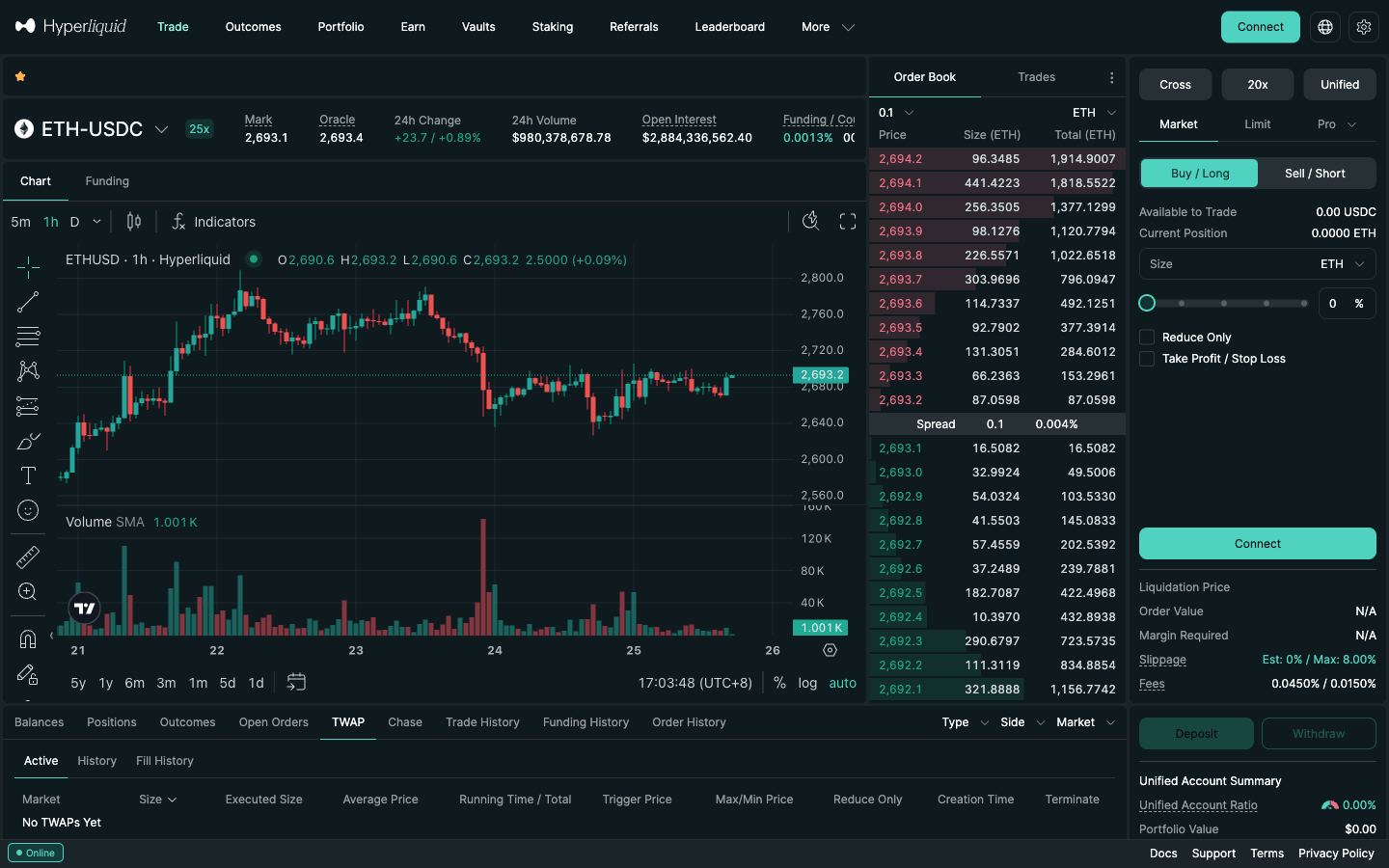
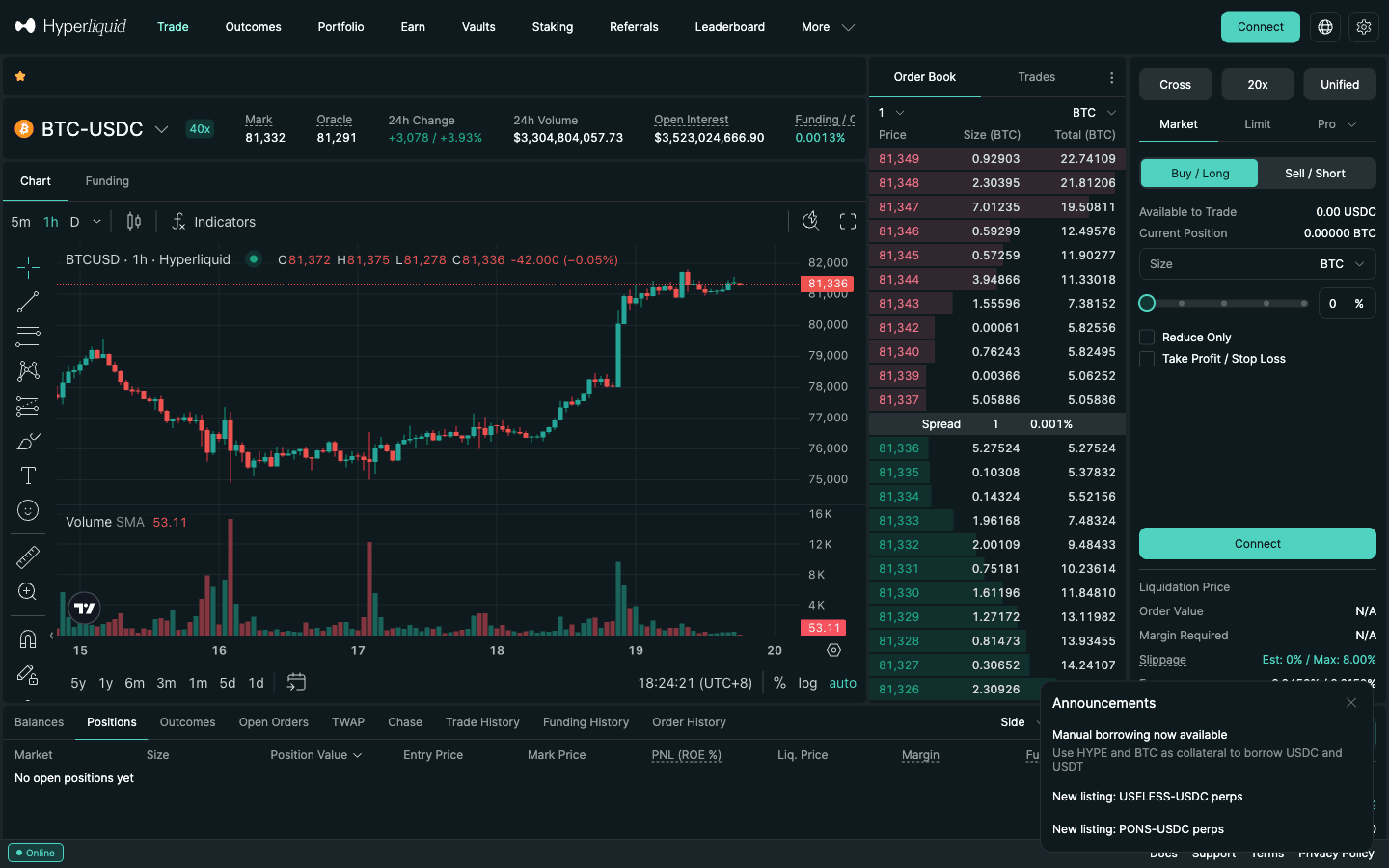
The order form on every trade page has three tabs: Market, Limit and Pro. The Pro tab opens a menu with Chase, Scale, Stop Limit, Stop Market, Take Limit, Take Market, Trailing Stop and TWAP (checked in the live web app on September 25, 2026); the tab then shows the name of the last one you picked. Running TWAPs and Chase orders have their own tabs in the panel under the chart, next to Positions and Open Orders.
3. Hyperliquid TWAP in detail
TWAP stands for time-weighted average price. Hyperliquid’s version is defined precisely in the docs:
- Execution target. At any moment the TWAP aims to have filled elapsed time ÷ total time × total size.
- Interval. Suborders go out at a fixed interval calculated from your size and running time: large orders over short durations as often as every 30 seconds, small orders over long durations further apart.
- Limits. Running time 5 min–7 days; minimum total size $100; minimum per suborder $10. The form labels the field “Running Time (5m - 7d)” with Day(s), Hour(s) and Min(s) boxes.
- Slippage cap. Each suborder has a maximum slippage of 3%.
- Catch-up. If suborders do not fully fill (wide spread, thin book), later suborders grow to catch up, but never beyond 3× the normal suborder size (total size ÷ number of suborders). If too many miss, the TWAP can end short of the full size.
- Network upgrades. Like normal market orders, suborders do not fill during the post-only period of a network upgrade.
What changed in August 2026. Hyperliquid’s “TWAP order improvements” announcement (dated 8/2/2026 in the app) added four things and changed one rule:
- Trigger Price: the TWAP activates only when the mark price reaches your level.
- Max/Min Price: the TWAP terminates when the mark crosses your max (buys) or min (sells); the remaining size is canceled and does not resume.
- Longer running times: up to 7 days, with a 5-minute minimum.
- Dynamic intervals: suborders are no longer fixed at 30 seconds; the interval is calculated from size and running time, with 30 seconds as the floor.
- Minimum size: $100 per TWAP order; the minimum per suborder stays $10.
The official examples show how the interval stretches:
| TWAP | Suborders | Size each | Interval |
|---|---|---|---|
| $10,000 over 1 hour | ~121 | ~$83 | 30 seconds |
| $10,000 over 4 days | ~1,000 | ~$10 | ~6 minutes |
Source: Hyperliquid docs, trading/order-types (checked September 26, 2026). Before you submit, the form shows Runtime and Size per Suborder for your own inputs.
Options. Randomize adjusts each suborder by up to ±20% so the tape does not show identical prints at a fixed rhythm. Reduce Only makes sure an exit TWAP can only shrink your position. Under Advanced Settings, a Trigger Price arms the TWAP only when the mark price reaches a level, and a Max Price (for buys; Min Price for sells) terminates it if the mark runs past your limit. The docs’ long-run example ($10,000 over 4 days) already sits at the $10 suborder floor, so a small TWAP over a long running time gets few, widely spaced slices: a $100 TWAP can never have more than about ten.
Monitoring. The TWAP tab under the chart lists each running TWAP with Size, Executed Size, Average Price, Running Time / Total, Trigger Price, Max/Min Price, Reduce Only, Creation Time and a Terminate button. Terminating stops future slices; what already filled stays filled.
4. How to place a TWAP, step by step
- Open the market (for example
app.hyperliquid.xyz/trade/ETH) and connect your wallet. - In the order form, click Pro and choose TWAP. Pick Buy / Long or Sell / Short.
- Enter Total Size (in the coin, or use the % slider of available balance). It must be worth at least $100.
- Set Running Time in days, hours and minutes (5 min–7 days).
- Tick Randomize if you want irregular slices, and Reduce Only if the TWAP is closing a position.
- Open Advanced Settings: set a Max Price (buy) or Min Price (sell) as a circuit breaker, and optionally a Trigger Price.
- Check the Runtime and Size per Suborder lines (each slice must be at least $10), then submit and sign. Watch progress in the TWAP tab.
Worked example. You want to buy $50,000 of ETH over 2 hours without chasing a spike. Set Total Size to the ETH equivalent (about 18.6 ETH at the September 25, 2026 price of roughly $2,690), Running Time 2 hours, Randomize on, and a Max Price 1.5% above the current mark. At the base tier the slices cost 0.045% × $50,000 = $22.50 in fees ($21.60 with a referral code). If ETH jumps through your Max Price, the TWAP stops and you keep whatever filled.
Remember that funding is paid every hour on Hyperliquid. During a multi-day TWAP into a long, the filled part of the position pays or receives funding each hour; at the 0.00125% hourly baseline that is $0.30 a day per $1,000 of position. See funding explained.
5. Your TWAP is public (and why that can help)
This is the part most TWAP guides get wrong. On a centralized exchange, a TWAP strategy lives inside the exchange and other traders only see the child orders. On Hyperliquid, a TWAP is an on-chain action, so its terms are public from the moment you place it:
- The order itself. The
twapOrderaction is recorded with your address, the market, buy or sell, the total size, the running time in minutes and the randomize and reduce-only flags. Explorers read these straight from the chain: Hypurrscan’s public TWAP dashboard (hypurrscan.io/twap) listed 462 new TWAPs placed in the 24 hours to 22:19 UTC on September 26, 2026. More on the tools in our Hyperliquid explorer guide. - Progress while it runs. The public info API returns any address’s TWAP states and slice fills without a key. We queried a stranger’s address on September 26, 2026 and got back each TWAP’s size, executed size, executed notional, minutes, and fields for its trigger and stop prices, plus every slice fill arriving 30 seconds apart. Whale trackers aggregate this into “net TWAP buying” per coin (see our whale tracker guide).
- What stays off the book. Slices are market-style orders that fill immediately, so the order book never shows your total. What people cannot see in advance is the exact size of each randomized slice.
Why visibility can work in your favour. A 2026 study by Barone and Lillo (arXiv 2606.15715) treated Hyperliquid TWAPs as a natural experiment in “sunshine trading”, the theory that announcing a large order attracts liquidity instead of predators. Comparing 465,000 visible TWAP executions with 4.3 million hidden metaorders reconstructed from address-level data, the authors found that visible TWAPs had lower execution costs and a smaller permanent price impact. While a TWAP was active, displayed depth rose and the book tilted toward the side absorbing it, more so for larger TWAPs. Hidden orders trading alongside a visible TWAP in the same direction paid more.
What to do with that:
- Do not use TWAP as a stealth tool. Randomize varies slice size; it does not hide the order. If you do not want a total announced, use a Scale ladder or the API slicing script below (each of those orders is public too, but no single record states the whole size).
- Always set a Max/Min Price. Anyone can see a large buy TWAP coming. The per-slice 3% cap limits damage on one slice, but only Max/Min Price stops the whole program if someone pushes the price away.
- Give size time. The liquidity response the study describes needs the TWAP to be running; a longer running time with smaller slices lets market makers lean in instead of you walking the book.
- Read other people’s TWAPs as flow, not as a signal. A large active buy TWAP is known demand for its remaining minutes; it can also be terminated at any time.
6. TWAP vs VWAP, with a worked example
TWAP (time-weighted average price) spreads an order evenly over time: the same amount every interval, whatever the market is doing. VWAP (volume-weighted average price) spreads it in proportion to market volume: more in busy hours, less in quiet ones, so your slices are a steady share of the flow. Both are also benchmarks. TWAP is the simple average of prices across the window; VWAP weights each trade by its size, and execution desks judge a fill by how far it landed from the window’s VWAP.
| TWAP | VWAP | |
|---|---|---|
| How it is calculated | Average of prices sampled at equal time intervals | Σ(price × volume) ÷ Σ volume over the window |
| Slice size | Equal per interval | Proportional to expected volume |
| Needs a forecast? | No | Yes: a volume profile by hour |
| Share of market flow | High in quiet hours, low in busy hours | Roughly constant |
| On Hyperliquid | Native (Pro → TWAP, or the twapOrder API action) | No native order; build it from several TWAPs or a bot. VWAP is available as a chart indicator. |
| Best for | Simple, predictable execution; overnight or multi-day runs | Large orders inside one session where volume swings a lot |
Worked example: $100,000 of BTC between 12:00 and 16:00 UTC
We pulled 30 days of hourly BTC candles from Hyperliquid's public API (720 hours to 14:00 UTC on September 25, 2026) and averaged the notional volume by hour of day. The four hours from 12:00 to 16:00 UTC are the busiest of the day, but not equally busy:
| Hour (UTC) | Avg BTC volume that hour | Share of the 4 hours | TWAP schedule | VWAP-style schedule |
|---|---|---|---|---|
| 12:00–13:00 | $181.2M | 20.2% | $25,000 | $20,231 |
| 13:00–14:00 | $221.2M | 24.7% | $25,000 | $24,701 |
| 14:00–15:00 | $295.9M | 33.0% | $25,000 | $33,040 |
| 15:00–16:00 | $197.2M | 22.0% | $25,000 | $22,028 |
Source: Hyperliquid API candleSnapshot, BTC 1h, 2026-08-26 15:00 to 2026-09-25 14:00 UTC; notional = volume × average of open and close. For comparison, the quietest hour (04:00 UTC) averaged $54.8M.
How to run it on Hyperliquid: the plain TWAP is one order, $100,000 with Running Time 4 h. The VWAP-style version is four one-hour TWAPs, each started at the top of the hour with the size in the last column (the API makes this easy: four twapOrder actions with m = 60). Fees are identical, since every suborder is a taker fill at 0.045% either way ($45.00 in total at tier 0). The difference is market impact. At 14:00 UTC the VWAP schedule buys more, but it is still about 0.011% of that hour's average volume, while the TWAP buys the same $25,000 in the thinner 12:00 hour as in the busiest one.
At this size, both are a tiny share of BTC flow and the result will be close. VWAP starts to matter when the order is a meaningful share of the book, on altcoins with a sharp daily profile, or when a run crosses quiet hours (04:00 UTC averages under a fifth of 14:00 UTC). Two cautions: the profile is an average, and event hours (CPI, FOMC) can carry several times normal volume, so do not size a schedule on an average and then run it through a data release. And to judge the result, compare the TWAP tab's Average Price with the VWAP indicator on the chart for the same window.
7. Scale orders
A Scale order places “multiple limit orders in a set price range” (docs). The live form asks for:
- Size: the total across all orders.
- Start (USDC) and End (USDC): the two ends of the range.
- Total Orders: how many limit orders to split the size into.
- Size Skew: shifts how the total is split along the ladder instead of dividing it evenly; check the individual orders in Open Orders after placing.
- Reduce Only and TIF (GTC by default).
The form previews the Start and End prices, the order value and the margin required before you submit. Example: to accumulate 5 ETH below the market, set Start $2,650, End $2,550, Total Orders 10. Nobody sees a 5 ETH bid; they see ten small ones spread over $100. Each filled order pays the maker fee (0.015%, or 0.0144% with a referral code). The trade-off is certainty: the market has to come down to your levels, and the lower orders may never fill.
A Scale ladder is also the cleanest way to exit in pieces: a Reduce Only sell ladder above the market takes profit gradually without a single visible wall. Make sure the start price does not cross the current best price, or the first orders will fill immediately as taker.
8. Chase orders
A Chase order is a Post Only (ALO) limit order that re-prices automatically to track the best bid or ask. It rests one tick above the best bid (for buys) or one tick below the best ask (for sells), or at the best price when the spread is a single tick, until it fills or you stop it. The form fields are Chase Price, Size, Reduce Only and Max Chase Distance (how far it may follow the market).
Two caveats from the docs: Chase runs in the browser tab where you created it, so closing the tab or losing connection stops the chasing, and up to 5 can be active at once. It gives you maker pricing with near-market speed, but your full size is visible at the top of the book, so size it so that the displayed quantity does not scare the market.
9. The new native Trailing Stop
The app announced “New order type: Trailing stop — available for perp markets only”, and the docs now define it: a market order activated when the mark price retraces from its best level by the selected distance or percentage. For stops that close longs (or open shorts), the trigger follows the highest mark price since activation; for stops that close shorts (or open longs), the lowest. The trigger never moves back.
The form has Retracement in percent (with 5% and 10% presets), Size, Reduce Only and an optional Activation Price. Example: you are long ETH from $2,690 and set a 5% trailing stop. If the mark climbs to $2,900, the trigger sits at $2,755 (5% below the high). If ETH then falls to $2,755, a market sell closes the position, locking in about $65 per ETH instead of riding it back down. Because it fires as a market order, it pays the taker fee. Trailing stops are not available on spot, and the API has no trailing order type, so bots have to implement the logic themselves. More in the conditional orders guide.
Try TWAP and Scale with a small order first
The TWAP minimum is $100. Join with HOLYGRAIL for 4% off every slice.
10. Iceberg orders: why there are none, and what to do
An iceberg order shows a small “tip” on the book and refills it from a hidden reserve after each fill. On Hyperliquid, every order is a public on-chain object. The API’s order action carries the asset, side, price, size, reduce-only flag, type (limit with a time-in-force of Alo, Ioc or Gtc, or a trigger) and an optional client order ID. There is no field for a hidden or display quantity, and the docs’ list of order types has no iceberg. Pages that describe a native Hyperliquid iceberg are wrong as of September 26, 2026.
Three practical substitutes, with what each one reveals:
- TWAP if you need the whole size done within a time window. Only one slice hits the book at a time, but the total is announced on-chain (section 5), and it pays taker fees. Closest in effect, opposite in secrecy.
- Scale ladder if you want maker fees and can wait for the price to come to you. Every level is visible, the total is not stated anywhere.
- A DIY iceberg via the API if you want a single price level, maker fees and no announced total. The logic: post a limit order (Alo if you want to guarantee maker) for the display size; subscribe to your fills over WebSocket; after each fill, post the next slice (optionally varying size by a few percent and waiting a random second or two) until the total is done; cancel everything on a stop condition. Each slice and your fills remain public and linked to your address, so a patient observer can add them up afterwards.
Rate limits are not a problem for this at normal sizes. Each address gets 1 request per 1 USDC traded on top of an initial buffer of 10,000 requests, and can hold 1,000 open orders plus 1 per $5M of volume (capped at 5,000). Per IP the limit is 1,200 REST weight per minute. The plumbing is in our Hyperliquid API trading guide, WebSocket setup and rate limits guide.
11. Using TWAP through the API (with code)
- Place: POST to
https://api.hyperliquid.xyz/exchangewith an action of typetwapOrder. Its fields:aasset,bisBuy,ssize,rreduceOnly,mminutes,trandomize. A success returns atwapId; a bad duration returns errors such as “Invalid TWAP duration: 1 min(s)”. - Cancel: action
twapCancelwitha(asset) andt(the twapId). - Track: the info request
userTwapSliceFillsreturns up to the 2,000 most recent slice fills (TWAP fills carry a hash of zeros). Over WebSocket, subscribe totwapStates,userTwapSliceFillsanduserTwapHistory; a TWAP’s status is activated, terminated, finished or error. These feeds take any address, which is also how dashboards track other people’s TWAPs. - Trigger and max/min prices are in the app, and TWAP state records now carry
triggerandstopPxfields, but the documentedtwapOrderschema still lists only the six fields above (September 26, 2026). Do not send undocumented fields from production code. - No SDK helper. The official Python SDK has
order,bulk_ordersand friends but no TWAP method (GitHub issue #212, “Add support for TWAP orders”, is still open). Build the action yourself and sign it with the SDK’ssign_l1_action, as below.
from hyperliquid.exchange import Exchange
from hyperliquid.utils import constants
from hyperliquid.utils.signing import sign_l1_action, get_timestamp_ms

ex = Exchange(wallet, constants.MAINNET_API_URL)   # wallet: eth_account LocalAccount (use an API wallet)
asset = ex.info.name_to_asset("ETH")

# keep this key order: the signature hashes the action exactly as sent
action = {"type": "twapOrder",
          "twap": {"a": asset, "b": True, "s": "5", "r": False, "m": 120, "t": True}}
nonce = get_timestamp_ms()
sig = sign_l1_action(ex.wallet, action, ex.vault_address, nonce, ex.expires_after, True)
print(ex._post_action(action, sig, nonce))   # ... "running": {"twapId": ...}

# cancel later: {"type": "twapCancel", "a": asset, "t": twap_id}
Buys 5 ETH over 120 minutes with Randomize on. s is a string rounded to the coin’s size decimals; the total must be worth at least $100. _post_action is an internal SDK method, so pin your SDK version. Test on testnet first (constants.TESTNET_API_URL and False as the last signing argument).
- Scale has no dedicated action; a bot sends several limit orders in one
orderaction (it accepts an array). Chase and Trailing Stop are app features; bots implement them with order modifications. - Orders placed through an API wallet sign with that key; sub-accounts use
vaultAddress. See the API key security guide.
12. What each order type costs
| Order type | Fee side | Base rate | With HOLYGRAIL (first $25M) | Fees on $100,000 |
|---|---|---|---|---|
| TWAP (all suborders) | Taker | 0.045% | 0.0432% | $45.00 ($43.20) |
| Scale (resting fills) | Maker | 0.015% | 0.0144% | $15.00 ($14.40) |
| Chase (post-only) | Maker | 0.015% | 0.0144% | $15.00 ($14.40) |
| Trailing Stop, Stop Market, TP/SL | Taker | 0.045% | 0.0432% | $45.00 ($43.20) |
| Growth-mode HIP-3 market (e.g. xyz:TSLA) via TWAP | Taker | 0.009% | 0.00864% | $9.00 ($8.64) |
Perp rates at tier 0 from the Hyperliquid fee schedule (verified September 26, 2026). Spot is 0.070% / 0.040%. HYPE staking takes a further 5–40% off. Full tables in Hyperliquid fees explained.
The gap matters at size: moving $1M through TWAP costs $450 at tier 0, through a Scale ladder that fills completely $150. Many desks combine them: a Scale ladder for most of the size, and a short TWAP to finish whatever did not fill.
13. Which tool for which job
| You want to… | Use | Settings that matter |
|---|---|---|
| Get fully in or out within hours at the average price | TWAP | Randomize on; Max/Min Price 1–2% away; Reduce Only for exits |
| Accumulate below the market over days | Scale | Wide range, 10+ orders, Size Skew toward the better prices |
| Maker fees but fill soon | Chase | Keep the tab open; set Max Chase Distance |
| Protect profit on a trend | Trailing Stop | Retracement wider than normal noise (e.g. 5–10% on alts) |
| One price level, no announced total, maker fees | API iceberg script | Small visible slice, Alo, randomized refill |
| Start buying only after a breakout | TWAP with Trigger Price | Trigger above resistance, Max Price above that |
Practical limits to keep in mind: a single market order on Hyperliquid can be at most $30M on markets with 25x or more max leverage, $5M at 20–25x, $2M at 10–20x and $500,000 below that; limit orders can be 10× larger. Size slices relative to what is resting in the top levels of the book, not to daily volume; that is what decides whether a slice clears inside the 3% cap. Our order-book liquidity analysis shows how deep the books are.
14. How Lighter, Aster, Binance and Bybit compare
| Hyperliquid | Lighter | Aster (Pro) | |
|---|---|---|---|
| TWAP | 5 min–7 days, ≥ 30 s slices, ±20% randomize | One slice every 30 s, 5 min–30 days; Passive / Neutral / Aggressive styles | 1 min–7 days (docs) |
| Scale | Yes | Yes | Scaled order (docs) |
| Iceberg / hidden | No | Iceberg (runs in the browser tab) | Hidden Order and Hidden Position (docs) |
| Trailing stop | Yes, perps | No named trailing stop | Yes |
| Fee on these orders | Normal taker/maker | Standard accounts pay a fee on Chase, Iceberg and TWAP (0.01% shown for TWAP, September 25, 2026) | 0% maker / 0.04% taker |
If a genuinely hidden order is a must-have, Aster’s order-book perps offer one; see our Aster order types guide. Lighter’s order types include a native iceberg. For most size traders, though, Hyperliquid’s depth matters more than the missing iceberg: BTC perps traded about $3.8B in the 24 hours to 08:00 UTC on September 25, 2026 (API hourly candles). For TWAP versus VWAP, see section 6 above.
Against the big centralized exchanges, Hyperliquid’s TWAP runs much longer and starts smaller:
| Hyperliquid | Binance Futures | Bybit | |
|---|---|---|---|
| Running time | 5 min–7 days | 5 min–24 hours | 5 min–24 hours |
| Minimum size | $100 total, $10 per slice | $1,000 notional | Exchange minimum per sub-order |
| Slice interval | Calculated, ≥ 30 s | Not user-set (API takes duration, size, optional limit price) | You choose 5–120 s (default 30 s) |
| Randomize | ±20% | No option in the FAQ | ±20% |
| Trigger / stop price | Trigger Price, Max/Min Price (mark price) | Optional limit price (API) | Trigger Price, Stop Price (last price) |
| Who can see the total | Anyone, on-chain | Only you (others see child orders) | Only you (others see child orders) |
Sources: Binance Futures FAQ “What Is TWAP (Time-Weighted Average Price) Strategy” and the TWAP API FAQ; Bybit Help Center “Introduction to TWAP Strategy”; both read September 26, 2026. Fees follow each exchange’s normal schedule; see DEX vs CEX fees.
15. FAQ
What does TWAP mean in trading?
TWAP stands for time-weighted average price. It means two related things: a benchmark (the average price over a window, with every time interval weighted equally) and an execution method that splits a large order into equal pieces sent at regular intervals so the fill tracks that benchmark. On Hyperliquid, TWAP is a native order type in the Pro menu.
How does TWAP work on Hyperliquid?
You enter a total size and a running time between 5 min–7 days (minimum $100). Hyperliquid splits the order into suborders sent at a fixed interval of at least 30 seconds, each at least $10. Each suborder is a market-style order limited to 3% slippage. If slices miss, later ones grow (up to 3× normal size) to catch up. Options: Randomize (±20% per slice), Reduce Only, and under Advanced Settings a Trigger Price to start and a Max/Min Price to stop.
What is the minimum TWAP size on Hyperliquid?
$100 of notional per TWAP order, and each suborder must be at least $10 (announcement of August 2026). The running time must be at least 5 minutes. A $100 TWAP can therefore have only about ten $10 slices, whatever running time you pick.
Can other traders see my TWAP on Hyperliquid?
Yes. The TWAP is an on-chain action, so its terms (your address, the market, side, total size, running time and flags) are public from the moment you place it, and the public API returns any address's TWAP status and slice fills. Explorers such as Hypurrscan list new TWAPs as they appear. Slices fill immediately as market-style orders, so the total never rests on the order book; the trade feed only shows each slice as it fills.
Does Hyperliquid have iceberg orders?
No. As of September 26, 2026 the documented order types are Market, Limit, Stop Market, Stop Limit, Take Market, Take Limit, Chase, Scale, Trailing Stop and TWAP, and the API order has no hidden or display-size field. A TWAP keeps the total off the order book but announces it on-chain. To avoid announcing a total, use a Scale ladder or an API script that reposts a small slice after each fill; each of those orders is still public, but no single record shows the full size.
What is the difference between TWAP and VWAP?
TWAP (time-weighted average price) splits an order evenly over time: the same amount every interval. VWAP (volume-weighted average price) splits it in proportion to expected market volume, so more is traded in busy hours and less in quiet ones. Hyperliquid has a native TWAP but no VWAP order. You can approximate VWAP by running several shorter TWAPs sized to the hourly volume profile, for example 20% / 25% / 33% / 22% of the order across 12:00–16:00 UTC for BTC, based on the 30 days to September 25, 2026.
Is TWAP a good indicator?
TWAP is a benchmark, not a buy or sell signal. As a chart line it only smooths price over time, and because it ignores volume it says nothing about where most trading happened; VWAP is the more common benchmark for judging a fill. Its real use is execution: a TWAP order gets you close to the average price of the window at the cost of not timing the market. On Hyperliquid, judge a finished TWAP by comparing the Average Price in the TWAP tab with the chart VWAP for the same hours.
Are TWAP orders charged maker or taker fees?
Taker. TWAP suborders execute like market orders, so they pay 0.045% at the base tier (0.0432% with a referral code for your first $25M). A $100,000 TWAP therefore costs $45.00 in fees, or $43.20 with the discount. Scale and Chase orders that rest and fill pay the 0.015% maker rate.
What is a Scale order on Hyperliquid?
A Scale order places several limit orders across a price range in one go. The form asks for the total Size, a Start and End price, the number of orders (Total Orders), a Size Skew and the time-in-force (GTC by default). Orders that rest on the book pay the maker fee, 0.015% at the base tier.
Does Hyperliquid have a trailing stop?
Yes, natively, for perp markets only. You set a Retracement in percent (the form offers 5% and 10% presets), the size, optionally Reduce Only and an Activation Price. The trigger follows the best mark price since activation and never moves back; when the mark retraces by your distance, a market order fires.
Can I place a TWAP through the API?
Yes. Send a twapOrder action with the asset, side, size, reduce-only flag, duration in minutes and a randomize flag; cancel it with twapCancel and the returned twapId. The official Python SDK has no TWAP helper, so you build the action yourself and sign it with the SDK's signing function. Slice fills are available through the userTwapSliceFills info request (the 2,000 most recent) and the twapStates, userTwapSliceFills and userTwapHistory WebSocket feeds.
What happens to a TWAP if I close the browser?
Nothing: TWAP runs on the exchange, so it keeps executing until it finishes, you terminate it, or its Max/Min Price is hit. Chase orders are different: they run in the browser tab where you created them and stop if you close it.
Execute size on Hyperliquid
Native TWAP, Scale, Chase and Trailing Stop, no gas per order, and 4% off fees for your first $25M with HOLYGRAIL.
Disclosure: HOLYGRAIL is our Hyperliquid referral code; we earn a share of referred accounts' fees at no cost to you. Order mechanics come from Hyperliquid's documentation, the August 2026 announcement and the live app, checked on September 26, 2026; examples are illustrative, not trading advice.